
You are using an out of date browser. It may not display this or other websites correctly.
You should upgrade or use an alternative browser.
You should upgrade or use an alternative browser.

UI.X 1.5.22.0
No permission to download
- Thread starter Dad.
- Start date

Style Properties: General > AvatarHow do we remove the blue background of avatar/resource icons/etc

I've experienced this before in the past when I've not paid close attention to upgrading apache / php [leaving default values in ini files). One time, the server memory setting was too low; I have several styles and these take a while to rebuild when installing a style / add-on. Ask your host to increase the memory available to the PHP environment. The other time this happened was basically because of high traffic on the website making it SLOW and consuming connections / memory - I hit a script execution time-out.
By default (I think, don't quote me) PHP's script execution time out is 30 seconds so you might want to up this, or ensure to close the site so you are not sharing processing cycles with many visitors.
Are you on shared hosting? If so, you may be unable to change any of these settings.
@Andy.N On occasion before now I've had to copy style resources into the same image path, but within my own style folder. Just copy the ui.x bundled images to the path reported in "view-source". If you've altered your image paths then these steps are just something you can expect to repeat for a few add-ons.Tried this on a child style of UIX.Flex and it doesn't seem to work. It resolves to /styles/uiflex/fonts/fontawesome-webfont.ttf?v=4.2.0 which is 404 error since it can't seem to get to the correct url which is /styles/uiflex/uix/fonts/fontawesome-webfont.ttf?v=4.2.0
@Mike Creuzer
Under
Customized Style Components: UI.Flex
There is a component called test which links to Style Properties: ├ [UI.X] Welcome Block
Hope this helps,
Rob

Are they running NoScript? If you don't whitelist the font awesome connection you'll end up with the unloaded icons.
Thanks Rambro, they did run NoScript. Much obliged!
If you do this and you are on a light style, then you'll need to change your default images (shown when people don't have an avatar) as they don't show up well on white.Style Properties: General > Avatar

No problem. I only know that because I did it myself when I first installed the theme.Thanks Rambro, they did run NoScript. Much obliged!
I've experienced this before in the past when I've not paid close attention to upgrading apache / php [leaving default values in ini files). One time, the server memory setting was too low; I have several styles and these take a while to rebuild when installing a style / add-on. Ask your host to increase the memory available to the PHP environment. The other time this happened was basically because of high traffic on the website making it SLOW and consuming connections / memory - I hit a script execution time-out.
By default (I think, don't quote me) PHP's script execution time out is 30 seconds so you might want to up this, or ensure to close the site so you are not sharing processing cycles with many visitors.
Are you on shared hosting? If so, you may be unable to change any of these settings.
Thanks, but I switched to a well-known hosting provider and thankfully the issue hasn't followed me!

Found it.Can you link me to this issue? I just searched and I couldn't find this.
This is line 369 in your style XML
Code:
<property property_name="messageLikesSummary" property_type="css"><![CDATA[{"background-color":"@breadBox.background-color","background-image":"@imagePath\/uiflex-dark\/navigation-tab.png","background-position":"0 0","background-repeat":"repeat-x","border-color":"@breadBox.border-color","border-radius":"@uix_globalBorderRadius","border-style":"solid","border-width":"1px","color":"@breadcrumbItemCrumb.color","margin-top":"@uix_gutterWidthSmall","padding-all":"@uix_gutterWidthSmall"}]]></property>Good find, thank you!Found it.
This is line 369 in your style XML
It refers to the image under /uiflex-dark/ which does not exist.Code:<property property_name="messageLikesSummary" property_type="css"><![CDATA[{"background-color":"@breadBox.background-color","background-image":"@imagePath\/uiflex-dark\/navigation-tab.png","background-position":"0 0","background-repeat":"repeat-x","border-color":"@breadBox.border-color","border-radius":"@uix_globalBorderRadius","border-style":"solid","border-width":"1px","color":"@breadcrumbItemCrumb.color","margin-top":"@uix_gutterWidthSmall","padding-all":"@uix_gutterWidthSmall"}]]></property>

Did you remove them from your server? If so that may explain the problem, best way to remove background images/gradients is via Style Properties or a css edit.I actually removed all the background images, gradients, etc. I want to have a flat style without rounded corner, etc.
Nope. I did everything from stype property. The missing 404 is right off a fresh installation.Did you remove them from your server? If so that may explain the problem, best way to remove background images/gradients is via Style Properties or a css edit.
Some bugs reported
1) Log in as admin, the deleted post check box is clipped on the top. Maybe we can replace that sprite image with fontawesome as well? (fa-square-o and fa-check-square-o)

2) As admin with sticky navigation bar turned on, the last unread post of a thread will be hidden because the height of the admin bar + sticky nav bar will cover it.
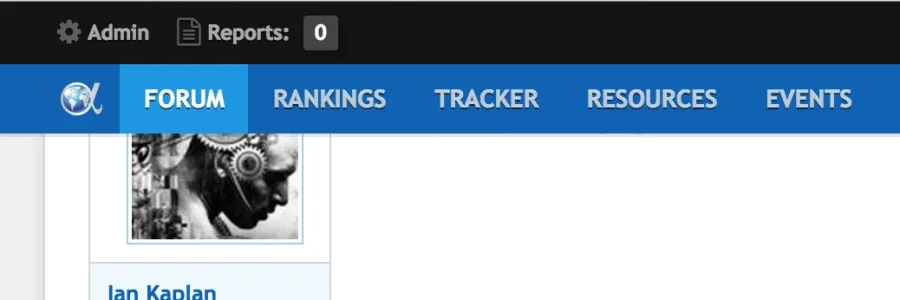
This is the content of the post being covered by the sticky nav and admin bar.
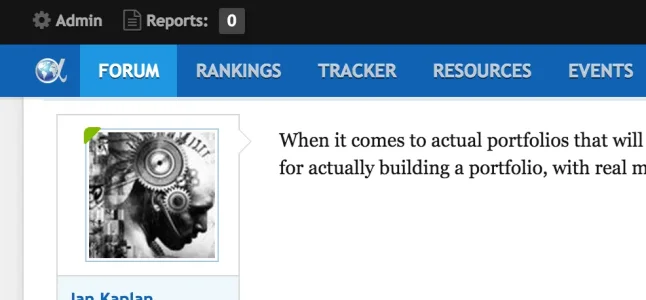
A possible solution would be to not sticky the admin bar?
1) Log in as admin, the deleted post check box is clipped on the top. Maybe we can replace that sprite image with fontawesome as well? (fa-square-o and fa-check-square-o)
2) As admin with sticky navigation bar turned on, the last unread post of a thread will be hidden because the height of the admin bar + sticky nav bar will cover it.
This is the content of the post being covered by the sticky nav and admin bar.
A possible solution would be to not sticky the admin bar?

I found that the Add-on "Node as Tabs" is buggy on this theme. The child contents won't display.

I use Node as Tabs and it's working fine, no problem at all with UI.X. You shouls ask for help in the appropriate thread. However, it would be possivble that you forget to change the depth of the child : http://puu.sh/cbH0M/fa2795a473.png If you have 0, then no child links will appear.
For the 1.4.2 update, should we merge and resolve using the parent or custom version on the Page Container template?
Hey all, we'll have an update for 1.4.2 tomorrow. No major bugs with the latest version just a bit of a pain upgrading. Looking into iOS flickering on sticky nav but the rest of the issues are covered.
Im not sure I understand this issue. I imagine you'll want to also remove the image, correct?
Looking into this. Gah what a pain
Did you get this sorted? Sorry I didnt follow up.
This has been sorted in the patched version.
Are you still having issues with this? I was never able to replicate it.
We do have a setting that fades out while you're not scrolling. We do not have a setting that makes it show until the last post. That seems a bit custom so its likely we'll not add that to the framework.
This is also an outstanding issue we are looking into.
Did you get this sorted?
Glad you got this sorted, even happier you like the theme!
Which theme gave you this issue? I just checked all our themes and I see this set up correctly. Mind, if you happen to change the @imagePath variable to a place that does not have the font awesome file directly there yes that won't work.
This issue has been patched.
1. Sometimes, the script we have to kinda offset the sticky nav on internal page jump doesn't work. Its something we've always had some issues with ever since we originally released the framework. We've asked for some input on that from various people and have not been able to get a clear answer. We're hoping someone on the internet releases a fix for this as this is a common issue with sticky navigations.
Were you able to get the issue resolved from Jake Bunce?
Thank you for using it! So glad you like it
I have an update ready. The page container template only has one change at the very bottom, from XenForo not us.
Bug
I have a custom BBcode and a icon url defined so it shows up on the editor.
I'm trying to replace it with fontawesome icon via extra.css
Code:html .redactor_toolbar li a.redactor_btn_custom_tex:before { content: "\f12b"; }
In the original Flexile style, it works well but in this UIX Flex, what happens is the FA icon appears on top of the png icon defined in the bbcode setting.
Im not sure I understand this issue. I imagine you'll want to also remove the image, correct?
Sticky nav on mobile is still flickering when scrolling.
Looking into this. Gah what a pain
I've installed the update and merged all template changes. I still have 3 templates that wont merge, so I've sorted them out by hand with a doc diff.
It doesnt matter how many times I revert and re-apply changes, these 3 templates still show as out of date! I cant work it out. Any ideas?
Did you get this sorted? Sorry I didnt follow up.
If I go to style properties and select the uix - rich text editor.... this isnt working. It prompts me to define a new style property
This has been sorted in the patched version.
Strange, the option is set already. It stopped working after upgrading ui.x
I've purged all maxcdn caches. @Mike Creuzer any ideas?
Are you still having issues with this? I was never able to replicate it.
I've had to turn off the new gototop/bottm buttons. Too many complaints about how it obstructs reading, especially on mobile, since its so wide and doesn't fade out. I'll have to go back to Cedric's addon for now. Looking forward to improvements in the future.
We do have a setting that fades out while you're not scrolling. We do not have a setting that makes it show until the last post. That seems a bit custom so its likely we'll not add that to the framework.
Something I've noticed for quite a while, but never thought about mentioning it. Whenever I get an alert, I don't get any kind of balloon notification or however the notifications display on UI.X. I installed a plugin called Tab Alerts, so I get the (1) in my tab, but when I tab over to it - there's no actual notification by the mailbox or flag. It does show up once I refresh though. I mentioned this to the author of the plugin and he reckons it's a theme issue. Any idea?
Example;

This is also an outstanding issue we are looking into.
Chrome shows at the bottom left
Did you get this sorted?
Thanks again for all your efforts, Mike. Our members love your style.
I'm not sure whether this issue has already been dealt with, but some of them report problems with Font Awesome icons not loading:
View attachment 86188
This particular user is on W8.1 using Firefox32.0.3. Is there any remedy?
Glad you got this sorted, even happier you like the theme!
Tried this on a child style of UIX.Flex and it doesn't seem to work. It resolves to /styles/uiflex/fonts/fontawesome-webfont.ttf?v=4.2.0 which is 404 error since it can't seem to get to the correct url which is /styles/uiflex/uix/fonts/fontawesome-webfont.ttf?v=4.2.0
@Mike Creuzer
Under
Customized Style Components: UI.Flex
There is a component called test which links to Style Properties: ├ [UI.X] Welcome Block
In my case the correct path was
@imagePath/font-awesome.min.css
for a child style of UI.X.
Which theme gave you this issue? I just checked all our themes and I see this set up correctly. Mind, if you happen to change the @imagePath variable to a place that does not have the font awesome file directly there yes that won't work.
Found it.
This is line 369 in your style XML
It refers to the image under /uiflex-dark/ which does not exist.Code:<property property_name="messageLikesSummary" property_type="css"><![CDATA[{"background-color":"@breadBox.background-color","background-image":"@imagePath\/uiflex-dark\/navigation-tab.png","background-position":"0 0","background-repeat":"repeat-x","border-color":"@breadBox.border-color","border-radius":"@uix_globalBorderRadius","border-style":"solid","border-width":"1px","color":"@breadcrumbItemCrumb.color","margin-top":"@uix_gutterWidthSmall","padding-all":"@uix_gutterWidthSmall"}]]></property>
This issue has been patched.
Some bugs reported
1) Log in as admin, the deleted post check box is clipped on the top. Maybe we can replace that sprite image with fontawesome as well? (fa-square-o and fa-check-square-o)
View attachment 86427
2) As admin with sticky navigation bar turned on, the last unread post of a thread will be hidden because the height of the admin bar + sticky nav bar will cover it.
View attachment 86428
This is the content of the post being covered by the sticky nav and admin bar.
View attachment 86429
A possible solution would be to not sticky the admin bar?
1. Sometimes, the script we have to kinda offset the sticky nav on internal page jump doesn't work. Its something we've always had some issues with ever since we originally released the framework. We've asked for some input on that from various people and have not been able to get a clear answer. We're hoping someone on the internet releases a fix for this as this is a common issue with sticky navigations.
I found that the Add-on "Node as Tabs" is buggy on this theme. The child contents won't display.
Were you able to get the issue resolved from Jake Bunce?
I've just installed UI.X and I love it! Thanks so much for this brilliant theme!
Thank you for using it! So glad you like it
For the 1.4.2 update, should we merge and resolve using the parent or custom version on the Page Container template?
I have an update ready. The page container template only has one change at the very bottom, from XenForo not us.
Similar threads
- Replies
- 1
- Views
- 464


