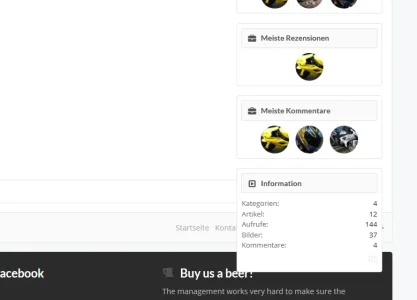
Profile sidebar still busted:
View attachment 103001
Is it like that even after refreshing a few times? If so create a ticket at audentio.com and Ill take a look. I wouldn't call that 'busted' though......
Just updated but the problem with custom icons for boards remains

hyundai-club.eu/forums/
If I use the width toggle icon the forum does not remain at sized choosed, it changes when I refresh page or navigate to another page
I like ui.x but I'm really thinking switching to something else
That issue is normal. You added code in a previous version with CSS. The new update allows you to use an interface to add-icons. Therefore, you can now comment out your CSS for custom icons

. Right now it'll try and do both. Entirely expected behavior, but if you get stuck let me know.
As for the forum width at size chosen, try refreshing a few times. If that doesn't help, post a ticket at audentio.com and Ill take a look
Appreciate the quick turn-around on the fixes. It appears the member linking has been corrected.
Not sure if this has been discussed earlier, but I find the add-on to be an added layer of stress when updating. Clearly, it adds a few steps and not following them can lead to all sorts of issues. I'm not sure if it was intended for licensing or easy upgrades –– but for traditionalists, it's a bit of a hassle.
Unlike Wordpress, XenForo limits the possible functions able to be performed by a style, probably for performance reasons and just because its an entirely different architecture. So a style lets us do these actions:
- Have custom HTML, CSS, and JavaScript
- Have on/off, color palette, and input variables
But we wanted:
- usergroup permissions
- user permissions (such as to allow a user to turn off the sticky navigation themselves)
- drag and drop nodes
- a node grid system controlled by the ACP
- class and css and node icons controlled by the ACP (as opposed to CSS as it has been in the past or a complicated html template)
- Have a friendly UI so people can find things easier
- Move settings to a global scope when it didn't make sense to be style specific, like the favicon and social media links or some footer options (though we still allow for both for some, for your convenience)
- Disable the main theme and create a child theme, so people don't edit the core accidentally
- Ability to be notified if there are updates
- Ability to install the theme updates with a few clicks (I understand this part isn't super smooth, but we are working on it)
All the above and many others Im missing is why we needed an add-on. You don't always need the add-on to be updated, but it should in theory (as most others are saying) just have to upload and upgrade just like any other add-on. I do the upgrades all day, and while there are some bugs people are finding when we do get these fixed it should be buttery smooth, quick update of the add-on and a quick click to get the theme. As
@TDUBS mentioned, this was done so that we can help people who have been updating the theme incorrectly, and so far its worked perfectly.
That said, I do know there have been some bugs albeit mostly minor or cache related. But we have decided as a team to henceforth only minor features and bug fixes. Im thinking within a month, we'll have a 100% completely bug free theme. In fact, of all bugs reported in the history of UI.X, we only have about, eh 15 left to fix...
I think this is honestly the best $30 I've invested into anything related to xenForo. The update worked like a charm and looks amazing. The support and constant updates are great as most theme authors aren't constantly updating their themes like you are. UI.X is an amazing framework and I have to say I'll only buy my themes through Audentio as you guys keep me satisfied. Thank you to the team at Audentio.
One quick thing, I noticed there's a message stating that my Addon is outdated and I can dismiss the notice. I updated the Addon but don't want to dismiss it in case for whatever reason I am not on the updated version. So to verify, the current version is 1.0.1 Patch 1, correct? If not, I'll update it before dismissing the message.
Thanks!
The demand for the auto installer/upgrade system was really high. It was mainly implemented for good reasons as people like myself were having trouble with updating the theme. For example, some people were editing the parent style rather than the child style and then when there was an update, they'd lose their edits because they were editing the wrong style. But with this auto installer/upgrade system in place, you cannot edit the parent style it created for you. Not to mention, people like myself would forget a tiny step during installing/upgrading which would cause your whole forum to break unless you knew how to fix the problem or re-installed your theme. So with this in place, it comes in handy so you don't mess anything up unless of course you can't read bold red text in the instructions.
Well said, thank you so much for your support!!!
for ui.x on its own, there is no space in the logo section of style properties to insert a url for the logo. there's one for the small logo, but not main logo.
There never was. This was always a setting you had to do in Header and Navigation. We don't replace XenForo settings, just extend them.
followed directions for upgrading and it overwrote our footer.
there's also two places to edit the footer - one under options in the sidebar, another in style properties, and you can have something different in each one, but not sure which one is correct one.
should make sure the links under option screen just link to the style properties and have one editing screen.
We did this so you can essentially set each theme to inherit from a global footer. So if you have 4 different UI.X based themes like Quark, Tactical, Drift, Class, xenBlock, etc. you can sync up their footers and edit one place. So yeah just change that setting back and your footer will reappear.
The homepage nodes are appearing side by side, but I have them set to not do that. I don't know if it's a cache issue, but upgrading wrote over a bunch of things I did.
Make sure that in UI.X Forum Nodes your Node Style is set to default. But if its still happening create a ticket
@Mike Creuzer, I updated my TACTICAL style from 1.0.1 to 1.0.1 patch 1, but message in ACP: "The UI.X Add-on is outdated. Please update it to get all of the latest features available" -
still remain. This is annoying!
Tactical is not ready yet, we recommend waiting for the update of the theme to update the add-on, as I mentioned in the release notes and readme file. It is almost ready though!
Of course I see. But...
And how make search only icon in audentio Tactical theme?
Go to UI.X Search style properties in your child theme. Set viewport with to show icon to 100%
Sorry guys but the Add-On has just added another level of complexity to this theme.
Now I need to update 2 things to get the latest theme working - and it seems to have a bug as I've found out above?
Cheers,
Rob.
We are looking into those bugs, apologies!
So far most people have said it installed fine. But we'll get you squared away!
Any chance to get the fixes for UI.X Dark aswell?
Yes its coming.