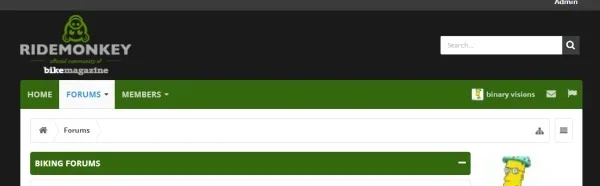
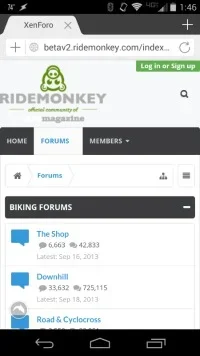
Yeah, just trying to wrap my head around all of thisand thank you. As the node style in UI.X is much different than other styles, This format wouldn't work obliviously in a normal non-side by side format?
Not sure I understand the question. Node style just means (at the moment) columns and soon category columns. I did have column categories working, but it wasn't browser compatible and had a few snags. Will revisit them later.
Friend what font was used in the logo ?
I want to say it is Open Sans Extra Bold.
Where is located the box-shadow we can see when we scroll down the page with the navTab fixed at the top of the page? I wanna put the same box-shadow to the navtabs all the time but I can't get it working.
Its hard coded. Not everything we made style properties. But that CSS would be:
Code:
.hasHeaderFixed .activeHeaderSticky.activeHeaderStickyNotTouching #navigation .pageContent {
  box-shadow: [your value here]
}How would I go about updating the theme to the latest release?
It all depends on how you handled the installation and customization. But read this here for my best suggestions: http://xenforo.com/community/resources/proper-theme-installation-upgrading-and-usage.2942/
Awesome.
More of a feature request than a bug, but I need to make some changes to #QuickSearchPlaceholder so it is more visible against my full-width header.
These changes need to be reset when the header is fixed and the icon is alongside the alerts and inbox.. which requires duplicating the original values with .hasHeaderFixed.hasSearch .activeHeaderSticky #QuickSearchPlaceholder.
Would be really nice if there was .hasHeaderFixed.hasSearch .inactiveHeaderSticky (for lack of a better name) so I could apply my changes to just the regular header and not have to reset them for the fixed header.
Ill add this to the feature list, good idea. I'm not a fan of :not() either, but you can use that for now.
@Audentio I know that there are css solutions for that but I would like to ask if theres smth out of the box or some way that UI.X let me doing it:
I want to set a forum title/icon size and if the title doesn't fit the resolution, make the font a size that will fit the screen.
Im asking for that because if the user comes from mobile devices, the thread title ( two words + icon in my case ) break the line and get really weird.. Whereas if I set a font size to fit into responsive browser, it get so smal on default browsers.
My idea is: Set font like 72 and in case of this size is big enoguh to break the line, adjust it.
Not sure I understand what you are asking. Do you mean a font that dynamically changes size based on the width of the browser? If so, this cannot be done without javascript. And it is not a simple solution.