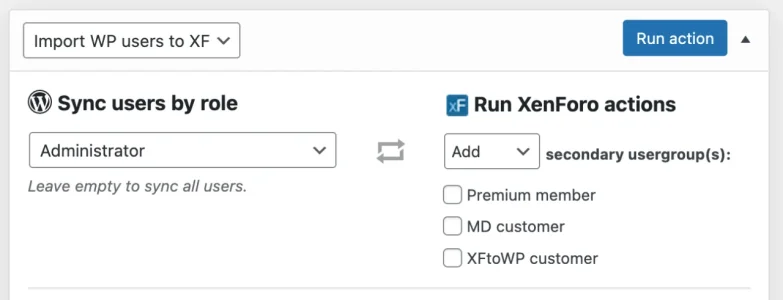
ah I'm looking for other way around. Login to XF means they auto login to Wordpress and don't need the Wordpress login screen.
I will have to look into our options for logging in from XF, but that is mostly not possible at this moment since the REST API/webhooks don't have any triggers for that. :/
Thanks for the updates. I would like your help for license extension. I will try all the innovations again as soon as possible.
Let me check your license - if it is active I will add the extra support extension! I really hope these new features can be useful to you, more to come soon this summer!
Do you happen to have a work around for the required prefix issue? Thanks!
Yes, I just wrote a temporary workaround into the plugin so you can use the thread creation tool. I won't release it as an auto-update as it is a relatively minor change, so go ahead and manually download the XFtoWP 1.6.2 plugin files from your customer area and install the plugin files to your site.
After the update, add this line to your theme
functions.php file or plugin functionality file:
PHP:
define( 'XFWP_HAS_THREAD_PREFIX', true );
Once enabled, this will add a simple text box to the Thread connect tool in the post editor:
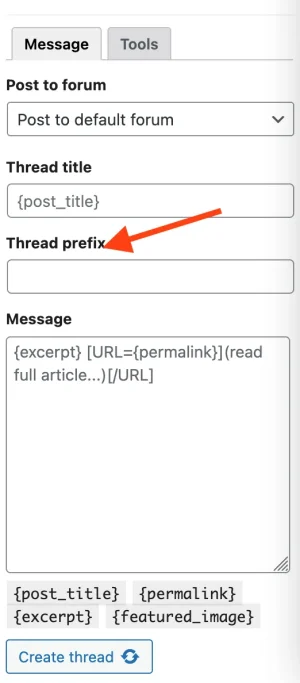
Now you can enter the Thread prefix ID into this text field and it will publish the thread with your set prefix. You can get the ID of the thread prefix from the XenForo admin URLs like so:
Code:
https://xfsite.com/admin.php?thread-prefixes/prefix-name.2/edit
From that, the ID is
2.
It is a workaround indeed, but should work pretty solid until a more proper interface is added.

https://xenforo.com/community/resources/rest-api-extension-kit.9927/ /api/user-groups it doesn't list user groups unfortunately!
doesn't read it even though I made the necessary definitions in the api. is there an option I'm missing?
Did you enable the scope from the XF admin? After doing so, refresh your data in
WP admin > XenForo and you should see a green checkmark next to
apikit_user_group:read