You can check "remove format on paste" as a temporary workaround. I'll look into it to see if it's a bug in the editor that needs fixing for the next patch.
You can check "remove format on paste" as a temporary workaround. I'll look into it to see if it's a bug in the editor that needs fixing for the next patch.
You can check "remove format on paste" as a temporary workaround. I'll look into it to see if it's a bug in the editor that needs fixing for the next patch.
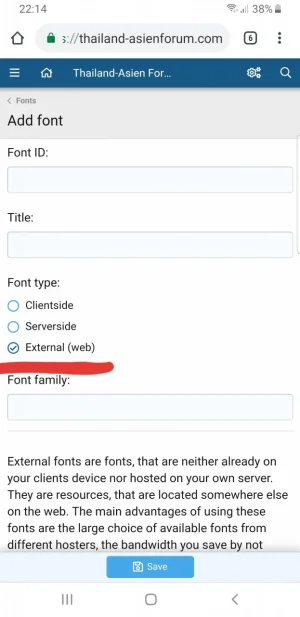
I'm not seeing the options for Google Fonts in the Editor Manager settings anymore. Did we lose this feature with the 2.1 update, and if so is it likely to return?
I'm not seeing the options for Google Fonts in the Editor Manager settings anymore. Did we lose this feature with the 2.1 update, and if so is it likely to return?
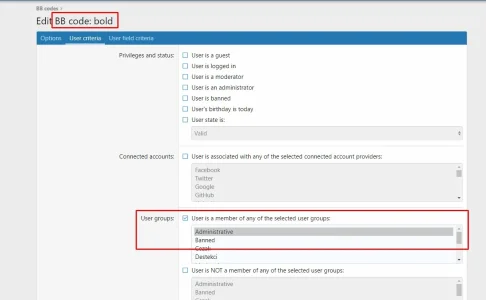
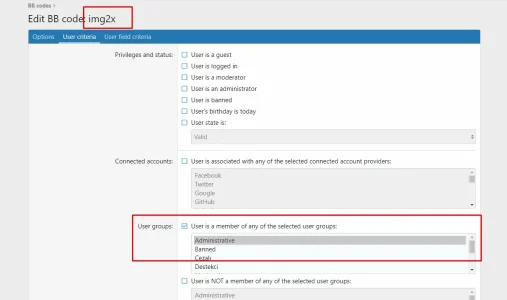
The 1.2.0. editor manager had full feature parity with the 1.1.0. editor manager. Options for individual Bb codes have just been moved away from the general options page to a per BB code page, where you also set up aliases and criteria
The 1.2.0. editor manager had full feature parity with the 1.1.0. editor manager. Options for individual Bb codes have just been moved away from the general options page to a per BB code page, where you also set up aliases and criteria
So I'm seeing where the Google Fonts code has been moved, like you all were saying, but I'm still hitting these bugs:
The Google Fonts button in my editor looks like its calling a broken icon. Image
It looks like your default test phrase for fonts is glitching out, and trying to call a broken phrase. Image.
Google Fonts that I select show up in the post preview, but when I make the actual post they're stripped away—much like if I tried to use a ******** Google Font, and it just loaded a default font. Image vs Image
I'm also having some issues with rich text editor changing everything to caps, but I haven't troubleshot enough to determine if it's related to the editor add-on.
Thanks for the heads up. In the meantime, more info. When I copy/paste from an html news page for example, I see this pop-up in the preview.
Code:
[SIZE=22][B]RELATED ARTICLES[/B][/SIZE]
However, size is disabled in your add-on globally, "remove format" checked and "Pre-defined font sizes" also wiped out too. It's still pasting like this instead of stripping all disabled format options, which in my case are: size, font family, text align.
Thank you so much for your work on this add on. It's such a great one and adds so much to a forum. I appreciate the hard work and am enjoying it immensely. Good luck in your new apartment and hope everything goes great!
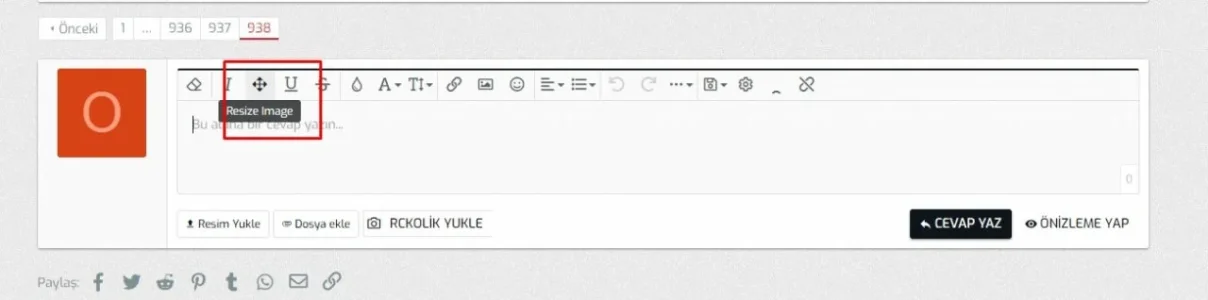
i recently updated to the newest version and i noticed the ordered and unordered list buttons stopped working ... i know those don't come from your addon, but for some reason when it's enabled those 2 don't do anything when clicked problem is gone once i disable the addon ... unfortunately i can't do it permanently since our forum uses various hide tags extensively
Edit: i also noticed another problem with the addon ... whenever it's enabled, i can't save user preferences (not ACP, just regular user preferences for each user) ... whenever i go the the preferences page and hit the save button (regardless if any settings were changed) i get this error:
Code:
Oops! We ran into some problems.
Please enter a valid value.
and any changes made to any settings on that page are not being saved. When i disable the addon, the problem goes away







 problem is gone once i disable the addon ... unfortunately i can't do it permanently since our forum uses various hide tags extensively


