Editor & BB Code Manager

Editor & BB Code Manager 2.0.1 Patch Level 1

No permission to download
Lukas W. updated Editor & BB Code Manager with a new update entry:

1.2.0 Beta 4

Changelog

Important: This is a beta update. Installation on a live site is not recommended and timely updates to fix urgent issues cannot be guaranteed. Use at your own risk.

Bugfixes & Changes
  • Resolved a formatting issue with the editor templates dropdown when more than one template exists.
  • Resolved an issue that prevented editor templates from being rendered before...

Read the rest of this update entry...
 
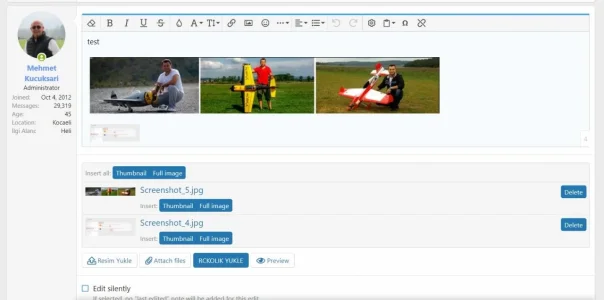
Just tested. For me, it is working without any problem.
Hmm, strange then. The images display as soon as I disable the addon, then disappear when I reenable it, so don't see how there couldn't be a connection.... I'll have to play around with things. Thanks
 
Okay, disabled all addons and reenabled only this one: all attached images instantly disappeared again. So I'm not sure what the problem is.
 
@Lukas W.

I have found an issue with your addon.

If i'm in my account, change my preferences and save it, then i get this overlay:

Oops! We ran into some problems.
Please enter a valid value.

If i disable the Editor Manager then i don't get this issue.
 
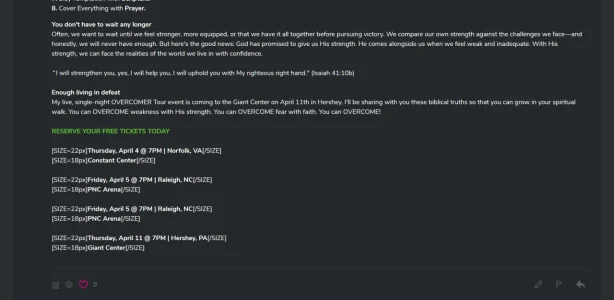
I have this problem where I was copying/pasting from an email and it showed up like this. How do I prevent this from happening? I have disabled font style, size, alignment already in the settings.
 

Attachments

  • Screenshot_2019-02-25 Upcoming Christian Conferences.webp
    Screenshot_2019-02-25 Upcoming Christian Conferences.webp
    55.2 KB · Views: 14
I have this problem where I was copying/pasting from an email and it showed up like this. How do I prevent this from happening? I have disabled font style, size, alignment already in the settings.

After you copy the text, use rightclick and insert as unformated Text should it do.
 
Back
Top Bottom