Sorry, this question might be answered before.
Is it possible to display different banners depending on the device (mobile-desktop)?
Is it possible to display different banners depending on the device (mobile-desktop)?



Is it possible to display different banners depending on the device (mobile-desktop)?
Ok my bad..setup and can view already.Thanks.Have you set up the user group permissions for it?

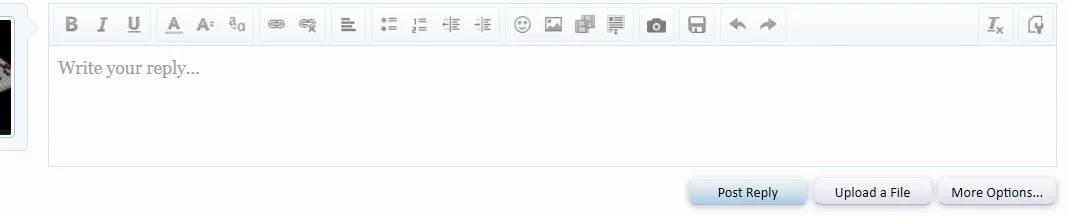
Update to my previous post:This is an excellent add-on but I have not been able to use it. Why does the post reply box disappear when this add-on is installed?
View attachment 145620
post reply box gone
View attachment 145621
Post reply box working

 , its not fun explaining this to clients. It usually means lost money and lost clients forever. So, I prefer to use Revive as the host for ads and a third party ad system like this one to display them.
Okay, will do when I get a moment.The code used might have some issues. Please open a support ticket and provide a test account to take a look.
 Keywords that end with a . (period) do not link.
Update. You are correct. One of my doubleclick ads has an error from the clients side.The code used might have some issues. Please open a support ticket and provide a test account to take a look.
and get after the client who gave me a whacked ad.
There is no examples of what a thread ID would look like. Entering in my Category, forum, thread or post ID's does not work. Can you give an example of this?can be a post number in threads, conversations, profile posts, a forum category ID, node or thread ID, search result or tag result, according to your selected positions. You can use multiple IDs by separating them with a comma.:

It doesn't save because it's for a one time use. If you want your ads to always inherit package settings, enable the ad option "Inherit package settings" instead.Why does the check box not save?
It works with search position: "Search results after x result (Can be used with "Item ID" option)"RE Banner Package> Position Criteria Search: Keyword is: When I enter keywords in there, they never target a thing. What is that for?
Item ID works with positions that mention this after their name. Item ID is based on the position used. For positions under "Thread Post", "Conversation Post", "Profile Post", "Page Results" position category, can be a number from 1 to how many results are visible on page. Or it can be a flag.RE Banner Package> Position Criteria Item ID:
This is still unclear to me but I get the R, U L but the rest is a blur.Item ID works with positions that mention this after their name. Item ID is based on the position used. For positions under "Thread Post", "Conversation Post", "Profile Post", "Page Results" position category, can be a number from 1 to how many results are visible on page. Or it can be a flag.

We use essential cookies to make this site work, and optional cookies to enhance your experience.