
@Nirjonadda, I see what I can do about it.
@Siropu Still banner ads are not showing correctly from mobile view with Unit style
width: 800px; height: 300px; Ads are not showing Mobile responsive and ads image out of the style size.

@Nirjonadda, I see what I can do about it.
width: 800px; height: 300px; Ads are not showing Mobile responsive and ads image out of the style size.

The node "ID is NOT" feature in general options only blocks ads on the page that lists threads ("Forum_View," I think), not on the thread view page (where a thread is read).
Is this intentional, or a bug?
Think I got it fixed.
I get an error saying I need a target url. Is there a way around that?You can try placing the adsene code in a banner ad custom html option.
You mean "[Thread] Below every 5th thread post container"? If so, that will display the ad after every 5 posts: 5, 10, 15, 20after 5th thread container
The issue is fixed in the latest version.Nope. Still an issue.
No.can regex be used for keywords and url building?
If you are using the "Custom HTML" option in banner ads, it doesn't require a target URL.I get an error saying I need a target url. Is there a way around that?
User error. I was getting the error message because I was trying to save without putting anything in the custom HTML field.If you are using the "Custom HTML" option in banner ads, it doesn't require a target URL.



 cafesaxophone.com

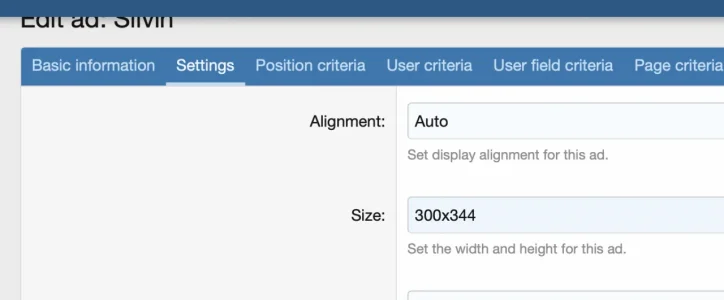
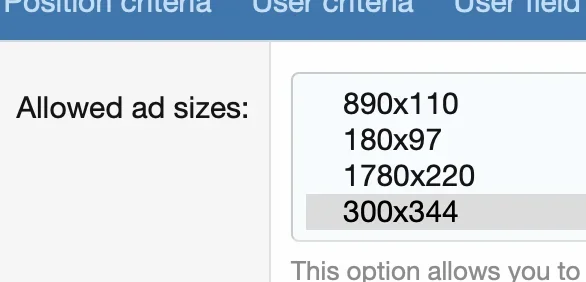
I have an ad at top of sidebar, I defined the ad size as 300 x 344 (which is in my list of custom sizes)
You can see it on my forum page:
Forum list
All the latest news: saxophones, mouthpieces, reeds, players. Not to mention Cheese & Wine
Is there some other size setting I missed that could be overriding this?
This makes no sense if I want the ad to be a certain size and fill the with of the sidebar. The banner itself is larger than the defined size and is showing at the wrong aspect ration.I believe that is normal behavior.
Selecting an "ad size" is setting the max-width and max-height for the block of ad space. An ad equal to or smaller than that block of space could be served.
I recommend just changing the display alignment to "Center".
Package "Unit size" setting overrides the ad setting. Is it set to 300x344?Is there some other size setting I missed that could be overriding this?
This makes no sense if I want the ad to be a certain size and fill the with of the sidebar. The banner itself is larger than the defined size and is showing at the wrong aspect ration.
<div class="samBannerUnit samCustomSize" style="width: 250px; height: 250px;" data-xf-init="sam-unit" data-position="container_sidebar_above">Package "Unit size" setting overrides the ad setting. Is it set to 300x344?
That one controls the banner image size uploaded by advertisers.I thought it was the allowed size settings that had set the size.

We use essential cookies to make this site work, and optional cookies to enhance your experience.


