
Revert your customizations.
how to do that?
I would like to delete them and start over.. there is no facility to delete layouts
UPDATE - problem resolved, turned OFF global index setting, recentslider will only appear at the portal. WHEW! lol

Revert your customizations.


I want to release this... but I'm afraid of the changes in XenForo 1.1 =P
Probably referring to the actual thread content.Also, what is an article? Must one have xenCarta installed for that?
Probably referring to the actual thread content.
You misunderstood me. The thread is already defined as the article. Thread <=> Article.Then I don't understand how it works. How do I make a thread an article?
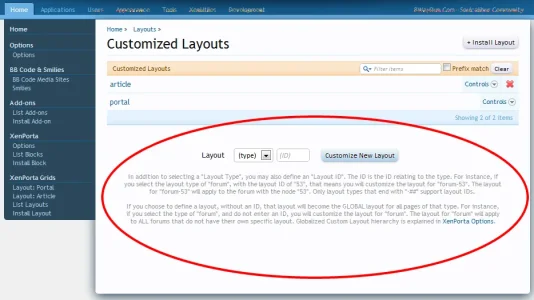
Bug3: Added a "Customized Layout" called "forum". Then when I press "delete" to remove it, it gives me an error. "The requested page could not be found."

See? Its simple. Because you did not include the closing [/prebreak], you ****ed up your post.this part of the article will appear on the portal and the thread.
[prebreak]this part will ONLY display on the portal, with a link to the thread[/prebreak]
this part will appear on the thread only, and truncated off the portal summary
This is wrong. There are methods to both delete layouts and uninstall blocks.removing layouts and blocks.. there is no facility to do so other than go into database and remove table entries
please advise
I don't understand what the promotion system is intended for? When I promote a thread, nothing seems to happen to it? The only benefit I saw was the ability to remove the promotion icon (which is all I wanted). Now that you are including this as a default option, I will have what I need. I suggested "auto-promotion" as a work-around for my promotion icon problem, because I didn't want that to appear by default and it would be tedious to promote every post manually each time just to remove the default promotion icon.I also don't understand what you mean by "auto-promotion". Any threads in the recent news forum(s) are automatically auto-promoted with the default settings.
Ok I understand now. But I don't understand the usefulness of this? I would like to see a single [read_more] tag instead. Where you can view the entire post in the article view, but have a truncated version in the portal. Otherwise it seems like I have 2 versions of the post which isn't useful to the reader at all. They would need to read the first part on the portal first, and then switch to the article view to read the second part? The only compromise would be to copy and paste the post twice, once it's in the truncated version, and another as a full version for the article. This seems like a hassle.The [prebreak] bug you posted is NOT a bug, its working exactly as it should. You are just not using it correctly. Its not [prebreak]... its [prebreak][/prebreak].
Ah ok, that explains it. Thank you.@ Europhoric, if I understand correctly... Say you have a thread that is NOT in your categories selected to show up in your recent news block, you can make it appear there using the the "promote" thread. For example, I have articles I write in category A, all of them are set to show up in the recent news module on homepage. However, every once in awhile, a member will write an interesting article in category B. Since I think it's such an awesome article, I promote it to the recent news block on my homepage.


We use essential cookies to make this site work, and optional cookies to enhance your experience.


