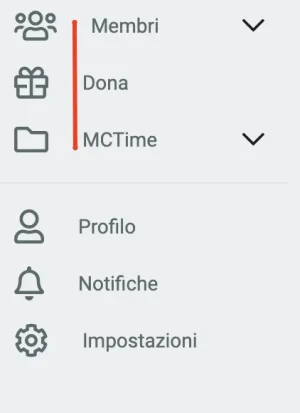
Is this shading you added yourself? I am not able to replicate this on our Nodes demo.Only the node shading appears on the right side of the forum, the nodes on the left side are not shaded when you mouse over them.
How do I fix this?



Is this shading you added yourself? I am not able to replicate this on our Nodes demo.Only the node shading appears on the right side of the forum, the nodes on the left side are not shaded when you mouse over them.
How do I fix this?
I am able to replicate this issue as well and will add it as a bug within our issue tracker.FontAwesome

I didn't add it myself, I installed the theme and the child directly and it appeared like this.Is this shading you added yourself? I am not able to replicate this on our Nodes demo.

You are able to view what this update includes by going here: https://github.com/Audentio/xf2theme-issues/milestone/28
Note: This release cannot be used on XenForo 2.0, it is exclusively for XenForo 2.1 only.
Note: This update doesn't require a UI.X add-on update to function properly.
Just checking but do you have a space before the "M" in "Membri" at all? If not, no worries at all. I'll then take a closer look into this issue.

I have another issue: When a guest join on my website, see these icons as "Login" and "Register"


It works! Thanks a lotThanks for reporting, looking into a fix now
ETA: Navigate to app_nav.less
Replace line 635 w/ .m-faContent(@fa-var-key);
Replace line 646 w/ .m-faContent(@fa-var-clipboard);

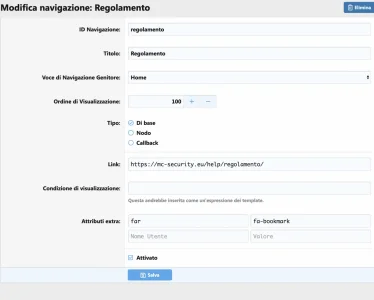
Same format for Material icons as mentioned in our FAQ's. The name field should be class and the value should be fa fa-bookmark.Hello
I have a little question: How can I put a FontAwesome icon on a navigation item?
View attachment 200464
Thanks for reading
Uncheck the property namedI've noticed that several large addons (XenAttendo 2 Calendar, Bob's Review Management System, Bob's Article Management System, and a couple more) are missing their breadcrumbs with the UI.X 2 style. How do we get these added back?
I'm using the default locations.
View attachment 200501
Ignore home link when checking "content checking" breadcrumb as that should bring them back for ya.
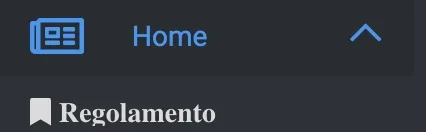
When I try to do this, it appears like this:Hello
I have a little question: How can I put a FontAwesome icon on a navigation item?
View attachment 200464
Thanks for reading
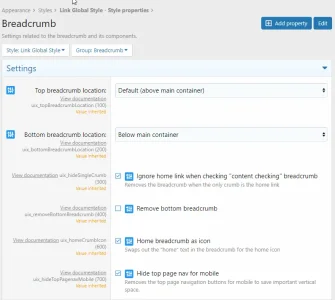
Uncheck the property namedIgnore home link when checking "content checking" breadcrumbas that should bring them back for ya.
We already have an issue created on this which will be fixed in the next upcoming updates.When I try to do this, it appears like this:
View attachment 200505
Glad to hear that! Let us know if we can help with anything else.That did it! Thanks for the quick reply

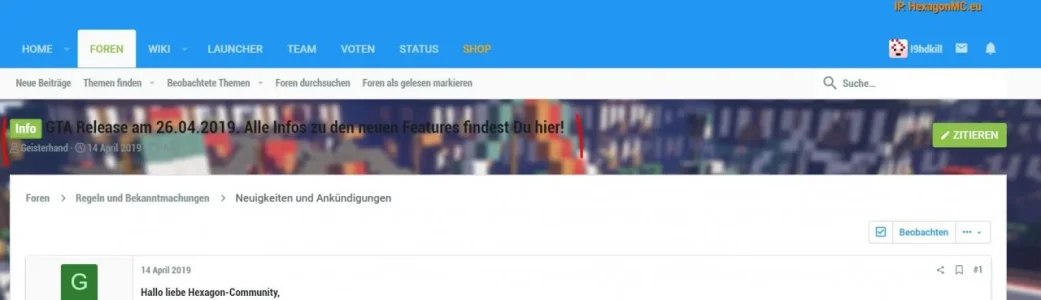
The thread title and metadata are pretty much in the void. Is there a way to move that into a box or container?
We are not happy with the font that looks as it would be bold even if it isn't it. Can I simply revert it back to UI.X 1 style? Like Arial or similiar? I found a font settings menu. but I couldn't figure out what to change without breaking things

I have the same issue now I see.I've noticed, my email notifications now have a big font size. My settings in Typography are default, is this a known change?
We'd be happy to help you further with resolving these issues. Please go ahead and create a ticket on our support portal so that our staff can help you further.Hi all,
I'm struggling to get the node icons to show up for my forums. I understand that I'm supposed to use the class: mdi mdi-name
The problem is, every instruction I find tells me to enable options I don't have.
For example, I can't go to Appearance > Style Properties > Icons, because there is no "Icons" option there.
I read in this thread that I need to make sure settings are specified in the Icons area that doesn't seem to exist.
Is that because settings are completely different in UX.I 2? I'm completely lost.
I was able to make it work in UX.I 1, and I just did a fresh install since my theme broke during the update, and I'm redoing all my settings and can't get the node icons to work. Any help would be greatly appreciated!


We use essential cookies to make this site work, and optional cookies to enhance your experience.