Code:
.
.p-navEl-link[data-nav-id="whatsNew"]::before {
font-family: FontAwesome !important;
content: '\f0f3' !important;
}
replace f0f3 with the unicode of the desired fontavesome icon.
See next message
Last edited:


.
.p-navEl-link[data-nav-id="whatsNew"]::before {
font-family: FontAwesome !important;
content: '\f0f3' !important;
}
Note: This is a major upgrade so if your upgrading from 2.0.2.1.0 or below there is some significant changes in this update, please review these FAQ's before continuing.
UI.X 2 2.0.4.0.0 Changelog:
- Fixed default icon for navigation
- Added names to the main page components
- Moved header components to navigation for mobile devices
- Added navigation logo width...

When updating via API, it re-install the theme in version 2.0.0.4, then it's up to us to assign the style change in child style to the version UI.X 2.0.0.4?
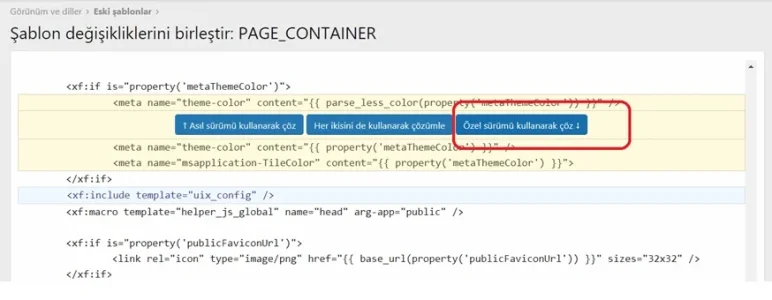
That's exactly what I did, I then deleted the child theme and assigned my edit theme insteadI'm confused on this also. I had 2.0.2.10 with UI.X and child theme - with the child theme modified and used for my forum. The update instructions say to update the addon and the install the style again, which creates a new UI.X and child style. We need to do that and then re-apply any changes we made previously to the child style? Seems cumbersome. Is there an easier way to do this without reapplying child changes again?
It is true that even following the explanations of the manual is not easy ^^


Upgrade was not an option there. Just "Install" - which did create a new UI.X parent and child.
If that's the case you didn't install the style originally with the UI.X Add-on, you can export your child style and import it as a child of the new UI.X and then delete the old one
Did that - logo vanished when I imported my old style as a new child. The sidebar was not as wide as it was before the upgrade. I'm sure there's other stuff broken as I noticed those almost instantly and haven't had a chance to dig much deeper.
Did that - logo vanished when I imported my old style as a new child.
The sidebar was not as wide as it was before the upgrade.
Pretty much two potential issues that caused this:
1. You overwrote the Ui.X logo with your own and then this got overwritten when you upgraded UI.X - you should create your logo as a new file, the same thing will happen with the XenForo default style if you overwrite the logo
2. You uploaded the image as a new image correctly, but updated the style property in the parent style instead of the child, which got overwritten when you upgraded


We use essential cookies to make this site work, and optional cookies to enhance your experience.