
I cannot reproduce this. I am guessing it has something to do with your particular style.I think there is a bug I found: if i activate Align image left in the Settings than my LoginBar on the top is gone away! Its just dissapear!

I cannot reproduce this. I am guessing it has something to do with your particular style.I think there is a bug I found: if i activate Align image left in the Settings than my LoginBar on the top is gone away! Its just dissapear!
.itembit .subHeading
{
    border-radius: 5px;

    /* TRANSPARENCE */
    box-shadow: inset rgba(0,0,0,0.6) 0px 1px 4px, inset rgba(40,40,40,0.6) 0px 100px 0;
    @property "/html.background";
    background: rgb(0, 0, 0) url('@imagePath/YOUR-STYLE/background.jpg') no-repeat 50% 0;
    @property "/html.background";
    background-attachment: fixed;
    /* END TRANSPARECE */

}
Interesting. Have you tried it on the default style? I cannot reproduce this -How can we show quoted content or other text within BB code, such as code, on the portal?
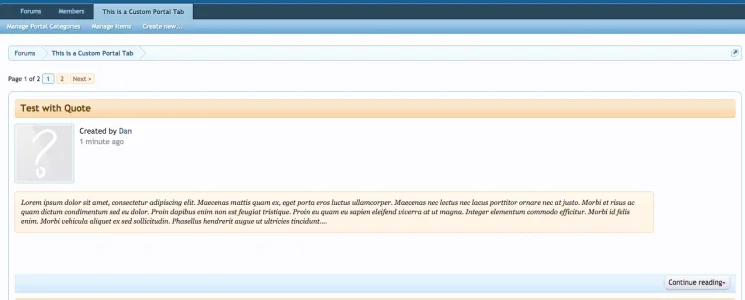
Interesting. Have you tried it on the default style? I cannot reproduce this -
View attachment 94903
I see what you mean. Let me try and get this sorted.@Dan, got the above issue figured out. The option to strip inline attachments was enabled.
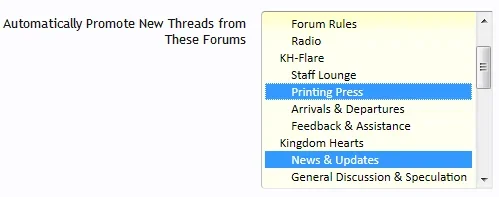
Now we're running into another issue: I have enabled the Use as News Page option so everything's automatically sorted by date created. However, it doesn't seem to be working in places.
Have a look, specifically in Printing Press, and scroll through a few pages, paying attention to the dates.
I see what you mean. Let me try and get this sorted.
Odd, I don't see a bug report from you regarding thisThe News Page never worked for me. I had this portal for more than a year online, but it caused me many problems to have it look like i wanted. Now i use featured threads from @Brogan and all is fine.


There you go:Odd, I don't see a bug report from you regarding this
didn't go back that farThere you go:
@Dan, got the above issue figured out. The option to strip inline attachments was enabled.
Now we're running into another issue: I have enabled the Use as News Page option so everything's automatically sorted by date created. However, it doesn't seem to be working in places.
Have a look, specifically in Printing Press, and scroll through a few pages, paying attention to the dates.

If this option is enabled, the display order will be ignored and the items will be sorted by the date
If this option is enabled, the display order will be ignored and the items will be sorted by the date they were promoted.
Works fineWill this work with XenForo 1.4 or will it ruin everything and end in a fiery explosion?


We use essential cookies to make this site work, and optional cookies to enhance your experience.

