Ok, for me it will run in DRIFT
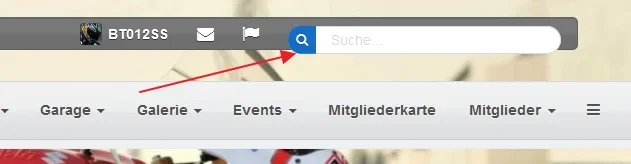
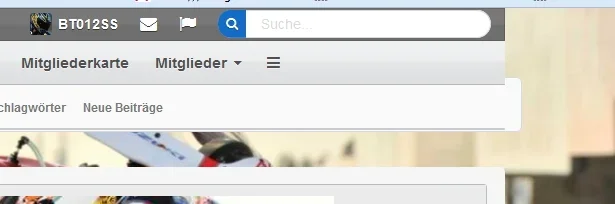
But now, after ther update of UI.X to 1.4.2 i have the same Problem in the UI.X style, parent and child without the arrows.
all functions of the footer like "force the background" ... do not work correct.
Ok, for me it will run in DRIFT
But now, after ther update of UI.X to 1.4.2 i have the same Problem in the UI.X style, parent and child without the arrows.
all functions of the footer like "force the background" ... do not work correct.
It depends which default configuration you have turned on for these to work. In fact, the force background settings only work for page style 0 and Drift by default has page style 2 on. I think this was toggled off accidentally in 1.4.1 but it has been fixed in 1.4.2
We changed the name, so you just have to go back into UI.X Footer and turn the setting back on. If you've done that and its not working please create a ticket.
It depends which default configuration you have turned on for these to work. In fact, the force background settings only work for page style 0 and Drift by default has page style 2 on. I think this was toggled off accidentally in 1.4.1 but it has been fixed in 1.4.2
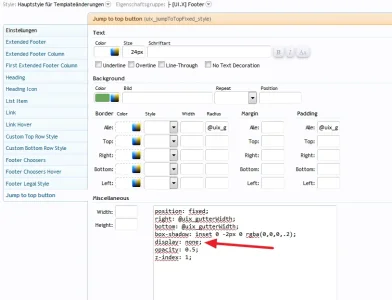
For @DaveM some more, when i delete this line in the "Jump to Top Button" css of UI.X i can see the arrow again.
But, the arrow will not fade out and stop at the top of the page, it stop under the breadcrump.
You´ll try this in Drift?
I know it´s not ok, but maybe it´s an info for @Mike Creuzer
We changed the name, so you just have to go back into UI.X Footer and turn the setting back on. If you've done that and its not working please create a ticket.
Hi,
i can revert the propertys all 5 minutes, there is no arrow in the parent and child style.
when i remove the display: none; than i can see the icon.