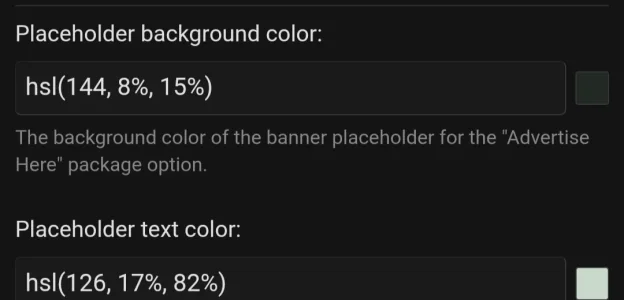
Okay so will wait for next version because now rgb doesn't work at all, error msg., like you said, fix coming, thanks. Right now, can't use any placeholders.That's because it was meant to work with rgb not hsl.
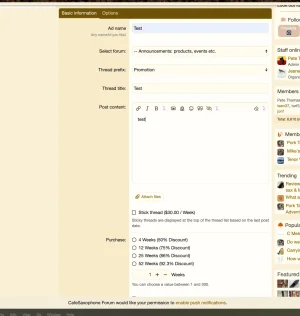
I see the issue. No matter what radio button you click, it shows the greatest discount even if that one is not selected.Cannot reproduce this.
Reproduce:
1 month 25%
6 months 50%
Select one month but use the + sign to go up to 6 months. Now select the 6 month discount. The amount stays the same. Because they are both at 50% for six months. This could be very confusing to users as I toggled between the two and noticed no difference and assumed it was not discounting to 50% since I clicked that one second.
Perhaps you can address this so it is a bit more clear? I don't even need the radio buttons they can manually add what they need and see the amounts change, really as long as the discounts are just stated, it works, without clicking one. If I had 5 discounts, they would all reflect the greatest one, which would be very confusing, and with no need for the radio buttons.
Maybe have each discount reflect the actual discount clicked. So 6 months only shows 25% if the 25% radio button is clicked. I think maybe you do the greatest one to avoid the error of the user not clicking the best discount, but it is also confusing that they don't reflect the actual discount.
So, to get the 6 months they have to click it.
Also, when you first enter the page, nothing is selected, this can also create confusion since a discount has been calculated. They are calculated without clicking any radio buttons. I'd suggest if the discount is available without changing and parameters (duration, etc.), have that discount already selected since the total cost is stating it already as the price.
Thanks