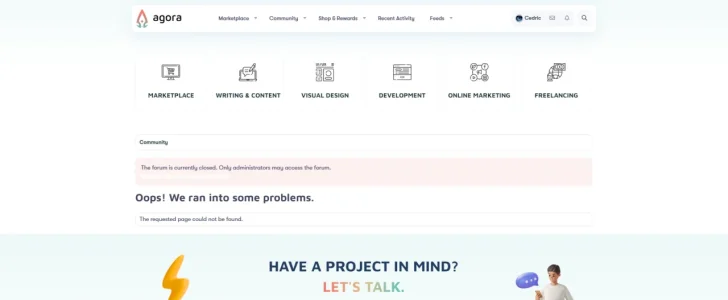
404 errors don't occur if there's a "?" string appended to the URL.



Not yet. The Javascript based features won't work.is this compatible with 2.3?
This version is compatible with XenForo 2.3
My regex redirect solution:
Find: @(\w+)://([\w\-\.]+)/(\w+)/([\w\-\.]+)/(\d+)([\w\-\.]+)@
Replace: $1://$2/$3/threads/$5

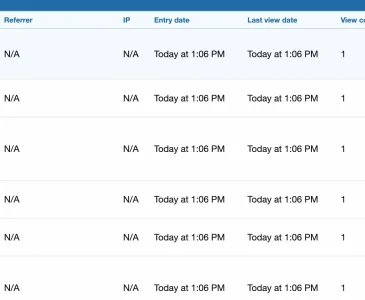

Are the entries with IPs, for logged in members? That would be my guess.Sorry if this has been asked before: I installed this add on recently and am wondering why in most of the cases no source IP is in the log (while sometimes there is one - but only in maybe 1% of the cases if at all)?
No.Are the entries with IPs, for logged in members?
Have you tried adding it without / or both?Could this be fixed please?
It could be a bot/proxy that doesn't send any IP information.wondering why in most of the cases no source IP is in the log
How could that be? I'd have assumed that it is unavoidable to send the source IP given how TCP/IP works and apart from that: The IPs are logged in the server's web.log when you grep it with the URL that is noted in the log of the 404-add on. So they are there.It could be a bot/proxy that doesn't send any IP information.
You can only add one redirect per 404. Adding it without the / will only account for the 404 without the /.Have you tried adding it without / or both?
It could be a bot/proxy that doesn't send any IP information.
Bots can manipulate the headers used to get the user IP so they are not reliable.How could that be?
I'm using XF'sThe IPs are logged in the server's web.log when you grep it with the URL that is noted in the log of the 404-add on. So they are there.
getIp() method with $allowProxied set to true to get the IP so unless convertIpStringToBinary fails, which is used to get the value stored for the IP, what you see is what you get in the 404 logs.You can use the regex redirect admin option:You can only add one redirect per 404.
#^https?://www\.example\.com/news/?$#
Will I have to do this for every URL? I have a few and it would be tedious.Bots can manipulate the headers used to get the user IP so they are not reliable.
I'm using XF'sgetIp()method with$allowProxiedset totrueto get the IP so unlessconvertIpStringToBinaryfails, which is used to get the value stored for the IP, what you see is what you get in the 404 logs.
You can use the regex redirect admin option:#^https?://www\.example\.com/news/?$#
For the /route/ part, yes.Will I have to do this for every URL?
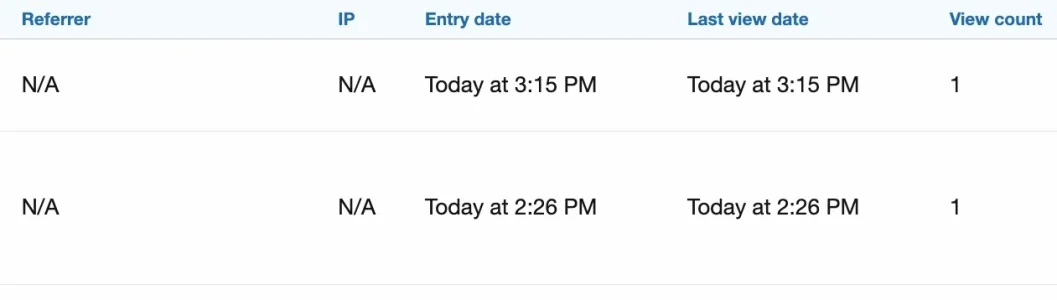
This goes beyond my knowledge and experience. I can only assume that the difference possibly might come from different layers: XF lives somewhat on the application layer wheras the webserver gets it information probably directly from the network layer. Spoofing a sender IP in TCP/IP does only make sense if you do not want to receive an answer, so mainly for DOS-attacks. The requests I am after are clearly eager for an answer: They call lists of potentially existing URLs in the hope to find something, they scan for things like /backups, /dev, /wp-includes/html-api/index.php, files under /wp-install etc.. So they do want an answer, however, it might make sense for them to garbadge the headers somwhat for the exact reason to poison logs on the application layer (if that's possible) in an attempt to hide themselves.I'm using XF'sgetIp()method with$allowProxiedset totrueto get the IP so unlessconvertIpStringToBinaryfails, which is used to get the value stored for the IP, what you see is what you get in the 404 logs.
It could be a bot/proxy that doesn't send any IP information.
How could that be? I'd have assumed that it is unavoidable to send the source IP given how TCP/IP works and apart from that: The IPs are logged in the server's web.log when you grep it with the URL that is noted in the log of the 404-add on. So they are there.
Bots can manipulate the headers used to get the user IP so they are not reliable.
I'm using XF'sgetIp()method with$allowProxiedset totrueto get the IP so unlessconvertIpStringToBinaryfails, which is used to get the value stored for the IP, what you see is what you get in the 404 logs.


We use essential cookies to make this site work, and optional cookies to enhance your experience.