Can't fix Thumbnail for attachments don't seem to work for larger images

Biirds

Member
Licensed customer
I don't know if this is a bug or not.. but when I upload a large attachment to my forum a thumbnail isn't showing. I recently got help with allowing my users uploading larger images in this forum: http://xenforo.com/community/threads/cant-upload-large-images-as-attachments.25303/

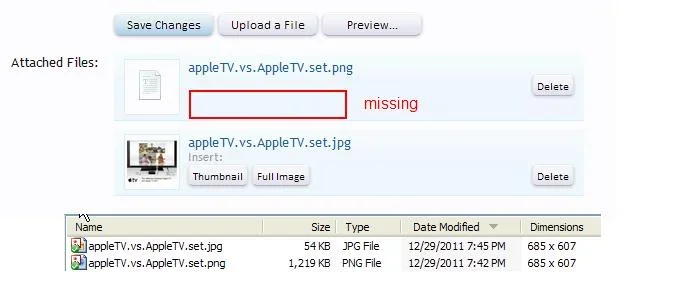
I have uploaded a attachment on how it looks when I upload a large image (no thumbnail is showing and I don't get any options to view as thumbnail or full image):

upload-image.webp
 
Is it being recognised as an image file?

Some software seems to record erroneous file information - I have seen it several times.

If you link to the image I can test whether that is the case.
 
Ok, here for example if you scroll down: http://www.biirds.com/threads/testing.16/

It's my hosting company who has done some testing and they get the same results with their images as I get. As you can see, all the small images work fine but when the image is 2-5 mb we're having problems showing the thumbnail.
 
I've confirmed the problem using the image from that thread.

This could be a problem/limitation with the GD image processor, but I'll move it to bugs anyway to see what Mike has to say about it.
 
Ok, thank you Brogan =) ! Is it preferred to use ImageMagick? I saw it was a option to use that instead? What is used on Xenforo?
 
I also noticed yesterday, I don't get the option to embed Thumbnail or Full Image with a larger file. I thought that was a feature .. but maybe it was a bug !
sample.files.large.images.xenforo.not.thumbnailing.webp

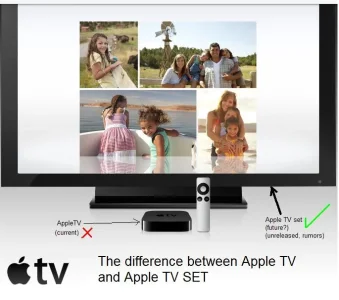
I made a .png file which was 1219 KB. It wouldn't embed, so I made the same image as a .jpg (54 KB) and it worked fine.

Here are the sample files.
 

Attachments

Well.. My question still remains. Will i be able somehow to upload a large .jpg for example with the thumbnail showing? The uploading part is a large part of my forum, i want the users to be able to upload images directly from their camera to the site? They shouldnt have to open the images in a photo program and resize them before uploading.

Sorry Mike, dont know what you meant by "whim". Tried to translate it using google translate but still dont know :). I see that this thread has got the prefix "cant fix". Not even if i choose the option imagemagick within xenforo?

 
Essentially it won't work using the default GD image processor, as I alluded to in my original post.

You will need to install ImageMagick.
 
Ok.. Just a few questions then :).

1. Is there a downside with having imagemagick on my site? Will everything look like it does now?
2. How do i make imagemagick work on the site? First fill in the radiobutton that says imagemagick in admin cp and then ask my host to install imagemagick?

Thanks!
 
hey. :(
Why delete those files ?
I'm trying to figure out what is the limiting factor.
image size or file size.

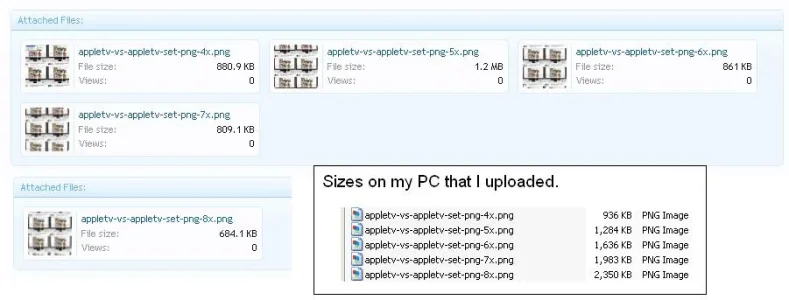
I did notice this:
different.sizes.between.computer.and.attached.in.xenforo.webp
 
Back
Top Bottom