
You are using an out of date browser. It may not display this or other websites correctly.
You should upgrade or use an alternative browser.
You should upgrade or use an alternative browser.
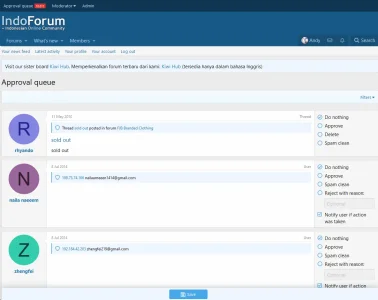
XF 2.1 Mass action Approval requests
- Thread starter ASap
- Start date

What sort of content are they? Threads, users, posts? If they're threads, you can find them using the batch thread tools in the control panel. Technically, you could do the same with users, though you would likely need to delete them (rather than setting them to "rejected").
Akismet always sends matches to manual approval.
Akismet doesn't match IPs, so I'm not sure which system you're referring to. If you mean StopForumSpam matches, then the options are split out by match type -- they just count the number of matches (IP, email, username) and take an action based on that. This is configurable in the spam options.And can we set auto reject if the registrant IP is matched by Akismet?
Akismet always sends matches to manual approval.

We've really already given you the only approach we can recommend and support.
The only other way would be direct database modification, but that is not something we can officially recommend or provide support for so Mike's advice still stands.
The only other way would be direct database modification, but that is not something we can officially recommend or provide support for so Mike's advice still stands.


H
How to mass-delete them then? We have 11k pending approvals now.What sort of content are they? Threads, users, posts? If they're threads, you can find them using the batch thread tools in the control panel. Technically, you could do the same with users, though you would likely need to delete them (rather than setting them to "rejected").
Akismet doesn't match IPs, so I'm not sure which system you're referring to. If you mean StopForumSpam matches, then the options are split out by match type -- they just count the number of matches (IP, email, username) and take an action based on that. This is configurable in the spam options.
Akismet always sends matches to manual approval.
It's a non-profit forum we are doing it just for courtesy, do you mind sharing us the SQL command to us? (More than welcome to PM us)

Hello,It's a non-profit forum we are doing it just for courtesy, do you mind sharing us the SQL command to us? (More than welcome to PM us)
Maybe this one by @AnzahTools (free) :

Unmaintained - Approval queue - mass select
Description Adds buttons for quick checking "Do nothing, Approve or Delete" in Approval queue. Feature summary add mass select "Do nothing, Approve or Delete" Donate If you like our work, please consider sending a small donation. Additional...
 xenforo.com
Regards, SyTry
Thanks SyTry, just tried but unfortunately it didn't work on our XF 2.1.1Hello,
Maybe this one by @AnzahTools (free) :
Unmaintained - Approval queue - mass select
Description Adds buttons for quick checking "Do nothing, Approve or Delete" in Approval queue. Feature summary add mass select "Do nothing, Approve or Delete" Donate If you like our work, please consider sending a small donation. Additional...
Regards, SyTry

I got the resolution here:

 saputra.org
XenForo mass delete approval queue
Here's how to mass selects and deletes or reject them all without harming the database. Add the following URL to your browser as a bookmark (I recommend to put this on your bookmarks toolbar): javascript:(function(){ $('input[type="radio"][value="delete"]').click(); }()) You can also slightly...
saputra.org

Just an easier way:I got the resolution here:
XenForo mass delete approval queue
Here's how to mass selects and deletes or reject them all without harming the database. Add the following URL to your browser as a bookmark (I recommend to put this on your bookmarks toolbar): javascript:(function(){ $('input[type="radio"][value="delete"]').click(); }()) You can also slightly...
Go to the approval page, create a new snippet on Chrome console and paste the javascript code. Then run it.
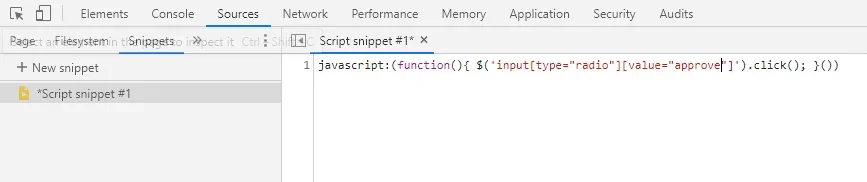
Code:
javascript:(function(){ $('input[type="radio"][value="approve"]').click(); }())Similar threads

- Replies
- 2
- Views
- 531