
No offence but, I invite you again to read the product description, from top to bottom.hum, when you wrote "import all buttons" ?
i don't understand what you want to depict to me..
my extras folder is empty as i said before (only 3 xml buttons)


No offence but, I invite you again to read the product description, from top to bottom.hum, when you wrote "import all buttons" ?
i don't understand what you want to depict to me..
my extras folder is empty as i said before (only 3 xml buttons)
SadlyMySelf said:List of available buttons
- Unsupported version:
bold, italic, underline- Supported version:
Bold,Center,Clean,Code,Colors,Fonts,Indent,Italic,Left,Link,Listbullet,Listitem,Listnumeric,Outdent,Picture,Quotes,Right,Size,Smilies,Strike,Underline,Media, Global_BiUs, Global_LcRj, Global_LIO, justify & KeytouchGlobal_BiUs: a menu button with inside the following options: Bold, Italic, Underline, StrikeGlobal_LcRj: a menu button with inside the following options: Left, Center, Right, JustifyGlobal_LIO: a menu button with inside the following options: Listbullet, Listnumeric, Listitem; Indent; OutdentJustify: full justify text-align; you will need to create a bbcode to make this one workKeytouch: easy access to some special characters
SadlyMySelf said:Even if this addon license is Creative Commons, I'm still asking for support from users. 99,9% of the time, you my dear reader, you will download an addon, will have a huge list of requests, but you will never support the coder even if he spent time to give you a free support. So Considering this, all editor buttons won't be provided inside the addon archive. If you want them, you will have to support this addon. If you don't like this, then don't download this addon. This choice could be discussed in that thread, but not in this addon one.
That's all the free version includes.
You need to pay for the supported version which you can pay for by talking to Cédric.

At least you understood this addon was an Editor. Some pretends no to have understand this simple fact and, of course, two weeks after I gave them access to buttons because I wanted to make them tried before contributing.oh, sorry
indeed, i forgot to read from top to the end...
so, if i support, i'll recieve buttons ?
OK
Many thks and really sorry

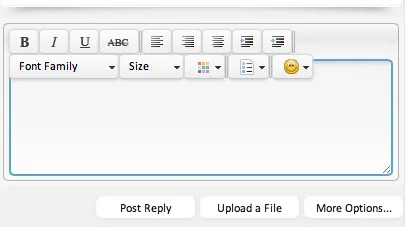
Why is your editor so small???
Sorry I don't use this style but if you need help I can have a look later.Responsive style.... so the height needs to auto adjust. I will code it... thanks. Just thought you might have a simple solution...
And that's all ? It's working for all screens ?For anyone using a responsive style / responsive add-on, make a simple change in the css from:
.markItUpHeader .markItUpLine {
position:relative;
height: @miu_public_lines_height;
}
To:
.markItUpHeader .markItUpLine {
position:relative;
height:100%;
padding-bottom: 5px;
}
You can configure the number of smilies to display in the Style Properties: MarkItUp Editor - Public View.Where is this pulling the smilies from? I have a whole lot of smilies installed, but it's only showing the few default ones. What am I missing?
Yes if I remember it's a behaviour of the auto-resize plugin which can be disabled in the XenForo options "Markitup Xenforo Integration". I still prefer personally the auto-resize function. I will have a look if it can be disabled on the overlay only. But really not this week... that's not possible.The popup edit overlay doesn't scroll....
Version 2.1.1 released
Same version than 2.1.1 but with full button pack available
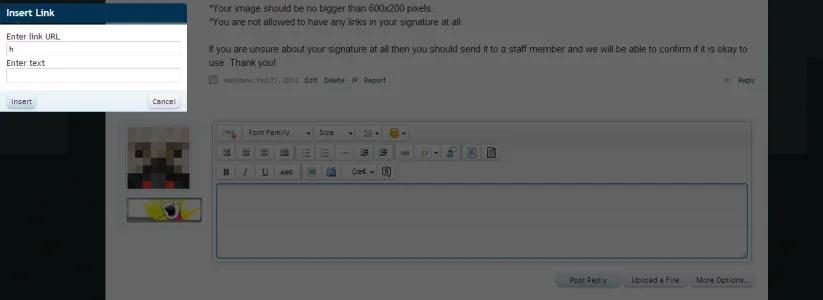
It might come from your theme, check the css.
We use essential cookies to make this site work, and optional cookies to enhance your experience.