
You are using an out of date browser. It may not display this or other websites correctly.
You should upgrade or use an alternative browser.
You should upgrade or use an alternative browser.
XF 1.4 How to remove rounded corners through extra.css
- Thread starter Barbossa
- Start date



Yup, that does the trick! 


This will remove all border-radius from the entire style if added to EXTRA.css:
Code:* { border-radius: 0 !important; }
This will remove all border-radius from the entire style if added to EXTRA.css:
Code:* { border-radius: 0 !important; }


@Chris D , here is the next request.
View attachment 83641
Have you notice! There are 3d kinda look!! How to make it flat? Or, how to make it flat everywhere?
If you want it to have a global effect... one quick and easy way is to simply edit the gradient itself in an image editor and remove the gradient there, saving it as a blank image.
@Russ, I can make it from there. I was asking doing it through Extra.css. Any idea pls?
You could.... but you'd have to basically gather every single place it's called, and put a background-image:none.
Editing the image to remove the gradient is the quickest way to remove the gradient effect(it'll just load a blank transparent image instead)
You could.... but you'd have to basically gather every single place it's called, and put a background-image:none.
Editing the image to remove the gradient is the quickest way to remove the gradient effect(it'll just load a blank transparent image instead)
Since I'm not server expert in that department, I personally find it easier to do it in the style properties since you're going through them, anyway, when creating styles.
Since I'm not server expert in that department, I personally find it easier to do it in the style properties since you're going through them, anyway, when creating styles.
He wants to remove it "everywhere", at least that's the part I'm responding too. The gradient is hard coded into a ton of templates, just do a search for: category-23px-light.png and you'll find it referenced plenty of times which aren't controlled by style properties. Which is why I say editing the image is ideal(especially helps in dark styles).
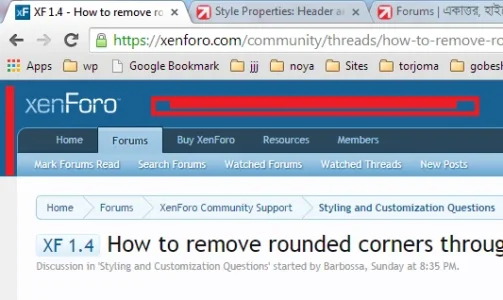
@Russ, Here is the next one, I want to remove that blueish color. Again by extra.css if possible. View attachment 83652
Just curious @Barbossa why are you not wanting to use Style Properties at all? It's what they are there for.
Style Properties -> Header and Navigation -> Header remove the background color:
Or..
Code:
#headerMover #headerProxy, #headerMover #header {
background-color: transparent;
}Duh!! man, don't u sleep? It's 12.00 AM (Sydney) here though!!
Just curious @Barbossa why are you not wanting to use Style Properties at all? It's what they are there for?
Style Properties -> Header and Navigation -> Header remove the background color:
Or..
Code:#headerMover #headerProxy, #headerMover #header { background-color: transparent; }
I am developing myself alzheimer (no kidding, first stage)! want to keep all edits in one place with /*.....notes...*/Just curious @Barbossa why are you not wanting to use Style Properties at all? It's what they are there for.

Similar threads

- Question
- Replies
- 11
- Views
- 1K

- Replies
- 2
- Views
- 779
- Replies
- 1
- Views
- 1K