XF 2.1 How can I hide "download" button in videos?

albertc.s

Member
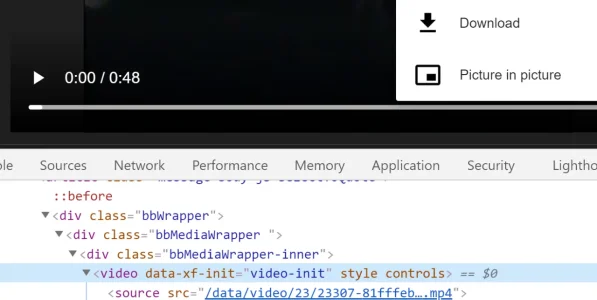
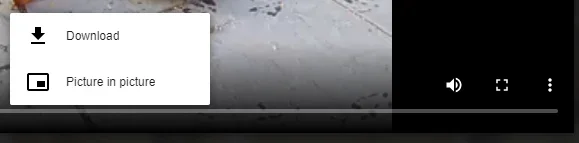
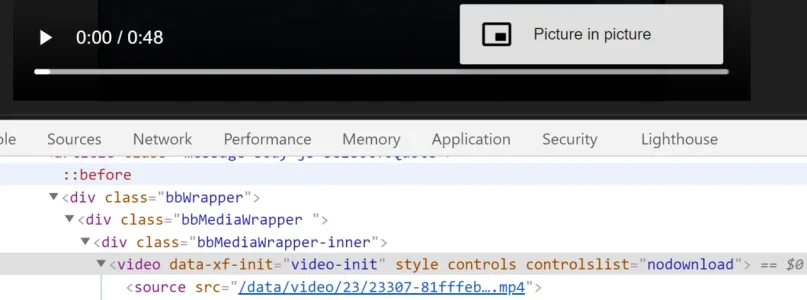
Well, I was reading how can I hide "download" button in videos and tried something in console, and finally found some good result.
I add controlslist="nodownload" and download button disappear. (attach two pictures)
The question is where can I put this code in my xenforo for every videos?
I know that this sound like to very newbie, but I am newbie and I dont know where.
Some help?
Thanks in advance ;)
Capture1.PNG

Capture2.PNG
 
I can't help with with where to put the code, but I'd advise, before wasting too much time, that you check it in every browser possible.

A while back I did something similar, only to find it didn't work in Chrome. My hack was to mask the button with a small block, however if anyone wants to download they will get past these things.
 
I can't help with with where to put the code, but I'd advise, before wasting too much time, that you check it in every browser possible.

A while back I did something similar, only to find it didn't work in Chrome. My hack was to mask the button with a small block, however if anyone wants to download they will get past these things.
Thanks for your answer ;)
I tried in edge, chrome and can download. Mozilla can't, but unfortunately, chrome is the browser that more people use.
You talk about one trick, about mask the button with a small block, could you share the code and how to implement?
I know that anyone wants to download they will get past these things but is for try to give more difficulties.
Thanks in advance
 
I solved it with a template modification:

Template: xfmg_media_view_macros

Find:
Code:
<video preload="metadata" controls poster="{$mediaItem.poster_url}" data-video-type="audio">

Replace with:
Code:
<video preload="metadata" controlsList="nodownload" controls poster="{$mediaItem.poster_url}" data-video-type="audio">
 
you are a next level template mod master.

I see it works on Chrome, but not on Edge. I guess it might fail on other browsers too, damn it!

200.gif
 
All they'd have to do is right-click the video, open in new tab, and then click the browser 3 dot menu to download it.
The point is showing the button grants permission to download. A user getting around that is downloading without permission. Sites with artists, filmmakers, composers, etc. may run into issues with artists not wanting their work posted as a free download.
 
The point is showing the button grants permission to download. A user getting around that is downloading without permission. Sites with artists, filmmakers, composers, etc. may run into issues with artists not wanting their work posted as a free download.
That’s exactly why I wanted the download button hidden. It makes little sense to have rules against illegal downloading while having a download button sitting there.

Obviously someone determined to help themselves can usually get around it.

On my Wordpress I have a plugin that hides or shows the button as a setting, would be great to have a player on xenForo that can do that.
 
Back
Top Bottom