Getting ready to convert from vB4 to xF

AndyB

Well-known member
Licensed customer
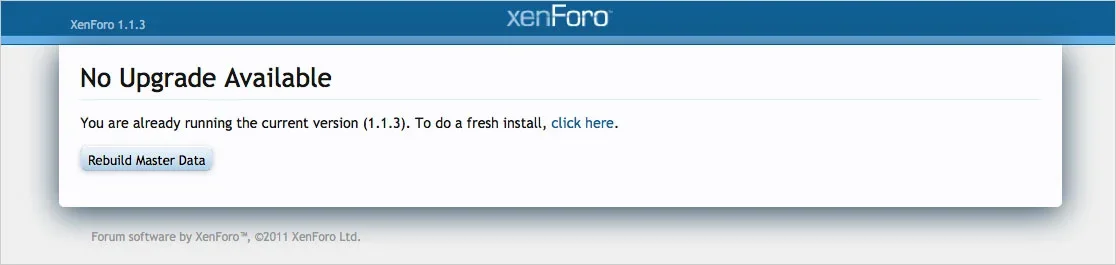
I have the importer folders uploaded. In preparation of importing I went to the install page and get this message:
pic001.webp

1) What happens if I click the "Click here" link?
2) What does it mean to "Rebuild Master Data?

I assume the best thing to do would be to delete the current MySQL database and create a new one with the same name? Is this correct?
 
The click here will do a fresh install where you must delete everything in the database.
The Rebuild Master Data will only rebuild the cache for all the templates and phrases etc.
 
Thank you, Nasr.

Perfect, the "Click here" option saves me the the effort of deleting the current database and creating a new one.
 
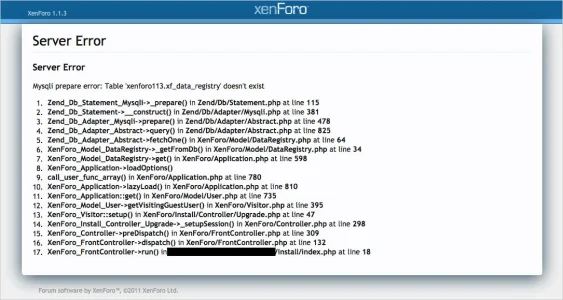
I deleted my xF database and created a new one. I navigated to the /install/ folder and get the following error:

pic001.webp

What am I doing wrong?
 
Thank you, Brogran. I was hoping it would be some thing simple like that. It would have been so much better if the error message would indicate this issue.
 
Unfortunately deleting the install_lock.php on the server appears to not be the only problem. I still get the same error message.
 
Found the problem. When I navigated to the /install URL, Firefox put in the trailing upgrade to the path. I needed to delete that part in the URL path and now I'm good to go.
 
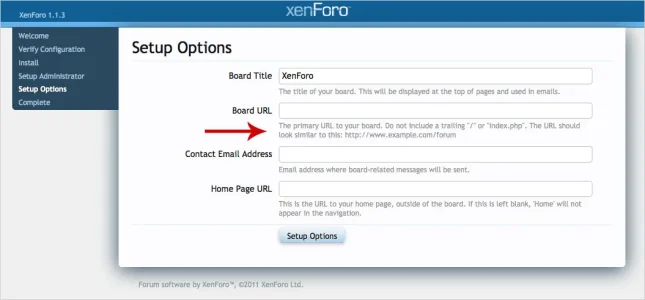
Currently my primary URL is in a folder called xenforo. Ultimately it will be in the "forums" folder. My question is can I specify xenforo for now and change it easily in the ACP later?

pic001.webp
 
I installed the importer vbulletin4-importer-3.6b2 successfully. But when I try to run the Import External Data link, I get the following error message:

Fatal error: Class 'XenForo_Importer_Abstract' not found in /path/to_my_site/www/xenforo/library/XenForo/Importer/vBulletin.php on line 4
 
Back
Top Bottom