
You are using an out of date browser. It may not display this or other websites correctly.
You should upgrade or use an alternative browser.
You should upgrade or use an alternative browser.
XF 1.4 Default XenForo Values for Sharing Services
- Thread starter Amaury
- Start date
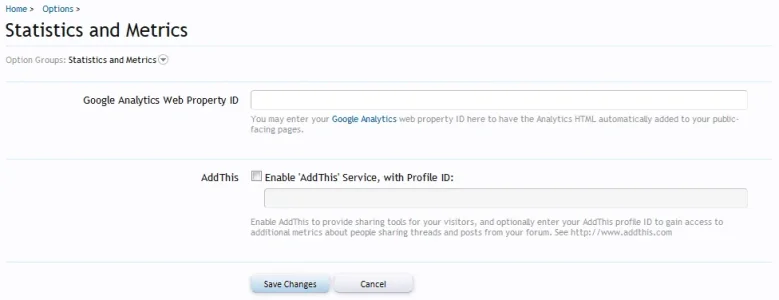
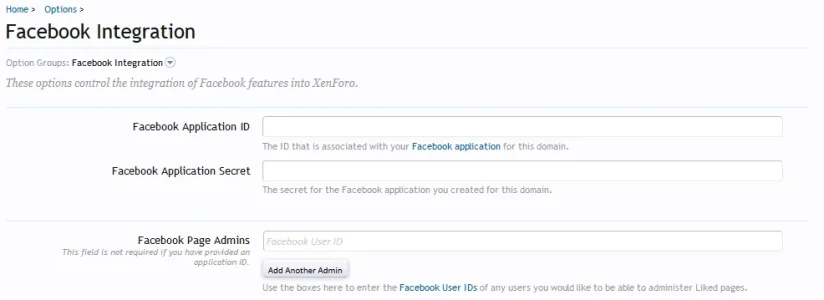
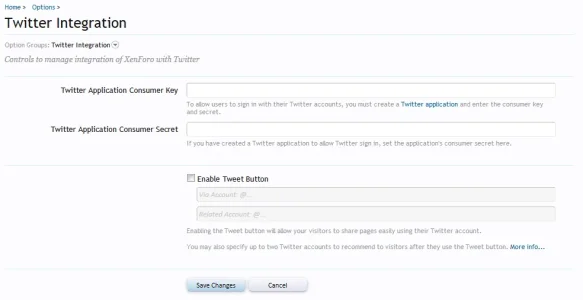
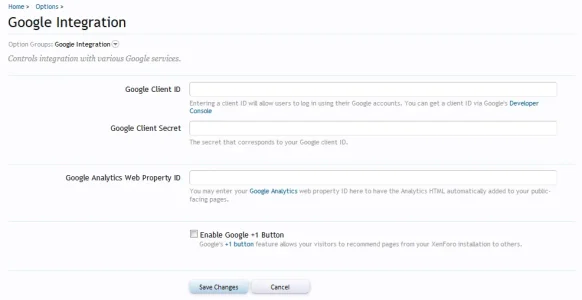

They're all blank by default.
Awesome! Thank you very much, Mike! I could have sworn some were filled in, but I guess not.
Okay, so I've enabled everything, but for some reason the Facebook one isn't showing / working.

It seems to be related to your style... the Facebook recommend button shows up for me on your Facebook and vBulletin styles:Okay, so I've enabled everything, but for some reason the Facebook one isn't showing / working.
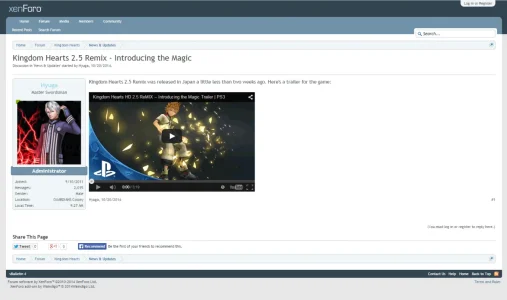
It seems to be related to your style... the Facebook recommend button shows up for me on your Facebook and vBulletin styles:
View attachment 94065
Any ideas what it could be?
I'm not sure why, you'll need to check with whoever did your style.
It seems though the CSS class for the FB recommend button .facebookLike .shareControl is rendering with a width of 0px.
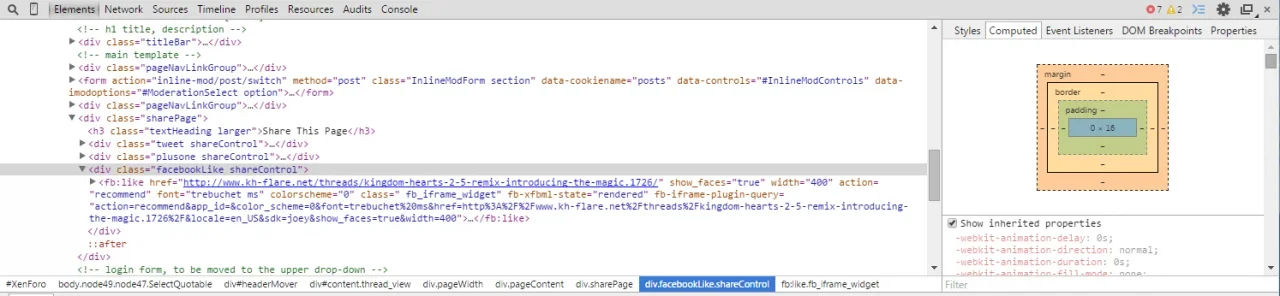
According to the default share_page template, that is supposed to be at a width of 400px:
Maybe try reverting that template?
It seems though the CSS class for the FB recommend button .facebookLike .shareControl is rendering with a width of 0px.
According to the default share_page template, that is supposed to be at a width of 400px:
Code:
<div class="facebookLike shareControl">
                    <xen:container var="$facebookSdk">1</xen:container>
                    <fb:like href="{$url}" show_faces="true" width="400" action="{$xenOptions.facebookLikeAction}" font="trebuchet ms" colorscheme="@fbColorScheme"></fb:like>
                </div>
Maybe try reverting that template?
Last edited:
I'm not sure why, you'll need to check with whoever did your style.
It seems though the CSS class for the FB recommend button .facebookLike .shareControl is rendering with a width of 0px.
View attachment 94144
According to the default share_page template, that is supposed to be at a width of 400px:
Code:<div class="facebookLike shareControl"> <xen:container var="$facebookSdk">1</xen:container> <fb:like href="{$url}" show_faces="true" width="400" action="{$xenOptions.facebookLikeAction}" font="trebuchet ms" colorscheme="@fbColorScheme"></fb:like> </div>
Maybe try reverting that template?
We made the style. The share_page template is not even customized.
Any outdated templates?
Nope.
OK I had a closer look at your FB button and it seems you have an invalid attribute for colorscheme in your Facebook like button:
On your default theme:
On your Facebook theme:
The values for that are supposed to be either light or dark, so which option do you have selected in Style Properties: General -> Facebook Plugin Color Scheme for your default theme?
On your default theme:
Code:
color_scheme=0On your Facebook theme:
Code:
color_scheme=lightThe values for that are supposed to be either light or dark, so which option do you have selected in Style Properties: General -> Facebook Plugin Color Scheme for your default theme?
Last edited:
OK I had a closer look at your FB button and it seems you have an invalid attribute for colorscheme in your Facebook like button:
On your default theme:
Code:color_scheme=0
On your Facebook theme:
Code:color_scheme=light
The values for that are supposed to be either light or dark, so which option do you have selected in Style Properties: General -> Facebook Plugin Color Scheme for your default theme?
Fixed it, thanks.
What's the difference between dark and light? I can't really see any.
Edit: Never mind, it's the description in threads.