
You are using an out of date browser. It may not display this or other websites correctly.
You should upgrade or use an alternative browser.
You should upgrade or use an alternative browser.

BbCodes & Buttons Manager 3.3.5
No permission to download
- Thread starter cclaerhout
- Start date


@cclaerhout Something odd just happened when I updated my theme:

For some reason the manager can't find the button images. It worked before this latest update just fine. Any suggestions?
For some reason the manager can't find the button images. It worked before this latest update just fine. Any suggestions?

Look at the css and check that the sprite image url can be found.@cclaerhout Something odd just happened when I updated my theme:
View attachment 85993
For some reason the manager can't find the button images. It worked before this latest update just fine. Any suggestions?
I ran the CSS with Firebug and the only reference to an address was this:Look at the css and check that the sprite image url can be found.
span.mce_bbm_spoiler {
background: url("styles/sedo/editor/adv_sprites.png") no-repeat scroll 0 0 rgba(0, 0, 0, 0) !important;
Admittedly, I'm **** with this debugging stuff, so I'm not sure if I did that properly.
Contact me by pm, with your board url, temporary admin account and ftp access.I ran the CSS with Firebug and the only reference to an address was this:
span.mce_bbm_spoiler {
background: url("styles/sedo/editor/adv_sprites.png") no-repeat scroll 0 0 rgba(0, 0, 0, 0) !important;
Admittedly, I'm **** with this debugging stuff, so I'm not sure if I did that properly.
@Rambro
The problem is coming from your theme and the way the Font Awesome (FA) icons are integrated. This css from the template "uix_icons.css" supposed that all icons will use Font Awesome ones:
The original XenForo sprite is then no more loaded. This integration should be modified (add another class with js for the selected icons or using the "background-image: none;" for only the selected buttons.
Workarounds:
[Solution 1] You can also disable the option "Enable Icon Font for Editor Toolbar Buttons" in " [UI.X] Global Settings".
[Solution 2] Or you can manualy set a FA icon for every of your new buttons, ie:
[Solution 3] Or you can override by icon the value "background-image: none;" by adding to your extra css this kind of ugly code:
Anyway this is a problem of your skin and there's nothing more I can do here.
The problem is coming from your theme and the way the Font Awesome (FA) icons are integrated. This css from the template "uix_icons.css" supposed that all icons will use Font Awesome ones:
Code:
  html .redactor_toolbar li a,
   html .redactor_toolbar li a:hover,
   html .redactor_toolbar li a:active,
   html .redactor_toolbar li a.redactor_act
   {
     background-image: none;
   }
The original XenForo sprite is then no more loaded. This integration should be modified (add another class with js for the selected icons or using the "background-image: none;" for only the selected buttons.
Workarounds:
[Solution 1] You can also disable the option "Enable Icon Font for Editor Toolbar Buttons" in " [UI.X] Global Settings".
[Solution 2] Or you can manualy set a FA icon for every of your new buttons, ie:
Code:
  html .redactor_toolbar li a.redactor_btn_YourButtonName:before
   {
     content: "\f032"; // Change here the FA code
   }
[Solution 3] Or you can override by icon the value "background-image: none;" by adding to your extra css this kind of ugly code:
Code:
  html .redactor_toolbar li a.redactor_btn_deleted,
   html .redactor_toolbar li a.redactor_btn_deleted:hover,
   html .redactor_toolbar li a.redactor_btn_deleted:active,
   html .redactor_toolbar li a.redactor_btn_deleted.redactor_act
   {
     background-image: url("styles/default/xenforo/editor/icons.png?redactor");
   }
Anyway this is a problem of your skin and there's nothing more I can do here.
Thanks for the help Cedric. I really do appreciate it.

I have the same problem in my theme...Look at the css and check that the sprite image url can be found.
See post #727 and contact your theme creator. There's nothing I can do for this.I have the same problem in my theme...
Sometimes when users copy and paste something. It also brings anchor links. How can i force them to only copy and paste the text of the anchors rather than the URL embedded in it also.
Your question is not related to this addon. What you're looking for is a "paste as text" mode. With the stock editor, you can't achieve this, but TinyMCE has one (it is an option to enable).Sometimes when users copy and paste something. It also brings anchor links. How can i force them to only copy and paste the text of the anchors rather than the URL embedded in it also.
Your question is not related to this addon. What you're looking for is a "paste as text" mode. With the stock editor, you can't achieve this, but TinyMCE has one (it is an option to enable).
Alright. Thanks!
Can your mod disable img tag and force user to use upload image as attachment?
Basically, I am looking to host all images posted on my site as attachments.
Yes.Can your mod disable img tag
All depends what you mean by "force". Once the img tag disable, if he wants to insert an image, it will only be possible using the attachment system. But nothing will force him to use it.and force user to use upload image as attachment?
Yes.
All depends what you mean by "force". Once the img tag disable, if he wants to insert an image, it will only be possible using the attachment system. But nothing will force him to use it.
The problem is when I disabled the IMG tag, all old posts stopped displaying images. What I would prefer is IMG tag to be gone only for new posts, and if someone uses it should be replaced by just the image link.
Or well something to that extent. This will encourage users to upload a file via attachment as image.
Last edited:
What you want is out of the scope of this addon and would require to use the post data to get the post date and proceed accordingly.The problem is when I disabled the IMG tag, all old posts stopped displaying images. What I would prefer is IMG tag to be gone only for new posts, and if someone uses it should be replaced by just the image link.
Or well something to that extent. This will encourage users to upload a file via attachment as image.


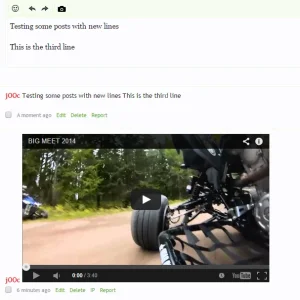
@jOOc
I personally don't plan to buy the new gallery extension. I've already bought the other gallery and I haven't had time to use it yet. If someone wants me to look into it, feel free to contribute so I buy it for dev. Other solution : anyone can make a commit on Github to update the code.
It should be easy to update the code to remove the button. For your other questions, I don't really think they are related to this addon but to the gallery itself. So you might post them as suggestion in the proper forum.
I personally don't plan to buy the new gallery extension. I've already bought the other gallery and I haven't had time to use it yet. If someone wants me to look into it, feel free to contribute so I buy it for dev. Other solution : anyone can make a commit on Github to update the code.
It should be easy to update the code to remove the button. For your other questions, I don't really think they are related to this addon but to the gallery itself. So you might post them as suggestion in the proper forum.

Yes it was, sorry for that.For your other questions, I don't really think they are related to this addon but to the gallery itself. So you might post them as suggestion in the proper forum.
No problemYes it was, sorry for that.

When clicking "Bb Codes Manager" resulting The requested page could not be found. This only happens if i am enabling cache :
How to fix this?, already rebuilding caches with the same results.
I am on 1.4.3
Code:
$config['cache']['enabled'] = true;
$config['cache']['frontend'] = 'Core';
$config['cache']['frontendOptions']['cache_id_prefix'] = 'xf_';
$config['cache']['cacheSessions'] = true;I am on 1.4.3
Last edited: