
Adam Howard
Well-known member
I live with it and so do my members, because they can simply scroll past it.@Adam Howard your back to the top button covers info on your site when mobile. Not horrible- I just don't care for the look.


I live with it and so do my members, because they can simply scroll past it.@Adam Howard your back to the top button covers info on your site when mobile. Not horrible- I just don't care for the look.

I also have it showing in mobile devices (iPhone and iPad). Just select the option to display on mobile, and the if statement kicks in and doesn't include the media query in the CSS.I guess I'm the odd ball, but I wanted this to show on mobile devices.
This was my alternative solution for high impact site who didn't want more js files (as the case with another add-on that is similar).
So with this new update it will not work with tables and such?
I've just installed this locally on a clean board, and it's working fine.After upgrade addon it does not work.
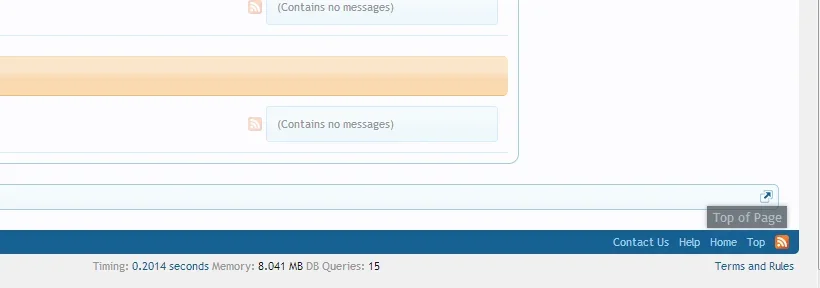

What is your desktop resolution?When i turn OFF responsive, it does not show anywhere for me. ? desktop, mobile phone - iPad.
1920x1080 - when i turn off responsive it does not show on anything.What is your desktop resolution?
Confirmed. Only way I can get this to work is using the @nonResponsiveMinWidth value, but that still shows it on the iPad in landscape mode1920x1080 - when i turn off responsive it does not show on anything.

<xen:if is="{$xenOptions.back_to_top_custom_minwidth} == '1'">
@media (min-width:{$xenOptions.back_to_top_minwidth})
<xen:else />
@media (min-width:{xen:property nonResponsiveMinWidth})
</xen:if>Fixed a bug from 1.0.2a where I missed the px from the width.
Adds new option to use @nonResponsiveMinWidth or set your own min-width value.
View attachment 57939
In other words - they will not see it with a smaller screen?I'm an idiot! I missed the px value from the CSS code
Also, iPad in landscape is 1208px wide, so setting the min-width value to 1208px stops it from displaying on the iPad. You will however, then have issues with people using a desktop with a small screen resolution.
Correct. From what I can tell, the iPad only gets the responsive elements added when in portrait mode, so in landscape mode, it's basically the full site version.In other words - they will not see it with a smaller screen?
Can I get rid of it on the iPad in landscape mode?Correct. From what I can tell, the iPad only gets the responsive elements added when in portrait mode, so in landscape mode, it's basically the full site version.
If you leave the options for this to the default ones and rotate the iPad, the Back to Top link is only there in landscape mode, and not portrait.
Yes, by setting it to not display on browsers less than 1208 pixels wide. Buy then you are back to this pointCan I get rid of it on the iPad in landscape mode?
Also, iPad in landscape is 1208px wide, so setting the min-width value to 1208px stops it from displaying on the iPad. You will however, then have issues with people using a desktop with a small screen resolution.
Looks like there is an extra setting in there for Scroll Speed. Will update it now.Also, changing the scroll speed doesn't seem to effect the speed.

We use essential cookies to make this site work, and optional cookies to enhance your experience.


