
Navigate to "No wrapper" position category and look for "After the open <body> tag".Where do I put the Adsense Auto Ads code


Navigate to "No wrapper" position category and look for "After the open <body> tag".Where do I put the Adsense Auto Ads code
Added new ad type: "Background banners", where you can set a left and right banner depending on the screen size, based on custom breakpoints that you can set in Style properties.
Background ads have been renamed to "Background cover" and the admin options to change CSS selectors have been moved to Style properties and require updating them if you have used custom ones.
Made improvements to lazy loading where you can now lazy load a package and when using the refresh setting, it will rotate...
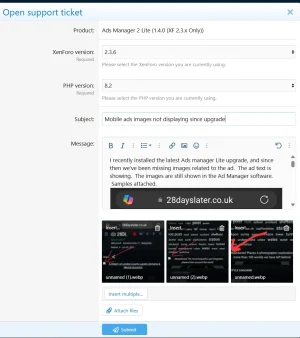
Which ad type is affected? Can you see them in the page source?You latest update has trashed half of our ads.
If your IP ends in .144 it looks like the request was blocked by ModSecurity. Please try again and let me know if you still get that.It's impossible to log a job on your website.
I've now logged a support request. The ad type is banner. It seems like the image filename is missing and it's just looking for the parent folder.Which ad type is affected? Can you see them in the page source?
If your IP ends in .144 it looks like the request was blocked by ModSecurity. Please try again and let me know if you still get that.

Added embeddable ads via BB code for both individual ads and packages. You can find the option in ad/package list options menu. You can place the BB codes in articles or inside any other content that supports BB codes.
Made improvements to position criteria to be strict, meaning that it will work with any position and won't display the ad unless the criteria is met. This used to work only for specific positions in thread view, forum view, etc.
Made some changes to the carousel to loop ads...


Per the overview... Link-->> https://xenforo.com/community/resources/ads-manager-2-lite-by-siropu.7002/Whats the difference between versions?

You can see the ad selling features on my site at Cafesaxophone.com under the main About tab go to Advertise.Ads Manager 2 Lite has everything that Ads Manager 2 has except for the options that allows you to sell ads and promo threads.

I have the ads displaying how I want in the forum inline, but I realized I also display them in the Activity Summary emails that go out. What is the process/syntax for creating a position and then manually specifying/calling that position in a template to display the ads?Create a new "Position" then select that new custom "Position" when creating the add..
View attachment 321759
Another way is "Page Criteria" and selecting one or multiple Templates.
View attachment 321760
View attachment 321761
Simply create a new position in Ads Manager and use the provided template code in the template you want. Select that position in your ads/packages.What is the process/syntax for creating a position and then manually specifying/calling that position in a template to display the ads?
Great, I'll try that and set the package to display in both locations. Thanks.S
Simply create a new position in Ads Manager and use the provided template code in the template you want. Select that position in your ads/packages.
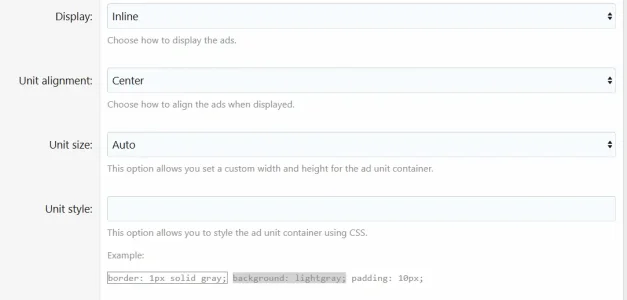
I chose the Email > Below Content position to test but the ads are not displaying Inline (there are line breaks between each ad) the way they are in the other position I have them set for in the forum. Should I add CSS or something for the package settings?S
Simply create a new position in Ads Manager and use the provided template code in the template you want. Select that position in your ads/packages.
What would the url syntax look like pre-pended?Is it possible to prepend a URL with affiliate code? Most seem to append at the end of the Vendor URL, but I have one requesting the code be inserted prior.

https://affiliatepartner.com/g/b9jm5dg8a/?ulp=https%3A%2F%2Fwww.company.com%2Fproductnamehttps://affiliatepartner.com/g/b9jm5dg8a/?ulp=
We use essential cookies to make this site work, and optional cookies to enhance your experience.


