

Simply put, this adds the date and time to your footer. Clicking it will take you to the Preferences page, where you can change the time zone.
(Note: I'm hoping to adjust it to make it to show just the time once I figure out that code.)
To install, go to <ul class="footerLinks"> in the "footer" template, and add the following code before the </ul> tag.
Then...you're done.
Please note that this is my first modification (ever), so if there's something you notice that can be made easier, let me know.
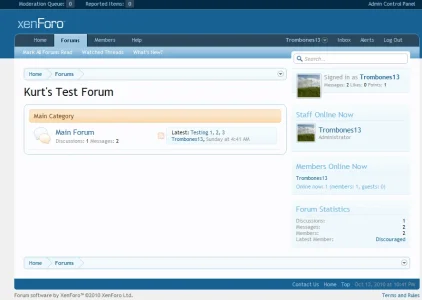
(Note: I'm hoping to adjust it to make it to show just the time once I figure out that code.)
To install, go to <ul class="footerLinks"> in the "footer" template, and add the following code before the </ul> tag.
Code:
<li><a href="{xen:link 'account/preferences'}"><div class="time muted">{xen:datetime $datetime, 'absolute'}</div></a></li>Then...you're done.
Please note that this is my first modification (ever), so if there's something you notice that can be made easier, let me know.


 Should I recommend uninstalling for now, then?


