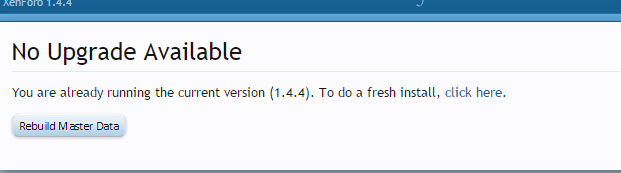
A Anton_Bodryachkom Active member Licensed customer Mar 5, 2015 #1 I followed the guide . tryed few time woth 2 different ftp clients , and they went to cpanel and upload to server and unarchived . still no luck for update , plz help
I followed the guide . tryed few time woth 2 different ftp clients , and they went to cpanel and upload to server and unarchived . still no luck for update , plz help
P Paul B XenForo moderator Staff member Licensed customer Mar 5, 2015 #2 That is either due to uploading the files to the wrong location or some sort of server caching. Upvote 0 Downvote
A Anton_Bodryachkom Active member Licensed customer Mar 5, 2015 #3 ok , i managed to come to screen when it told me , i need set 777 permissions , i followed , changed to 777 and then i get Internal Server Error Upvote 0 Downvote
ok , i managed to come to screen when it told me , i need set 777 permissions , i followed , changed to 777 and then i get Internal Server Error
P Paul B XenForo moderator Staff member Licensed customer Mar 5, 2015 #4 You will need to check the server error log to see what is triggering it. Upvote 0 Downvote
A Anton_Bodryachkom Active member Licensed customer Mar 5, 2015 #5 here is log when i run it [2015-03-05 17:10:23]: error: directory is writable by others: (/home/----public_html/----.com/com/upload/install) Upvote 0 Downvote
here is log when i run it [2015-03-05 17:10:23]: error: directory is writable by others: (/home/----public_html/----.com/com/upload/install)
A Anton_Bodryachkom Active member Licensed customer Mar 5, 2015 #6 is the hosting block ? Upvote 0 Downvote
P Paul B XenForo moderator Staff member Licensed customer Mar 5, 2015 #7 It sounds like the perms on the files and folders are incorrect. You may need to check and update them all. In general, files and directories should be 0644 and 0755 respectively. The /data and /internal_data directories should be 0777 (recursively). Upvote 0 Downvote
It sounds like the perms on the files and folders are incorrect. You may need to check and update them all. In general, files and directories should be 0644 and 0755 respectively. The /data and /internal_data directories should be 0777 (recursively).
A Anton_Bodryachkom Active member Licensed customer Mar 5, 2015 #8 yes set it as to guide to 777 . strange Upvote 0 Downvote
P Paul B XenForo moderator Staff member Licensed customer Mar 5, 2015 #9 The /install directory should not be 0777. Upvote 0 Downvote
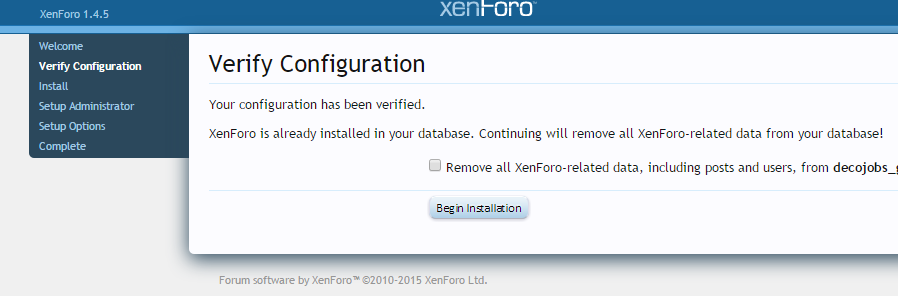
A Anton_Bodryachkom Active member Licensed customer Mar 6, 2015 #10 Ok i managed . but now a little confused with this , what should i do If i click Begin m it shows me this Upvote 0 Downvote
Ok i managed . but now a little confused with this , what should i do If i click Begin m it shows me this
A Anton_Bodryachkom Active member Licensed customer Mar 6, 2015 #11 i replaced config.php as well Upvote 0 Downvote
P Paul B XenForo moderator Staff member Licensed customer Mar 6, 2015 #12 The system is now trying to do a new installation rather than an upgrade. Did you upload the full or upgrade .zip? Check that avatars and attachments are still present in the /data and /internal_data directories. Have you removed the /internal_data/install-lock.php file? Upvote 0 Downvote
The system is now trying to do a new installation rather than an upgrade. Did you upload the full or upgrade .zip? Check that avatars and attachments are still present in the /data and /internal_data directories. Have you removed the /internal_data/install-lock.php file?