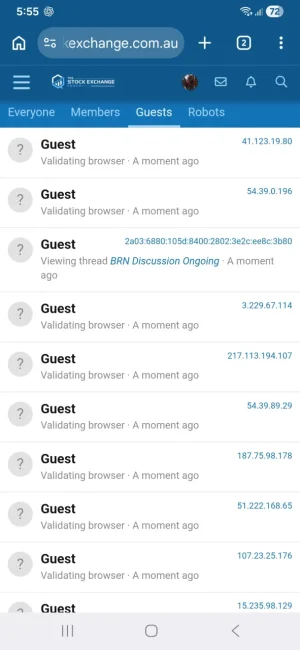
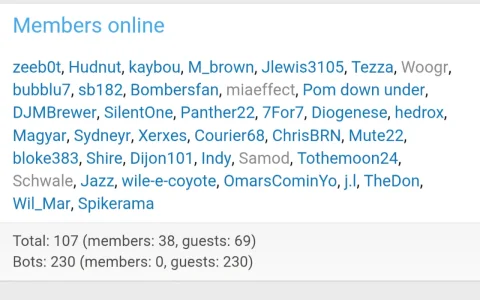
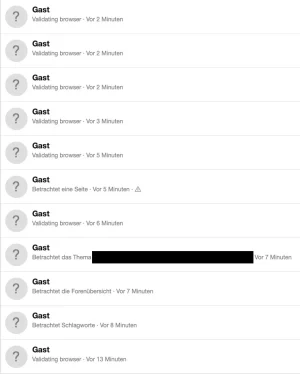
I checked my CloudFlare addon settings and didn't have "Cloudflare network edge caching -> Cache pages for guests" set to on. Perhaps some other Cloudflare rule is caching, but I thought they should respect the headers.
For anyone using XF Bot Guard behind Cloudflare, these are my own Cloudflare cache settings.
This is not the only valid setup, but it shows the important distinction: I cache specific static/media-style XenForo endpoints only. I do
not cache normal forum pages, guest HTML responses, login/register pages, XF Bot Guard verification pages, or challenge/interstitial responses.
XF Bot Guard needs fresh guest requests. Anything that turns normal guest page responses into cached edge HTML is likely to cause problems.
Cloudflare → Caching → Configuration
- Caching Level: Standard
- Browser Cache TTL: 4 hours
- CSAM Scanning Tool: Enabled, but not relevant to this discussion
- Crawler Hints: Enabled
- Always Online™: Disabled
- Development Mode: Disabled
- Enable Query String Sort: Disabled
Cloudflare → Caching → Tiered Cache
- Tiered Cache Topology: Enabled
- Smart Tiered Cache: Enabled
- Regional Tiered Cache: Disabled
Cloudflare → Caching → Cache Reserve
Cloudflare → Caching → Cache Rules
These are the only explicit cache rules I use.
1. Cache proxy.php images
Code:
(http.request.method eq "GET" and http.request.uri.path eq "/proxy.php" and http.request.uri.query contains "image=")
- Cache eligibility: Eligible for cache
- Edge TTL: Use cache-control header if present, cache request with Cloudflare's default TTL for the response status if not
- Status code TTL:
- 100–103: No store
- 200–226: 7 days
- 300–526: No store
2. Cache css.php
Code:
(http.request.method eq "GET" and http.request.uri.path eq "/css.php" and http.request.uri.query contains "css=")
- Cache eligibility: Eligible for cache
- Edge TTL: Use cache-control header if present, cache request with Cloudflare's default TTL for the response status if not
- Status code TTL:
- 100–103: No store
- 200–226: 7 days
- 300–526: No store
3. Cache webmanifest.php
Code:
(http.request.method eq "GET" and http.request.uri.path eq "/webmanifest.php")
- Cache eligibility: Eligible for cache
- Edge TTL: Use cache-control header if present, cache request with Cloudflare's default TTL for the response status if not
- Status code TTL:
- 100–103: No store
- 200–226: 7 days
- 300–526: No store
4. Cache /attachments/*
Code:
(http.request.method eq "GET" and starts_with(http.request.uri.path, "/attachments/"))
- Cache eligibility: Eligible for cache
- Edge TTL: Use cache-control header if present, cache request with Cloudflare's default TTL for the response status if not
- Status code TTL:
- 100–103: No store
- 200–226: 7 days
- 300–526: No store
What matters for XF Bot Guard compatibility
The key point is that these rules are intentionally narrow. They cache things like proxied images, CSS, web manifest output, and attachments. They do
not tell Cloudflare to cache full XenForo pages.
Cloudflare itself is not the problem. Caching itself is not the problem. Cloudflare’s standard caching is perfectly fine when it respects normal dynamic-page freshness.
The problem starts when another Cloudflare setting, page rule, cache rule, worker, plugin, or add-on causes guest HTML pages to be cached.
Specific note for the DigitalPoint Cloudflare add-on
If you are using the DigitalPoint Cloudflare add-on, the incompatible feature is:
Code:
Cloudflare → Edge caching → Cache pages for guests
That feature is designed to cache XenForo HTML pages for guests at Cloudflare’s edge.
This is different from simply caching CSS, proxied images, web manifests, or attachments. Guest page caching means normal XenForo HTML pages can be served from Cloudflare without the request reaching XenForo/PHP.
That is the part XF Bot Guard is not compatible with.
The guest page caching feature works by creating a Cloudflare Cache Rule for guests and by making eligible XenForo guest HTML responses cacheable.
The Cloudflare rule to look for will usually be named something like:
Code:
Cache XenForo guest pages
The expression will look similar to this, although your cookie prefix may differ:
Code:
(not http.cookie contains "xf_session=" and not http.cookie contains "xf_user=")
If you use a different XenForo cookie prefix, the cookie names in the rule may be different. The important part is that it is a broad rule matching visitors who do not have the XenForo session/user cookies.
How to disable it
In the XenForo Admin CP:
Code:
Admin CP → Cloudflare → Edge caching
Find:
Disable it.
After disabling it, the guest page caching time should be zero/off. In technical terms, the DigitalPoint option behind this is:
You should not need to manually edit that option if you disable it through the add-on’s Cloudflare edge caching screen.
Verify the Cloudflare rule was removed or disabled
After disabling the option in XenForo, also check Cloudflare directly.
Go to:
Code:
Cloudflare dashboard → Caching → Cache Rules
Look for any rule named something like:
Code:
Cache XenForo guest pages
or any broad guest-page rule using an expression similar to:
Code:
(not http.cookie contains "xf_session=" and not http.cookie contains "xf_user=")
If that rule is still present and enabled, delete it or disable it.
It is not enough to only disable the XenForo-side option if Cloudflare still has a broad rule that makes guest HTML eligible for caching.
Purge Cloudflare cache afterwards
After disabling guest page caching and confirming the Cloudflare rule is gone or disabled, purge Cloudflare cache.
At minimum, purge cached HTML/forum pages. If in doubt, purge everything.
This avoids testing against stale cached guest pages that were stored before the setting was changed.
How to verify it is working correctly
Test as a logged-out guest, preferably in a private/incognito browser window.
Normal forum pages should not be served as cached Cloudflare HTML.
For normal XenForo pages, you do
not want to see Cloudflare serving them as:
You also do
not want normal guest HTML pages returning cache headers like:
Code:
cache-control: max-age=0,s-maxage=3600
or any other positive
s-maxage value.
Seeing cached responses for things like CSS, proxied images, web manifests, or attachments is fine if you intentionally configured those rules. The issue is normal guest HTML pages.
Rule of thumb
It is generally fine to cache static/media-style endpoints.
It is not fine to cache:
- Normal forum pages
- Guest HTML responses
- Login or register pages
- XF Bot Guard verification pages
- Challenge/interstitial responses
- Anything that depends on a fresh visitor state, cookie state, session state, or validation state
So for DigitalPoint Cloudflare add-on users, the practical recommendation is:
- You may keep using the add-on if you want its other Cloudflare management features.
- You may keep narrowly-scoped static/media cache rules if you understand what they do.
- You should disable Cache pages for guests.
- You should confirm the Cache XenForo guest pages Cloudflare Cache Rule is removed or disabled.
- You should purge Cloudflare cache after changing it.
Once guest HTML page caching is disabled, XF Bot Guard and Cloudflare can coexist normally.