XF Bot Guard

XF Bot Guard 1.4.1

No permission to download
Expected behaviour, or at least not a functional bug.

XF Bot Guard updates XenForo’s session activity bot state, similar to what Known Bots does, but for a slightly different purpose. It is not just trusting the user-agent label. It is trying to make the session activity reflect Bot Guard’s verified view of the visitor.

That means two things:
  1. Traffic claiming to be Googlebot, Bingbot, etc. can be moved out of the “identified bot” state if it does not verify properly.
  2. Traffic that XenForo did not identify as a bot can still be marked accurately if Bot Guard verifies it against the crawler/vendor’s published IPs/CIDRs.
This matters because plenty of bad traffic spoofs Googlebot-style user agents. Bot Guard is intentionally not treating “says it is Googlebot” as the same thing as “is actually Googlebot”.

So in this case, the missing Google branding is most likely just a cosmetic/session label overlap between XF Bot Guard and Known Bots. Known Bots appears to use the nicer branded label, while XF Bot Guard writes a more standardised bot name based on its own verified classification.

The “Allow verified search crawlers and fetchers” option controls how verified crawlers are allowed through Bot Guard. It does not control whether Known Bots’ branded display label wins on the robots page.

It should be pointed out also - if Known Bots only improves the bot labels used on the robots page within members online, and you have the "Allow verified search crawlers and fetchers" option enabled - Known Bots, if I am not mistaken, becomes effectively redundant. Because, XF Bot Guard is determining what is an allowed bot, and what isn't - it knows what the bots are, and it updates the table for XenForo.

As such, its both accurate, authoritative, and ensures the robots tab reflects exactly what bots Bot Guard has allowed, and what their names are (where XenForo doesn't know).
 
alright. it is kind of getting a bit confusing. should i keep both the bot source options enabled now (Allow known verified crawler headers where determinable and Allow verified search crawlers and fetchers)? or one of them is enough lol.

Yeah, fair question - the names are close, but they are doing two different things.

“Allow known verified crawler headers where determinable” is the Cloudflare-based option. It trusts Cloudflare’s judgement that a request is from a known/verified bot, but only where Cloudflare is actually sending that information through correctly. This should only be used if Cloudflare is the only thing that can reach your origin, for example by restricting direct origin access to Cloudflare IPs only. Otherwise, a malicious bot could simply spoof the relevant header and undermine that part of XF Bot Guard.

“Allow verified search crawlers and fetchers” is XF Bot Guard’s own verification. This is the one that verifies the major search engines/fetchers itself and determines whether the bot claiming to be Google, Bing, etc. is actually real. Real ones are allowed through unchallenged; fake ones are challenged/blocked as appropriate. You can trust this option.

So, if your main goal is just to let the major search engines and legitimate fetchers through, enable “Allow verified search crawlers and fetchers”. That is enough for that purpose.

Only enable “Allow known verified crawler headers where determinable” if you specifically want to also trust the broader set of bots Cloudflare considers acceptable, and only if your origin is properly locked down behind Cloudflare. Personally, I would be more cautious with that option, because Cloudflare’s verified bot list can include a much wider range of bots that may not provide any real benefit to your site.
 
also seeing some weird ips on the bots page lol. one belongs to Deutsche Telekom. another belongs to Hetzner. the bot ip list is not visible in backend right?

You can't determine them by raw IP because XF Bot Guard doesn't track the raw IP - it tracks a hash of it. So, what you can do - is if they are visiting some particular page, then, copy some part of the URL path that seems obscure or not that common, and filter by path contains inside the logs for Bot Guard. Then, you can look at the events associated with that path, identify the likely IP hash, go back, remove the path, enter the IP hash in the IP hash field, then filter - you will see everything associated with that IP / session.
 
oh i meant that these ips appeared in the robots page which means they are verified/allowed search bot. googling did not link them to any known search bot. i have disabled the cloudflare verified bot option so was just wondering if i can check the addon's own approved bot database if this ip is part of that.

also kind of confused why is there a members field in bots row. i might have missed this in one of the earlier pages where this feature was being discussed.

1780630462926.webp
 
oh i meant that these ips appeared in the robots page which means they are verified/allowed search bot. googling did not link them to any known search bot. i have disabled the cloudflare verified bot option so was just wondering if i can check the addon's own approved bot database if this ip is part of that.

also kind of confused why is there a members field in bots row. i might have missed this in one of the earlier pages where this feature was being discussed.

View attachment 339185

Disable this:

Screenshot 2026-06-05 at 1.37.11 pm.webp

Enable this:

Screenshot 2026-06-05 at 1.37.18 pm.webp

Enable this:

Screenshot 2026-06-05 at 1.38.33 pm.webp

... and then wait 15 mins for the XF session data to cycle out into being only what was dealt with since the config update.

Finally, your robots tab should look completely sane. Like this:

Screenshot 2026-06-05 at 1.39.57 pm.webp

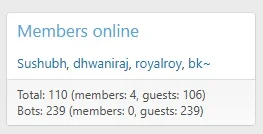
The reason why there is a members portion in the bots display of the summary members online widget, is because:

Screenshot 2026-06-05 at 1.41.01 pm.webp

Where anything other than 'Guests only' is selected, members can be detected as bots. Yes, that's right... some bots have registered accounts on your forum. It is far less common, though - which is why I would rather just let my users be left alone, regardless. I only really turn that setting on when I am sanity checking my updates to ensure it doesn't hurt humans.
 
zeeb0t updated XF Bot Guard with a new update entry:

Minor Release: v.1.1.6

XF Bot Guard 1.1.6

Release type:
Minor update

This update improves the reliability of the “Validating browser…” interstitial flow, particularly for fresh visitors who may not yet have a fully established XenForo cookie/session state.

Changes

  • Improved handling of the interstitial browser-validation collect request so it is processed earlier in the XenForo request lifecycle.
  • Added a small client-side breathing-space delay before the interstitial collect request...

Read the rest of this update entry...
 
With regards to this: /js/zee/botguard/botguard.js -- that update, perhaps it's worth it to add versioning to the scripts in the future so this isn't necessary in the future. Ie, /js/zee/botguard/botguard.js?v=3

etc. when you do updates.
 
With regards to this: /js/zee/botguard/botguard.js -- that update, perhaps it's worth it to add versioning to the scripts in the future so this isn't necessary in the future. Ie, /js/zee/botguard/botguard.js?v=3

etc. when you do updates.

Yeah, totally fair. I will throw it into my next branch right now!
 
i tried everything but cannot get it to work lol. would wait for others to report. i am still getting stuck on the interstitial in incognito. i purged browser cache, cloudflare cache, edge cache is disabled, restarted browser, loaded the js file and refreshed it manually a bunch of times.
 
i tried everything but cannot get it to work lol. would wait for others to report. i am still getting stuck on the interstitial in incognito. i purged browser cache, cloudflare cache, edge cache is disabled, restarted browser, loaded the js file and refreshed it manually a bunch of times.

Can you send me a dm and share your forum URL? I am going to visit it and see for myself. This just makes no sense, because it even has a fallback if all else fails, to send you to the challenge/CAPTCHA page. SOMETHING should happen!
 
It should be pointed out also - if Known Bots only improves the bot labels used on the robots page within members online, and you have the "Allow verified search crawlers and fetchers" option enabled - Known Bots, if I am not mistaken, becomes effectively redundant. Because, XF Bot Guard is determining what is an allowed bot, and what isn't - it knows what the bots are, and it updates the table for XenForo.

As such, its both accurate, authoritative, and ensures the robots tab reflects exactly what bots Bot Guard has allowed, and what their names are (where XenForo doesn't know).

Finally, your robots tab should look completely sane.

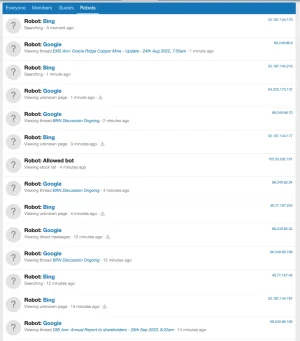
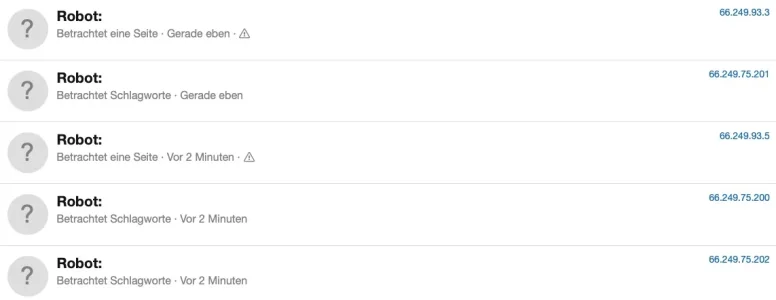
My Robots tab is missing naming the Google Bots:

Bildschirm­foto 2026-06-05 um 06.51.38.webp
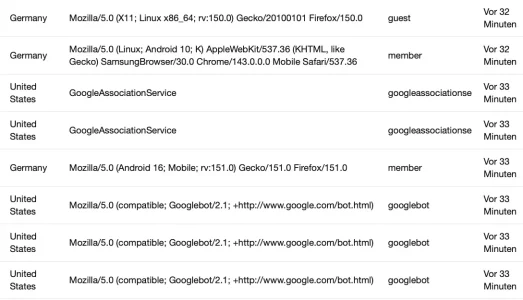
The IPs are clearly from Google's robot range, Bing and Applebot (the only ones Botguard let's currently through apart from Google) are correctly named. Google was as well before installing Bot Guard if I remember correctly. I'm running Known Bots and IP Threat Monitor alongside with Bot Guard, in case this makes a difference.

PS: Would be nice if you could add Quant to the allowed bots. It is a French search engine, focussed on privacy, has been around for a long time and its bot has been visiting my forum quite often. They do publish their IP-ranges and also have the option for forward- and r-dns verification:

 
My Robots tab is missing naming the Google Bots:

View attachment 339193
The IPs are clearly from Google's robot range, Bing and Applebot (the only ones Botguard let's currently through apart from Google) are correctly named. Google was as well before installing Bot Guard if I remember correctly. I'm running Known Bots and IP Threat Monitor alongside with Bot Guard, in case this makes a difference.

PS: Would be nice if you could add Quant to the allowed bots. It is a French search engine, focussed on privacy, has been around for a long time and its bot has been visiting my forum quite often. They do publish their IP-ranges and also have the option for forward- and r-dns verification:


Thank you. Which version of XenForo are you running?

I'll add qwant to the list of optional search engines. I am currently expanding that area.
 
If you disable Known Bots temporarily, do any of the names appear again?
Yup, Google appears again then. On a sidenote: I also use the "activity log" by AndyB (as is does show me the country visitors are coming from) and this is more specific than XF regarding differenciating Google's various bots and has not stopped rendering the names out in neither of the combinations as it simply grabs them from the transmitted user agent I believe.

Bildschirmfoto 2026-06-05 um 07.22.41.webp
 
Yup, Google appears again then. On a sidenote: I also use the "activity log" by AndyB (as is does show me the country visitors are coming from) and this is more specific than XF regarding differenciating Google's various bots and has not stopped rendering the names out in neither of the combinations as it simply grabs them from the transmitted user agent I believe.

View attachment 339195

Ok. The issue is Known Bots and Bot Guard fighting over who gets to name the bots.

If you want Known Bots to name it, but keep Bot Guard active - just disable the option for where it modifies the members online count. That will disable the Bot Guard renaming for bots also.

Alternatively you can disable Known Bots. Its up to you - either way, it wont effect Bot Guards protection. Its just a display thing.
 
Yup, Google appears again then. On a sidenote: I also use the "activity log" by AndyB (as is does show me the country visitors are coming from) and this is more specific than XF regarding differenciating Google's various bots and has not stopped rendering the names out in neither of the combinations as it simply grabs them from the transmitted user agent I believe.

View attachment 339195

I haven't looked at that add-on. But seems like they get that data from another table or record it separately.
 
I haven't looked at that add-on. But seems like they get that data from another table or record it separately.
I'd assume the latter. It's simple thing and probably not particularly poplar or relevant I'd assume. The only reason why I am using it is to see the country the requests are coming from which helped me to identify bot requests in the past and to build up my country blocks. People that use Cloudflare (can) have the country flag in the normal visitor list, delivered by CF. But as I am not using CF this add on was the simplest solution.
 
Back
Top Bottom