

- Affected version
- 2.2.15
I just renewed my license and made a big jump by upgrading from 2.2.5 to v 2.2.15. I like to do searches for all users who's status is still "awaiting email confirmation" so I can send them a follow up email reminding them to verify their email.
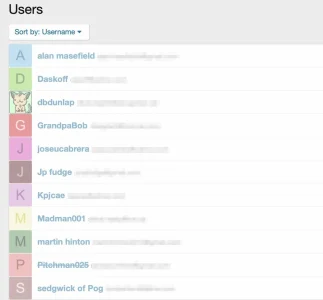
Anyway, after the upgrade, I find that when I do any search from the admin panel for members in a user state other than "valid" the list comes up all washed out looking. Doing a search for all valid members it looks normal. This didn't do the with 2.2.5. I did try to search for this issue and didn't find it. Samples screen shots (with emails blurred):
Doing a search for User State= Valid and the avatars and names look normal:
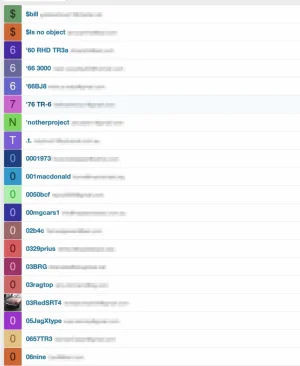
Doing a search for any other state (this is a search for "awaiting email confirmation") the avatars and names look all washed out. Functionally they still work - I can click a name and it takes my to that profile.
Any ideas where the problem might be?
Search for members awaiting email confirmation:
Anyway, after the upgrade, I find that when I do any search from the admin panel for members in a user state other than "valid" the list comes up all washed out looking. Doing a search for all valid members it looks normal. This didn't do the with 2.2.5. I did try to search for this issue and didn't find it. Samples screen shots (with emails blurred):
Doing a search for User State= Valid and the avatars and names look normal:
Doing a search for any other state (this is a search for "awaiting email confirmation") the avatars and names look all washed out. Functionally they still work - I can click a name and it takes my to that profile.
Any ideas where the problem might be?
Search for members awaiting email confirmation:




