Fixed  Uploading avatar using IE

Atlantisss

Member
Licensed customer
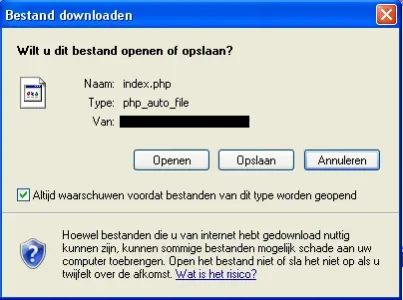
When I try to upload my avatar in IE, I get a download popup, wanting do download index.php.

I use IE8, and I have no special settings in IE.

I tried the same with Firefox and Chrome, everything works fine there.
 
Not something I've had issues with either. What IE version? Does it happen here?
 
No, that's the weird thing about it.

I use IE 8.0.6001.18702

Googling on "php_auto_file" shows some people have the same with IE.

I've added a screenshot of it (it's Dutch, but I don't think that matters).

It asks me whether I want to open or save the file.

xenforoava.webp
 
I can confirm this error. I've came across it a few times. I'll post again when I get the same error.
 
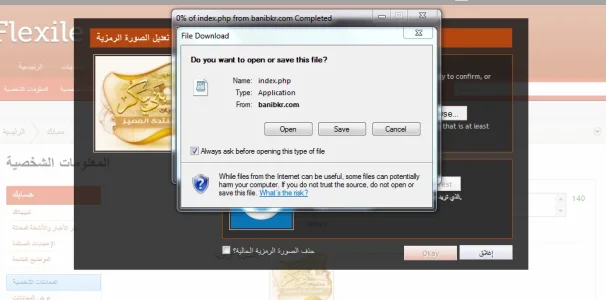
I came across this error on my laptop. It does seem to be an IE error because I used Firefox and it worked fine. This problem when uploading an avatar. I actually reproduced it more than once on IE only,

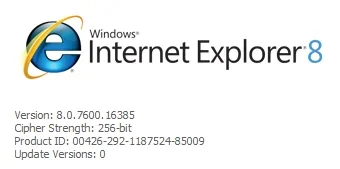
IE Information
ie.webp
Error snapshot
avatarupload.webp
 
Does it also happen on xenforo.com ?
I had a similar issue at one point when nginx was not configured correctly.
 
This is wat is in the file for me:

{"sizeCode":"m","maxWidth":96,"maxDimension":"height","width":257,"height":192,"cropX":16,"cropY":0,"urls":{"l":"data\/avatars\/l\/0\/1.jpg?1288432328","m":"data\/avatars\/m\/0\/1.jpg?1288432328","s":"data\/avatars\/s\/0\/1.jpg?1288432328"},"user_id":1,"avatar_date":1288432328,"cropCss":{"left":"-32px","top":"0px"}}
 
I just ran into this, and I believe I've now found a workaround using Content-Disposition.
 
Back
Top Bottom