
XF 1.2 There was a problem uploading your file. Error

rdn

Well-known member
Licensed customer
My Maximum Attachment File Size (KB) = 2048

When I use Flash Uploader, I got this error:
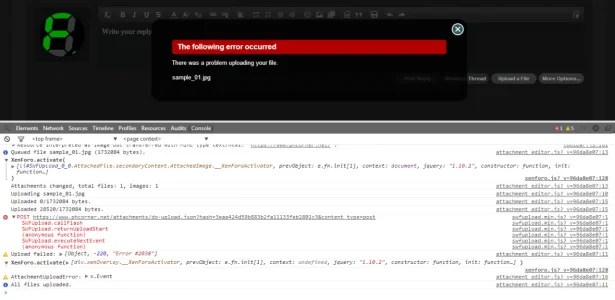
upload_2014-1-10_19-16-29.webp

When I disable the Flash Uploader, I got this:
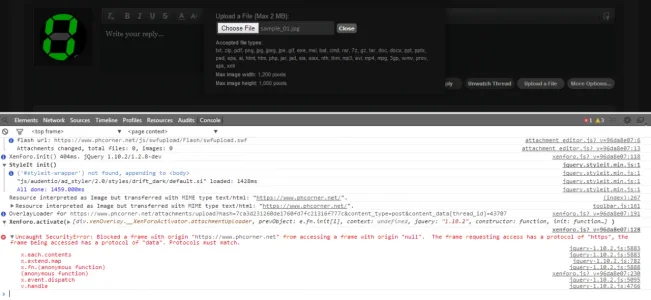
upload_2014-1-10_19-18-11.webp


I read a lot of similar threads here, but didn't help.
I'm on Nginx server, without GUI Control panel (Centmin Mod)

Anybody already experience this kind of error?
 
Mysql Settings:
max_allowed_packet = 32M


And the error display just after you hot the button upload/open.
No uploading progress is shown.

But I can upload images below 1mb.
 
It's certainly possible that the web server is effectively blocking the request. You can see some discussion here about increasing the max body size in Nginx: https://rtcamp.com/tutorials/php/increase-file-upload-size-limit/

If that doesn't help, please try disabling JS entirely in your browser and see what happens when you try to upload a file (this will prevent any errors from being hidden).
 
  • Like
Reactions: rdn
Our host set that to 10MB and now I can upload fine on our live site but on our test site it's still giving that error.

As our test site was just a copy of our live site on the same server I can't think of any reason why they'd differ?

Any ideas?
 
Back
Top Bottom