Latest post above Navigation isn't showing for either of my styles. It also breaks the style when enabled (display behaves like a table or ad is present with a large space on the right side).
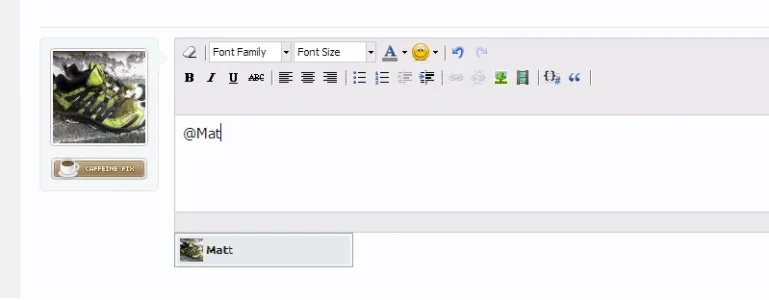
I don't see such problem on my test forum. Autocomplete drop down works fine when WYSIWYG editor is enabled, it doesn't work when editor is disabled. Dropdown menu is not in iframe, so it is not hidden by this add-on.
I don't see such problem on my test forum. Autocomplete drop down works fine when WYSIWYG editor is enabled, it doesn't work when editor is disabled. Dropdown menu is not in iframe, so it is not hidden by this add-on.
I've got this on both my live and test site. Both the same result. Responsive Design enabled, doesn't work. Disable Responsive Design, and it works again. Can give you access if you want?
EDIT: I've disabled everything else via the ACP, and it's still the same.
First part of code adds class .hasPageWidth to #content.thread_view, which causes second part of code to fail. It doesn't make any sense, adding extra class should not cause such issue.
Looks like XenForo bug, not a bug in ether of add-ons.
edit: never mind, event works fine. Something else is broken
Find parent element of that iframe (inspect element using developer tools in your browser to find its parent elements), get its class name and add entry to responsive_extra.css to display iframes inside that class.
Is there any way I can install this addon without having to install the TMS addon as well? Is there a manual method of template edits?...thanks Arty
I only ask because I don't want to have to install another addon (TMS) just to use this and your great Responsive Theme has the mobile style included in it without TMS having to be installed as well
Is there any way I can install this addon without having to install the TMS addon as well? Is there a manual method of template edits?...thanks Arty
I only ask because I don't want to have to install another addon (TMS) just to use this and your great Responsive Theme has the mobile style included in it without TMS having to be installed as well
TMS only expands templates compiler. It does all its magic when templates are being compiled, not when page is displayed so it doesn't use any extra resources. There is absolutely no harm in installing that add-on.
That's not a real browser, that's interface for renderer that runs on opera.com servers. I think I might have blocked some of their IP addresses for excessive spam.
Right, its not a ban issue. Support forum works fine in Opera Mini. UC browser is also not a real browser. I'll try to figure out what they have in common that prevents them from showing my demo forum.