
Will be fixed in the next version 
@SatGuyScott Are you using the latest version? Does results seems messed up in default style?
@SatGuyScott Are you using the latest version? Does results seems messed up in default style?



<xen:include template="search_results.css" />
<xen:if is="{$xenOptions.rtGCS_showBranding}">
<xen:include template="rtGCS_branding.css" />#QuickSearchQuery:active,
#QuickSearchQuery:focus
{
background-image: none !important;
]Haven't tried (on mobile now), but try adding !important after px.Version 1.0.5 overrides items in extra.css
Have to do with 'Show Google Branding' again
Example:
Code:.signature img { max-height: 100px; }

One bug with a workaround found. No big deal
If 'Show Google Branding' is selected, all content of Extra.CSS is ignored.
If you deselect 'Show Google Branding', your content of Extra.CSS is working properly again.

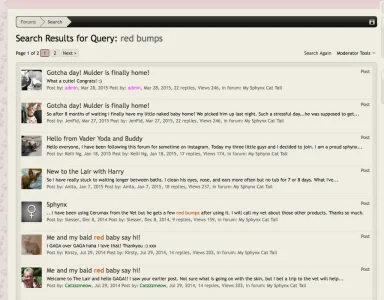
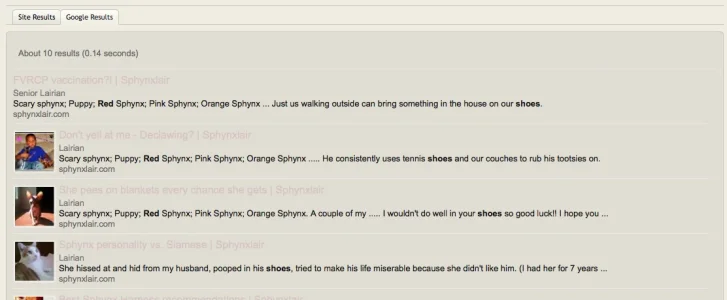
Put edits in EXTRA.css, the simpliest way.Great add on. is there a somewhat easy way the google search results style can match my custom search results style?
my style
View attachment 103123
Add on Goolge
View attachment 103124

I can confirm this bugOne bug with a workaround found. No big deal
If 'Show Google Branding' is selected, all content of Extra.CSS is ignored.
If you deselect 'Show Google Branding', your content of Extra.CSS is working properly again.

Sorry, that's not the solutionHaven't tried (on mobile now), but try adding !important after px.
You got any ideas or anyone?Great add on. is there a somewhat easy way the google search results style can match my custom search results style?
Finally I'm not on mobile. Yes, I can confirm this bug too.Sorry, that's not the solution
I can't figure out how to make this CSS changes here:You got any ideas or anyone?
div#cse.section.sectionMain {
}.sectionMain {
background-color: #e0ded4;
padding: 10px;
margin: 10px
auto;
border: 1px
solid rgb(199, 197, 188);
-webkit-border-radius: 5px;
-moz-border-radius: 5px;
-khtml-border-radius: 5px;
border-radius: 5px;
}No- it doesn't.Apply the changes you want to EXTRA.css makes no changes? if so please wait for 1.0.6
Changes:
Screenshots:
- Fixed: EXTRA.css contents being ignored when show branding is enabled
- Added new style properties which can be used to customize the google search results now
View attachment 103167
View attachment 103168
View attachment 103169
View attachment 103170
View attachment 103171
View attachment 103172
We use essential cookies to make this site work, and optional cookies to enhance your experience.
