BassMan updated [cXF] Node icons with image with a new update entry:
Update for XF 2.3
Read the rest of this update entry...
Update for XF 2.3
- code updated for XF 2.3
Read the rest of this update entry...

![[cXF] Node icons with image](/community/data/resource_icons/7/7490.jpg?1632687528)
- code updated for XF 2.3
Try with this code:How to change sub-node icon in forum homepage with png images as read and unread?
.subNodeLink {
    &.subNodeLink--forum {

        .subNodeLink-icon {
            background-image: url('/images/your_image.png');
            background-repeat: no-repeat;
            background-position: center;
            background-size: contain;
        }
        &.subNodeLink--read .subNodeLink-icon {
            opacity: 0.4;
        }
    }
}
Try with this code:
Less:.subNodeLink { &.subNodeLink--forum { .subNodeLink-icon { background-image: url('/images/your_image.png'); background-repeat: no-repeat; background-position: center; background-size: contain; } &.subNodeLink--read .subNodeLink-icon { opacity: 0.4; } } }
This:Thank you but there is one small problem in this code i only can use 1 png as read. What about unread icon? I want 2 different images for each.
/*** Sub-Node icons with image ***/
.subNodeLink {
    &.subNodeLink--forum {
        // for read node
        .subNodeLink-icon {
            color: transparent;
            background-image: url('/images/your_image.png');
            background-repeat: no-repeat;
            background-position: center;
            background-size: contain;
        }
        // for unread node
        &.subNodeLink--unread .subNodeLink-icon {
            color: transparent;
            background-image: url('/images/your_image.png');
            background-repeat: no-repeat;
            background-position: center;
            background-size: contain;
        }
    }
}
/*****/This:
Less:/*** Sub-Node icons with image **/ .subNodeLink { i {display: none;} &.subNodeLink--forum { // for read node .subNodeLink-icon { background-image: url('/images/your_image.png'); background-repeat: no-repeat; background-position: center; background-size: contain; } // for unread node &.subNodeLink--unread .subNodeLink-icon { background-image: url('/images/your_image.png'); background-repeat: no-repeat; background-position: center; background-size: contain; } } } /*****/
Perfect thank you mate. Have a good day.I've updated the code above.
Bu:
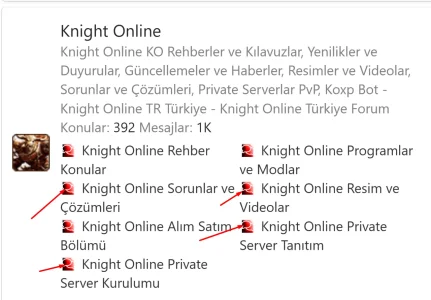
Less:/[B]* Resimli alt düğüm simgeleri *[/B]/ .altDüğümBağlantısı { &.subNodeLink--forum { // okuma düğümü için .subNodeLink-simgesi { renk: şeffaf; arka plan-görüntüsü: url('/resimler/resiminiz.png'); arka plan-tekrarı: tekrar-yok; arka plan konumu: merkez; arka plan boyutu: içerir; } // okunmamış düğüm için &.subNodeLink--okunmamış .subNodeLink-icon { renk: şeffaf; arka plan-görüntüsü: url('/resimler/resiminiz.png'); arka plan-tekrarı: tekrar-yok; arka plan konumu: merkez; arka plan boyutu: içerir; } } } /*****/[/KOD] [/QUOTE] 2.3.4 Şu anda düzgün çalışmıyor. Bana yardım edebilir misiniz? Forumlara bir simge atadım ancak görünmüyor. Alt forumlara da atadım ancak onlar da görünmüyor. Kategorilere, forumlara ve alt forumlara (Forum Alt Kategorileri) nasıl simge atayabilirim? [ATTACH type="full" size="390x81"]314093[/ATTACH]
I've updated the code above.

.node--forum in the code to .node--category.For category change.node--forumin the code to.node--category.
It works fine on my forum. Make sure to set the right ID. If you want to change the FA icon (not with the image), check this resource: https://xenforo.com/community/resources/cxf-change-default-fa-node-icon.7491/
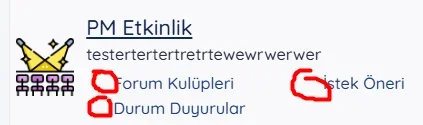
forum.primemmo.com / If you can become a member, let's correspond in the forumBunu canlı görebilseydim daha kolay olurdu.
Nothing opens for me.forum.primemmo.com
Now it should work with this resource: https://xenforo.com/community/resources/cxf-node-icon-as-clickable-link.10002/Really nice, any idea of there is a way to make the icons into clickable links (through to the forum)?


We use essential cookies to make this site work, and optional cookies to enhance your experience.