
You are using an out of date browser. It may not display this or other websites correctly.
You should upgrade or use an alternative browser.
You should upgrade or use an alternative browser.
XF 1.4 Can't put 2 custom BBcode beside one other
- Thread starter Betclever
- Start date
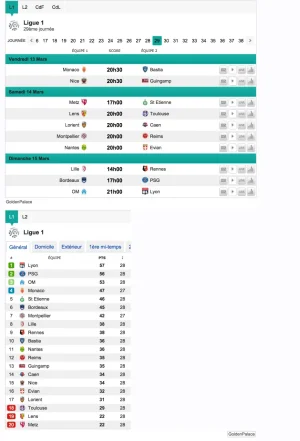


Please :
HTML:
<div data-type="timetable" data-id="18285" id="wgt-18285" class="tap-sport-tools" style="width:600px; height:auto;"></div>
<div id="wgt-ft-18285" style="width:596px;"><p><a rel="nofollow" target="_blank" href="https://www.goldenpalace.be/accueil.php?promo=BCF">GoldenPalace</a></p></div><style type="text/css">#wgt-ft-18285 {background:#FFFFFF !important;color:#484848 !important;text-decoration:none !important;padding:4px 2px !important;margin:0 !important;}#wgt-ft-18285 * {font:10px Arial !important;}#wgt-ft-18285 a {color:#484848 !important;}#wgt-ft-18285 img {vertical-align:bottom !important;height:15px !important;}</style><script type="text/javascript" src="http://tools.footendirect.com/load.min.js?693"></script>I added a resource for float bb code.
Thanks, downloaded and imported but how to use it cause it doesn't work or may I wrong?
This is what I wrote => [FLOAT_LEFT][ligue1]ligue1[/ligue1][/FLOAT_LEFT]
Attachments
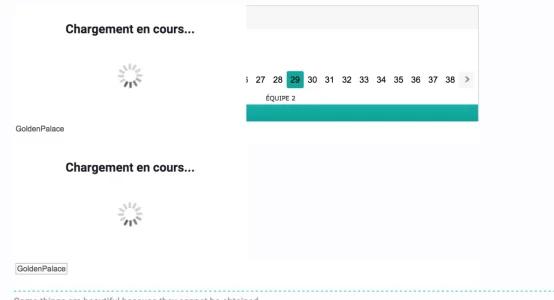
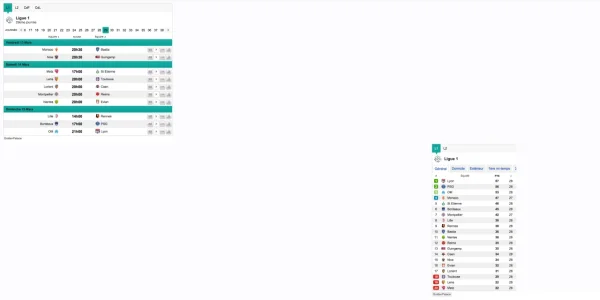
Hum, ok, I forgot the CSS code but now I have added this one and put 2 different BBcode like this => [FLOAT_LEFT][ligue1]ligue1[/ligue1][/FLOAT_LEFT][FLOAT_RIGHT][ligue1cl]ligue1cl[/ligue1cl][/FLOAT_RIGHT]
See in att. the result, the second one goes to the right but not on the right place. How can I adjust this please?
See in att. the result, the second one goes to the right but not on the right place. How can I adjust this please?
Attachments

Floats are sort of tricky. You need to be looking at the code generated to determine what's going on. These are really underlying elements of HTML/CSS and not XF.
If you really want these elements to be inline (but still have a specified width), you may be better changing the divs to be display: inline-block than floating.
If you really want these elements to be inline (but still have a specified width), you may be better changing the divs to be display: inline-block than floating.
Floats are sort of tricky. You need to be looking at the code generated to determine what's going on. These are really underlying elements of HTML/CSS and not XF.
If you really want these elements to be inline (but still have a specified width), you may be better changing the divs to be display: inline-block than floating.
hum ok but how/where can I change to inline-block cause I did not find this one in the template. Shall I add it and if yes where?
Can you just give me an example cause I have 10 customized BBcode so if you show me an ex. for one, I will be able to change all BBcode?
Thanks.
Similar threads

- Replies
- 2
- Views
- 1K

- Replies
- 8
- Views
- 3K
