Auto Close + Thread Notice

Auto Close + Thread Notice v1.1.3

No permission to download

Wutime

Well-known member
Licensed customer
Wutime submitted a new resource:

Auto Close + Thread Notice - Automatically close inactive threads while giving members a clear, friendly heads-up.

Auto Close Thread Notice helps keep older discussions tidy without surprising your members. It can show a configurable inactivity notice on old threads, automatically close inactive threads by forum, and publish a simple Help page explaining your forum’s auto-close rules.

Features:
  • Automatically closes inactive threads after a configurable number of days.
  • Per-forum auto-close settings.
  • Different auto-close day values per forum.
  • Optional per-forum sticky thread handling...

Read more about this resource...
 
Thanks for this — I’ve been going through 1.1.2 and it actually looks like a very good fit for what we’re trying to do on BladeForums.

The per-forum configuration, ability to use thread creation date rather than last reply, separate day values, and sticky handling are all exactly the sort of controls we need for gradually cleaning up very old Exchange listings.

While reviewing the ZIP itself, I did notice a couple of things that look like they may have slipped into the release package unintentionally:
  • AGENTS.md
  • Users//dev/www/xf23/cmd.php
The first appears to be development/AI tooling notes, and the second looks like a copy of the XenForo CLI bootstrap from a local development path.

I also checked the package hashes. Everything I checked matches hashes.json except:

autoclosethreadnotice.png

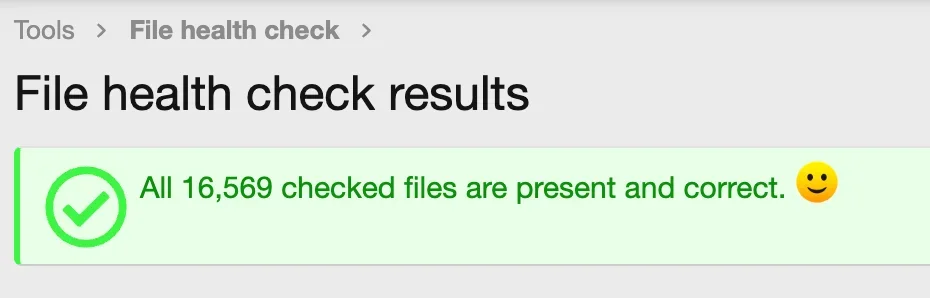
The included image does not appear to match the SHA-256 value recorded in hashes.json, so I thought I’d mention it in case that causes XenForo’s file health check to complain.

None of this looks like a problem with the actual auto-close functionality — the PHP itself looks clean from what I’ve reviewed — it just appears that the release archive may have picked up a few development files and a stale image hash during packaging.

I wanted to flag it before I install this on production.

Thanks again for making this available. The add-on looks very useful for our Exchange cleanup, especially because we can start conservatively with a 365-day threshold and configure the affected forums individually.
 
Last edited by a moderator:
Thanks again for making this available. The add-on looks very useful for our Exchange cleanup, especially because we can start conservatively with a 365-day threshold and configure the affected forums individually.
Thanks, glad you find it helpful.

While reviewing the ZIP itself, I did notice a couple of things that look like they may have slipped into the release package unintentionally:
  • AGENTS.md
  • Users/dev/www/xf23/cmd.php

I've updated and added a build.json that will remove these files from future releases. However, it won't delete them now they're on your server so you'll need to manually remove those two files if you want them gone.
 
Last edited:
Thanks for the update. I checked the 1.1.3 package and most of the cleanup is there, but I still found two packaging issues remaining.

The stray nested development file is still present:

Users//dev/www/xf23/cmd.php

It is also still listed in hashes.json, so it appears to be part of the packaged file set rather than just an accidental untracked file.

There is also still a hash mismatch for:

autoclosethreadnotice.png

The SHA-256 listed in hashes.json does not match the actual file in the ZIP.

Everything else I checked looks fine. The PHP files lint clean, and I did not see any substantive functional source changes from 1.1.2 beyond the version/package updates.

Could you please take one more look at those two items and provide a clean package when convenient?

Thanks again.
 
Last edited by a moderator:
Hey man, sorry but the hashes.json don't match still.

src/addons/Wutime/AutoCloseThreadNotice/autoclosethreadnotice.png

hashes.json expects:

5eedf1e7ea5f5530e048fde573595c4cd2fe98e6767df1f3a5b9838d8d25962f

Actual SHA-256:

933b0951ae26183ce831648be0c4c5efc4490d728f1fe2b4c2556964b846a2ce

Either the PNG needs to be replaced with the file corresponding to the listed hash or you need to generate a new hash. The sus dev path is gone though!
 
Back
Top Bottom