You are using an out of date browser. It may not display this or other websites correctly.
You should upgrade or use an alternative browser.
You should upgrade or use an alternative browser.
![[UW] Smileys Bar](/community/data/resource_icons/7/7237.jpg?1561139315)
[UW] Smileys Bar 2.3.8
No permission to buy (€11.95)
- Author xffutureuser
- Creation date
-
- Tags
- bar smiley smileys smilies text editor
This was a clean-up fix. On pages with lots of reply boxes (like a long discussion where every post has its own comment box), the smiley bar was quietly piling up dozens of harmless-but-ugly error messages in the background. This update reorganizes how the smiley bar starts up so those errors no longer happen. Nothing about how you use it changed — the bar, the regular smileys, and the big "large" smileys all work exactly as before; the page is just cleaner under the hood.
This update fixes a bug that broke the calendar event form. SmileysBar needs a helper library (jQuery) to run its smiley picker, so it loads its own copy. The problem was that its copy was replacing the shared copy XenForo already had loaded — and other features were relying on that shared copy.
When SmileysBar overwrote it, those features stopped working, including the address-autocomplete box on the "add event" page, and the post editor on that page wouldn't load at all.
The fix makes SmileysBar keep its copy to itself instead of swapping out the shared one, so both can run side by side without stepping on each other.
Updated for testing on XenForo 2.3.10. Please test the odd-on before using on a live site.
Required for use:
XenForo license 'Validation token'
XenForo license domain
XenForo username
BB Code UWSL Issue FIX from last version 2.2.2
Code:[UWSL]emoji[/UWSL]
It was not a bug but rather a limitation by design. The UWSL is used to display Jumbo smilies. And when the add-on is disabled/uninstalled, XenForo no longer knows what UWSL means, so it just displays it as plain text.
To avoid this UWSL issue, this is the proper uninstall procedure, first disable, then uninstall:
- Admin → Add-ons → SmileysBar gear → Disable — this fires onActiveChange(false) which strips tags from posts and deletes the bb_code row
- Admin → Add-ons → SmileysBar gear → Uninstall — this fires uninstallStep1() which drops the add-on's custom columns (and runs the cleanup again as a safety net)
- Then delete the add-on files from disk
This way, the cleanup hooks run with the files still in place.
I encourage you to try this feature before wide use. Install the add-on, post some jumbo smileys and then disable, then uninstal this add-on. So you can see how it works.
This version fixes various background and border color issues that appeared in different than stock theme.

This is a new version of Smileys Bar made for the XF 2.2
It has also a new design:
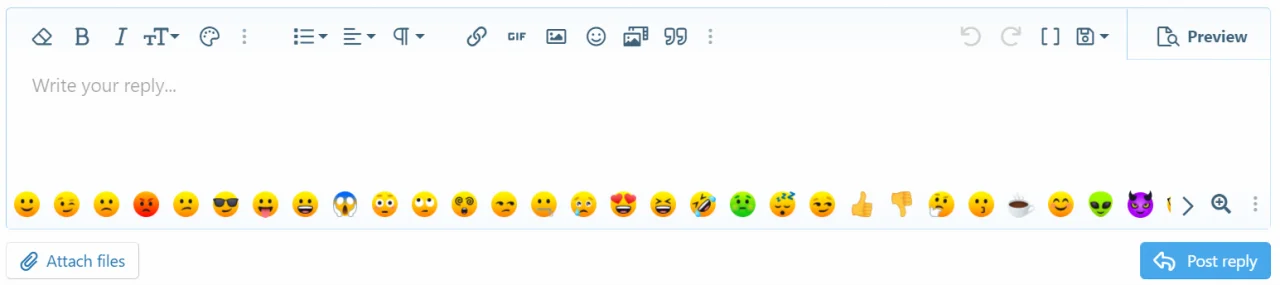
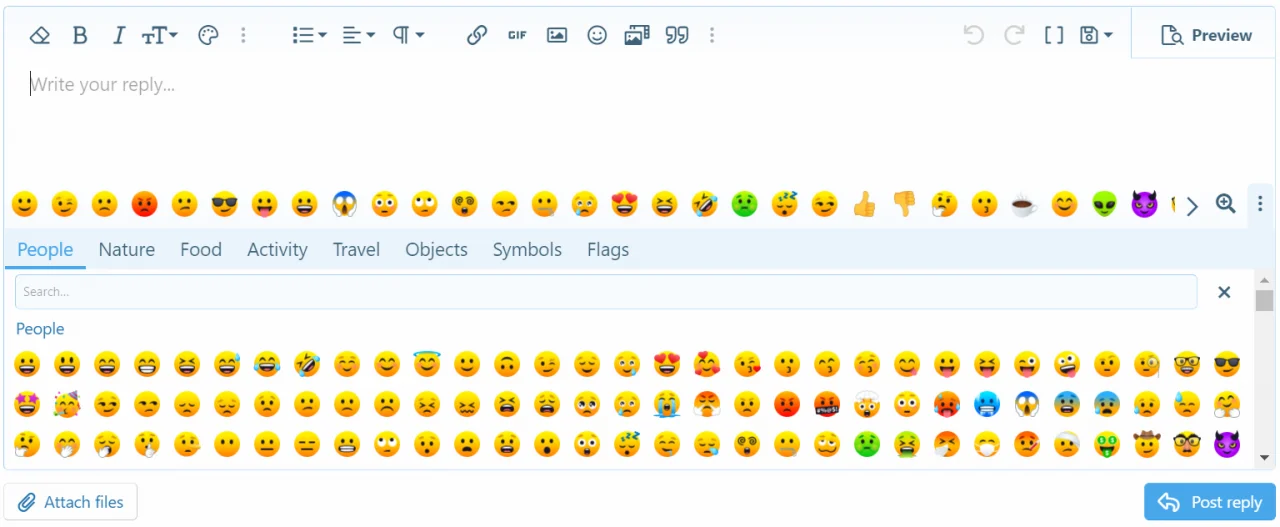
Also there is a new way of acquiring of this add-on. It is necesery to contact me via PM (user: xffutureuser ) on https://xenforo.com/community/ with request to get the download file. Please also mention your username on ultraweb.co

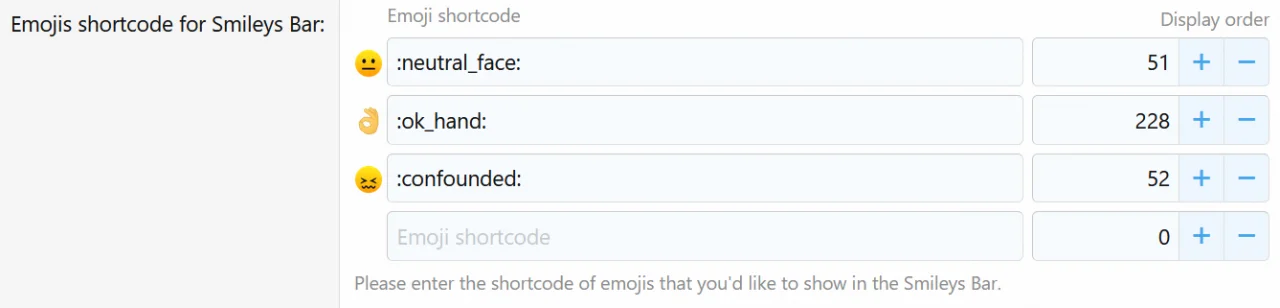
Option to add any smiley form the smileys menu emojis categories. In the admin, under Smileys Bar settings (Setup->Options->[UW] Smileys Bar), you can insert any smiley, from the stock emojis categories ( People, Nature, Food, Activity, Travel, Objects, Symbols, Flags ) into the Smileys Bar.
And from Content->Smilies->Uncategorized smilies (these are the Smileys Bar smileys) you can remove any smiley you want.
So this way you can build completely your own Smileys Bar.
A magnifier button on the right side of the Smileys Bar, when selected (in blue colour), will insert xF stock emojis into the text editor in max size, and that is 64px.
After a page reload, the button will deselect automatically, or press the button again to deselect it.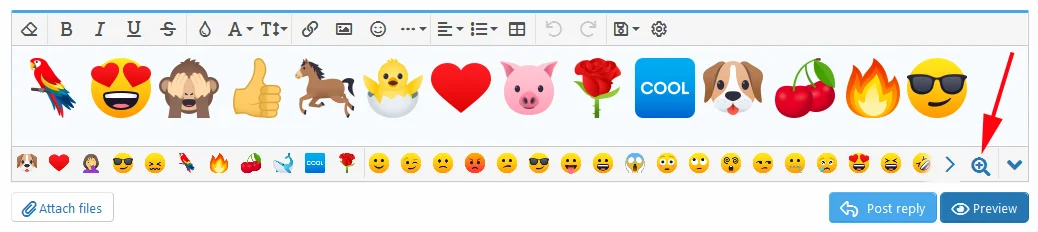
You can have smaller size, if you want, it is admin configurable:

And it has also user group permission so you can allow this only for a user group of your choice:

In the admin you have also the option to turn off this feature. And if you keep it turned on, you can give the end user the option to let him turn it off, if he wants.

This version was dedicated especially to those with large custom smileys.
In the admin area, for each category of smileys you can set different dimensions and different spacing between images:
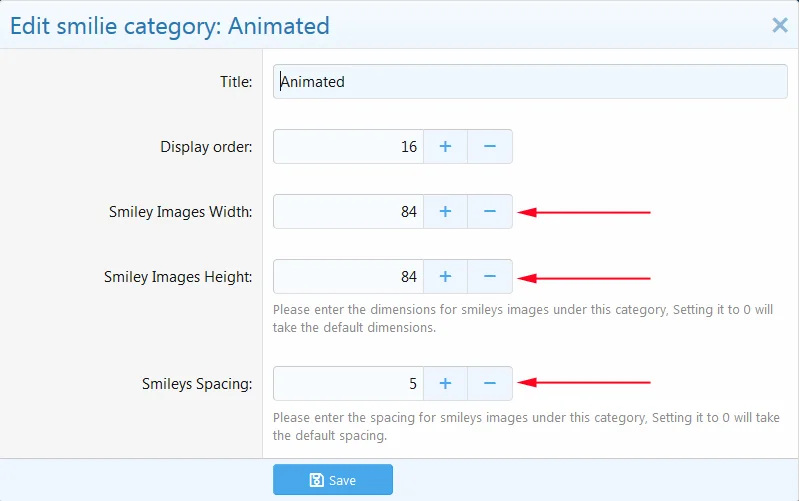
Example. While the stock XF emojis keep their default size and spacing, the animated images below have their size set to 78x44px with spacing of 5px:
We took the extra mile to make this add-on work great for custom smileys. You can set a specific size and spacing for each of your custom smileys category. Sample on a dark theme: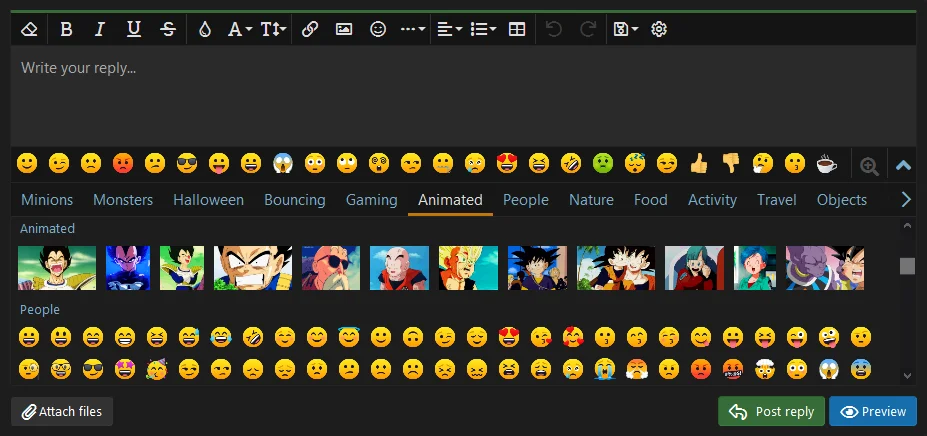
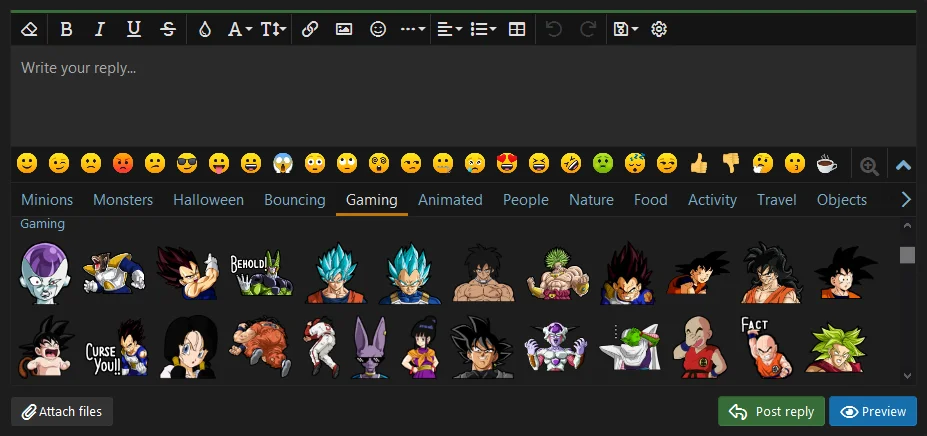
Some forum admins use just their own custom smileys. They don't use at all the stock XF categories. But in order to see their own custom categories, this option (Setup->Options->Messages->Show emoji in smilie menu ) had to be checked:

So from this version it is no more needed to have that option checked. You can uncheck it and you still will see your custom categories, without the stock emoji categories.
And if you don't have any custom categories, you will see there only the search bar. And even the search bar you can remove from there (this add-on has a setting for that in the admin area), since you don't have too many smileys, it is not really necessary, so then it might look like this:
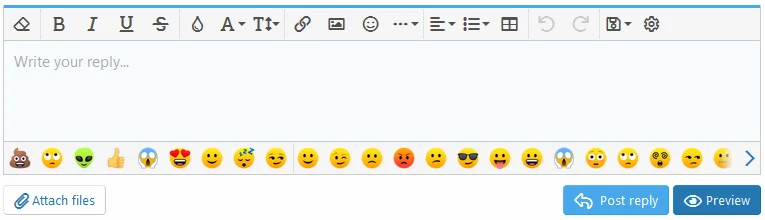
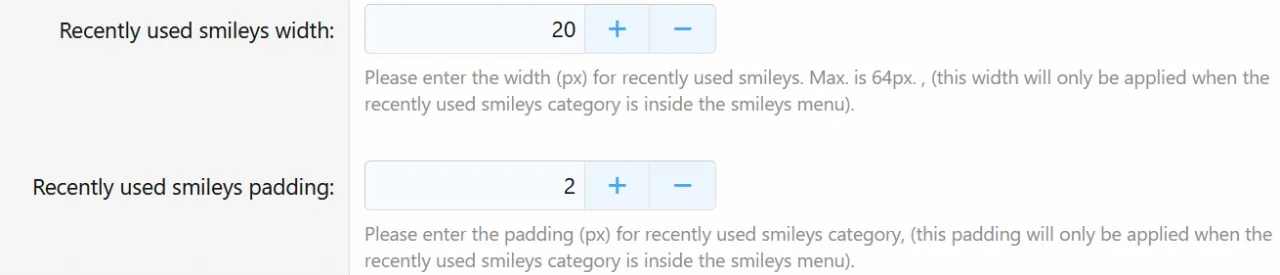
Some forum admins use many kinds of flashy, animated, extra oversized images as smileys. And for some users, to see all the time in the text editor these bulky flashy images might be irritating. So now the admin has the option to move "Recently used" from the Smileys Bar, to the smileys menu. And keep in the Smileys Bar only static smileys. Or the admin can let the user to decide whether he wants to move the "Recently used" down or not. This is how it looks in admin area:
This is how it looks for the user in preferences when you check the option for the user to decide whether to move the recently used down , or not:

This is how it looks when recently used are moved down to the smileys menu (also notice that only custom categories are there without the XF stock emoji categories):