
You are using an out of date browser. It may not display this or other websites correctly.
You should upgrade or use an alternative browser.
You should upgrade or use an alternative browser.
![[UW] Forum Comments System](/community/data/resource_icons/7/7073.jpg?1554245009)
[UW] Forum Comments System 2.3.14
No permission to buy (€19.95)
- Author xffutureuser
- Creation date
When you try to post a regular reply as a guest, it asks you to create a name. So you create a name and make a post. Then, in the same thread, you want to post a comment and it asks you again to create a name.
- Human verification for guests comments postings fix
It shouldn't be asking me again for a name. So this was fixed.
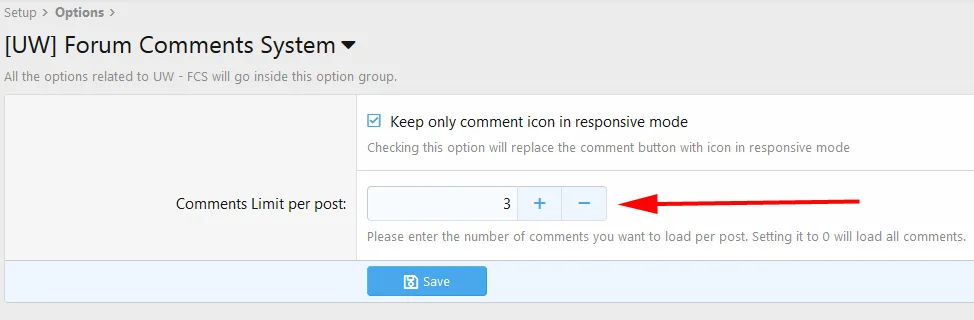
Now it works similar way as in XF profile comments. In the admin you can set how many last comments you want to keep displayed. Setting it to 0 will disable this functionality and you will see all the comments:
- Hiding comments reworked
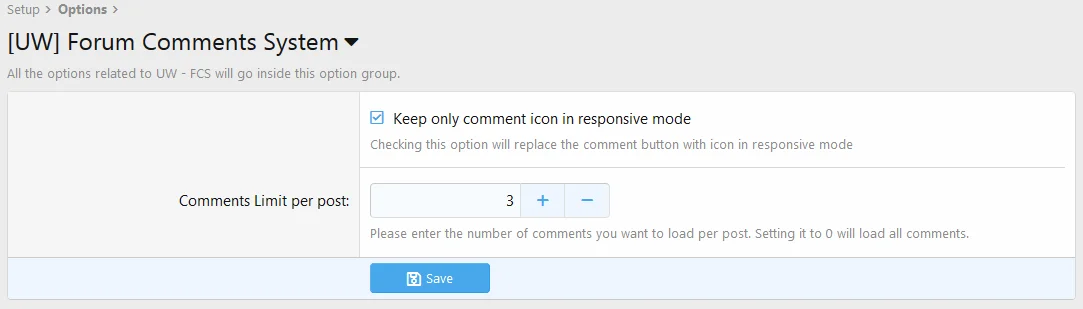
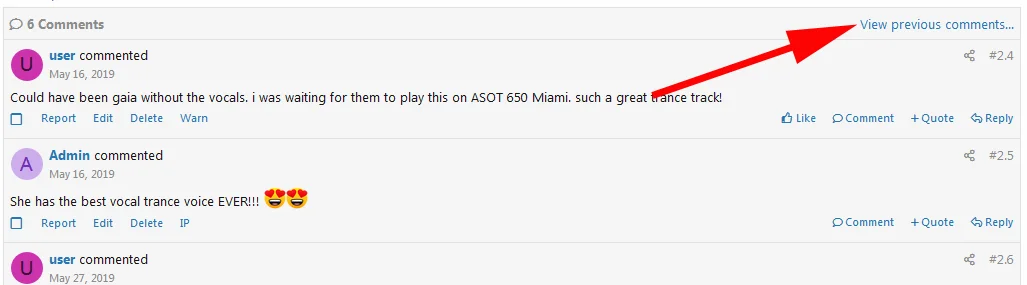
The rest will show up only after clicking on "View previous comments…" link. The only time you can see more comments than you specified in the setting is when showing new comment. It will display all new comments even if there is more new comments than what you have set up to see.

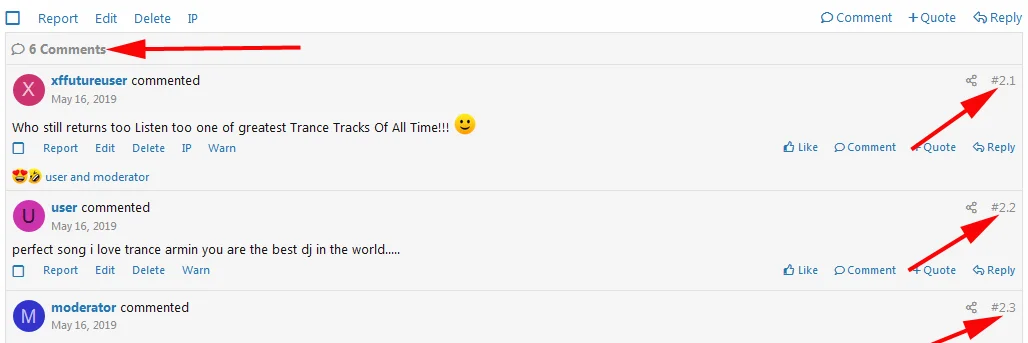
Total comments count In this version was added a new row with the total number of comments in a reply and also each comment has a unique number. See the image below:
A better fix for Chrome 73.0 overflow issues has been implemented.
1. Added functionality for comments such as Approve, Spam, Warn and IP buttons.
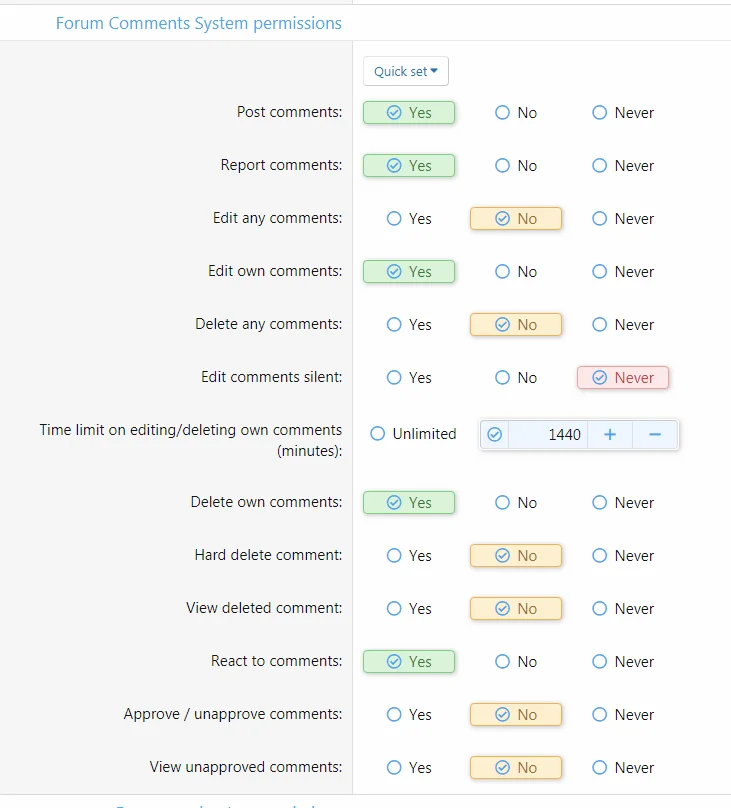
- New permissions added:

2. Added "Comment" button for a comment.
Now you can comment a comment. It works similar way as in the second level for Facebook comments. A comment will include the user's name you are commenting, plus (what Facebook doesn't have), the back button icon when clicked, will bring you to the commented comment.

You can see it in use here.
3.Comments now also included in user's profile under "Postings".

4. Edits made to fit buttons also for responsive mode.
- Links in the comment action bar has been reduced in size.
- An option in the setting has been added that allows to keep only the comment icon in responsive mode. This way all links in comment action bar will fit in one row even in responsive mode.


5. Fix for the issue with the latest version of Chrome
A temporary fix for Chrome 73.0 overflow issues has been implemented.
Improved functionality of the text editor.
Now the transformation from a comment to text editor is very smooth and elegant, after the basic editor was replaced with BB code and rich text editor.
Text editor added also at the end of the comments.

There is a "Comment" link in the post action bar. If you've got a long list of comments then you would have to scroll up to tap the Comment link. As you can see above we now have a "Write a comment..." input directly below the list of comments. Clicking this loads the editor which, again, also supports rich formatting.
New moderating functions activated for comments
You can now delete, undelete, approve, unapprove, move and copy comments using the moderation checkbox/moderator's toolbar .

- Permissions text edited
- Design layout of the comment edited
- Issues with empty entries fixed in the "Latest activity"
- Fixed: When I select a comment, then I deselect that comment using the bar at the bottom, the bg selection colour doesn't change back to the regular colour.
Another finished features requested by the members of XF community.
- Comment design edited
- Improved design

- Basic editor replaced with profile comments editor
- Functions of Reply an Quote links preserved
- Mentions support with alerts

- Reactions added
- New permissions "React to comments" added to Groups & permissions
- Reactions will be preserved also after uninstall, if "Don't remove comments data." selected.
- With notifications in alert window


This version is about new features requested by members of XF community.
- Disallow comments in a forum
By default FCS will allow comments in all forums of a website.
Now you can disallow posting comments for any forum you want on your website and for any user group.
Navigate to Forums -> Node Permissions (select any forum) -> Select a user group (for example Registered) and you disallow for this group in that forum to post comments.
- Preserving the comments data after uninstall
Under a normal condition, when this add-on is uninstalled, all the data created by the FCS add-on will be removed, including the data in the comments.
However from this version on, you will have an option to preserve the data by ticking the checkbox "Don't remove comments data" when the uninstall window pops up.

The data preservation is done such way that a comment will be converted into a reply with a quote of the reply under which the comment was posted.
Here is an example. This is a reply with comments before uninstalling that FCS add-on:

This is the same reply and converted comments after uninstall:

This is just a minor update.
An issue with "History" link in the comment (History permission in the comment was dependent on a wrong permission ) fixed.
A new feature added:
- Time limit on editing/deleting own comments
Please note that this permission works with the combination of permission "Edit own post/comment". If someone has the permission of editing any comment/post then this permission will not take effect.
