
![[Olakunlevpn] Popular Tags Cloud](/community/data/resource_icons/10/10235.jpg?1768407566)
- Compatible XF 2.x versions
- 2.3
- License
- MIT License
Popular Tags Cloud
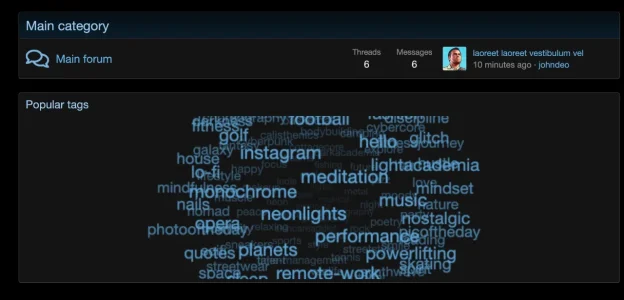
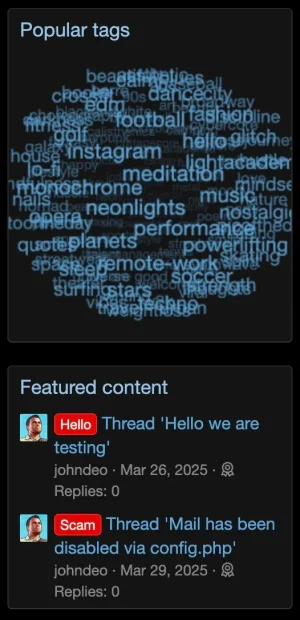
Transform your forum's tag display into a stunning, interactive 3D visual experience.
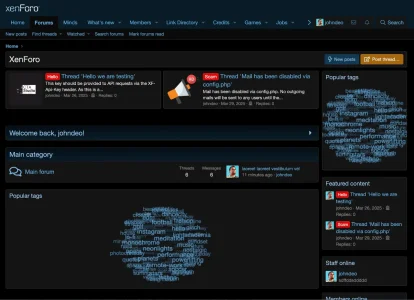
Popular Tags Cloud replaces the boring, static list of tags with a dynamic, rotating 3D cloud that engages your users and encourages exploration of your content.
Note: This add-on is the maintained successor to the abandoned [XD] Popular Tags Cloud, fully upgraded for XenForo 2.3 with improved performance and features.
Features
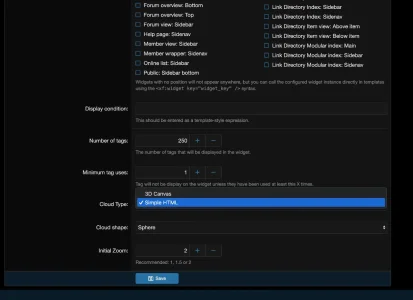
3D Canvas

Simple HTML

Powered by a lightweight HTML5 Canvas engine (TagCanvas), your tags float and rotate in 3D space.
5 Unique Shapes: Customize the look to fit your theme. Choose from:
Visual Customization
Installation
Transform your forum's tag display into a stunning, interactive 3D visual experience.
Popular Tags Cloud replaces the boring, static list of tags with a dynamic, rotating 3D cloud that engages your users and encourages exploration of your content.
Note: This add-on is the maintained successor to the abandoned [XD] Popular Tags Cloud, fully upgraded for XenForo 2.3 with improved performance and features.
Features
3D Canvas
Simple HTML
Powered by a lightweight HTML5 Canvas engine (TagCanvas), your tags float and rotate in 3D space.
5 Unique Shapes: Customize the look to fit your theme. Choose from:
- Sphere (Classic Globe)
- Horizontal Cylinder
- Vertical Cylinder
- Horizontal Ring
- Vertical Ring
- Zero Configuration (Optional): Works out of the box, but offers deep customization if you need it.
Visual Customization
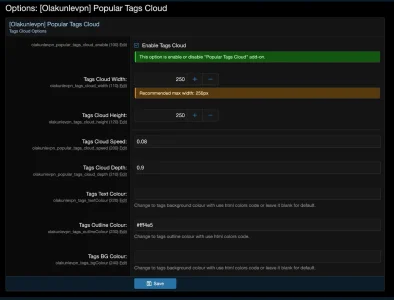
- Control the Cloud Shape (Sphere, Cylinder, Ring).
- Set custom Text Colours and Outline Colours.
- Adjust the Rotation Speed and Depth of the cloud.
- Option for Background Colour to match your theme or stand out.
Installation
- Upload
- Upload the contents of the
uploaddirectory to your XenForo root.
- Upload the contents of the
- Install
- Log in to your Admin Control Panel.
- Go to Add-ons and find [Olakunlevpn] Popular Tags Cloud.
- Click Install.
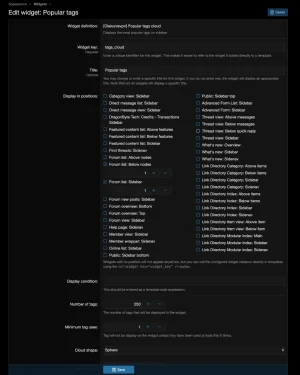
- Setup Widget
- Go to Appearance -> Widgets.
- Add a new widget definition for "Popular Tags Cloud".
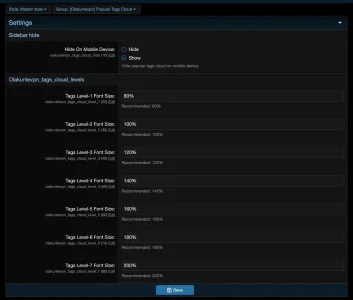
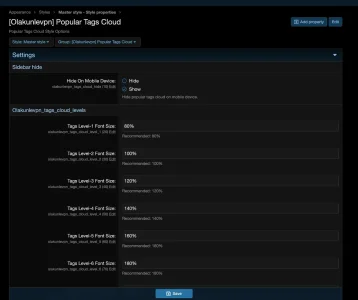
- Configure your settings (Shape, Limit, Colors) and choose a position (e.g., Forum list: Sidebar).
- Related resources
-
 Screenshot 2026-01-14 at 16.48.53.webp
 -
 Screenshot 2026-01-14 at 16.53.44.webp
 -
 Screenshot 2026-01-14 at 16.54.14.webp
 -
 Screenshot 2026-01-14 at 16.54.41.webp
 -
 Screenshot 2026-01-14 at 16.55.06.webp
 -
 Screenshot 2026-01-14 at 16.55.32.webp
 -
 Screenshot 2026-01-14 at 16.55.46.webp
 -
 Screenshot 2026-01-14 at 16.56.03.webp
 -
 Screenshot 2026-01-15 at 00.24.58.webp
 -
 Screenshot 2026-01-15 at 00.24.41.webp


![[Olakunlevpn] Gamer Avatar Packs](/community/data/resource_icons/10/10265.jpg?1769628023)

![[Olakunlevpn] BitGo Payment Gateway](/community/data/resource_icons/10/10214.jpg?1767139063)
![[Olakunlevpn] Avatar Gallery](/community/data/resource_icons/10/10211.jpg?1767104357)