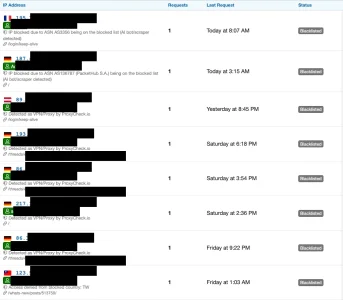
[XTR] IP Threat Monitor

[XTR] IP Threat Monitor [Paid] 1.1.1

No permission to buy ($30.00)
Uzun zamandır keyifle kullandığım bir eklenti, bu eklentiden sonra gerçekten bir çok sunucu yükü oluşturan gereksiz botlardan tamamen kurtuldum, ayrıca her türlü güvenlik önlemini almasıda cabası, gerçekten harika bir iş! Tebrikler... Olmazsa olmaz eklentilerimin arasında ilk 3 te diyebilirim.
 
Bu ekletinin nekadar değerli olduğunu biliyorum inş kısa süre içerisinde bizde bu eklentiden faydalanacağız Osman hocama teşekkürler gayet başarılı bir eklenti yapmış saygılar.
 
You are already running the exact zero-API, local MaxMind ASN filtration you envisioned!
Works perfectly fine: After installation of the update an running the cron job requests to Proxycheck dropped immediately:

Bildschirm­foto 2026-10-01 um 10.12.16.webp
4. As a result, the only requests that actually reach Proxycheck are completely new, unblocked ASNs and residential proxies that aren't on your local blacklist yet!
Almost. What is left now is Apple Private Relay. This has always been a considerable amount in my Dashboard and now the majority. It would be possible to check these locally as well - no idea if this would be a good idea. Look i.e. here:


3. Verify in Diagnostics:
Open Admin CP -> IP Threat Monitor -> Diagnostics.
You should see green checkmarks for both the Country and ASN databases.
Tiny correction: The checkmarks are shown not in Diagnostics but in "Test Configuration"

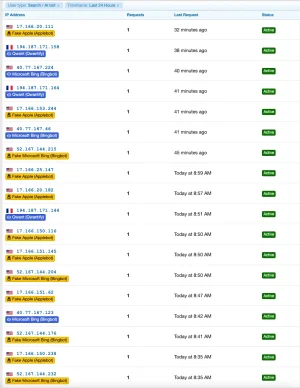
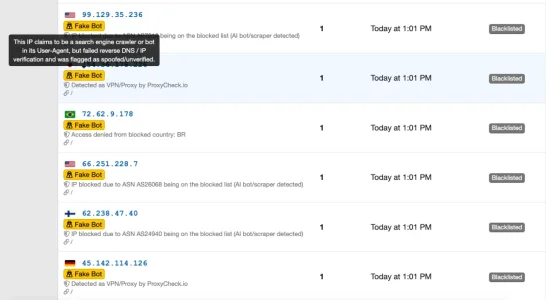
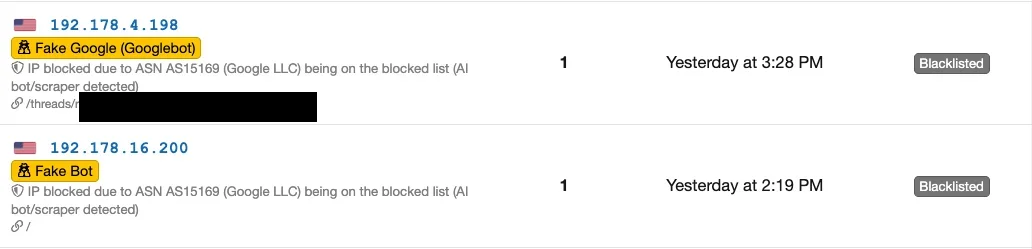
We have introduced a Fake / Spoofed Bot Detection system:
  • When an IP claims to be a major search crawler (Google, Bing, Yandex, etc.) in its User-Agent but fails IP verification or gets blacklisted/blocked, it will no longer display the legitimate blue badge.
  • Instead, it will be flagged with a distinct orange warning badge: [Fake Google (Googlebot)] with a stealth/secret-agent icon (fa-user-secret) and an explanatory tooltip explaining that the User-Agent was spoofed and failed verification.

This seems to have some issues - there seems to be quite a bunch of false positives. Seems to affect Apple Bot possibly as a whole and Bing Bot sometimes.

Bildschirm­foto 2026-10-01 um 10.08.16.webp

when checking the IPs they clearly belong to Applebot respectively Microsoft and rDNS shows the correct resolution for all of them, i.e.


Code:
$ host  17.166.153.244
244.153.166.17.in-addr.arpa domain name pointer 17-166-153-244.applebot.apple.com.

$ host 52.167.144.215
215.144.167.52.in-addr.arpa domain name pointer msnbot-52-167-144-215.search.msn.com.

Also, there's the question wether a fake Search Engine bot should be let pass or be blocked. In the cases above pass was unintentionally correct, as they were falsely declared fake bots - but if they would have been correctly identified - why let them pass?
 
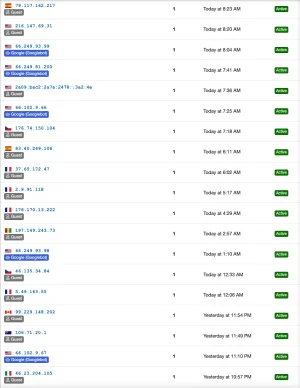
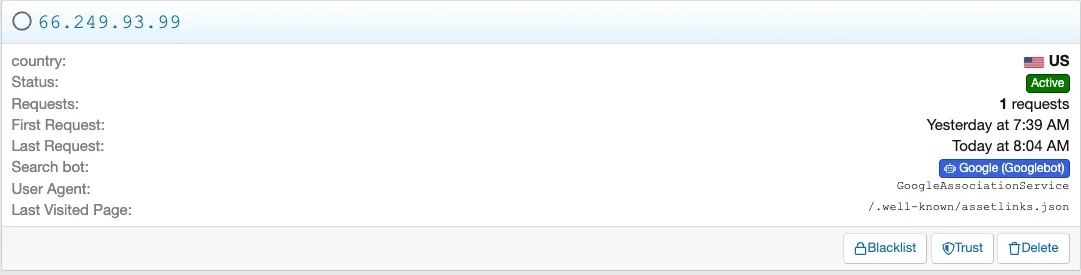
Another tiny glitch: When filtering the IP View for Guests (excluding Bots) there are quite a couple of Google Bot visits shown:

Bildschirm­foto 2026-10-01 um 17.30.33.webpBildschirm­foto 2026-10-01 um 17.30.15.webp

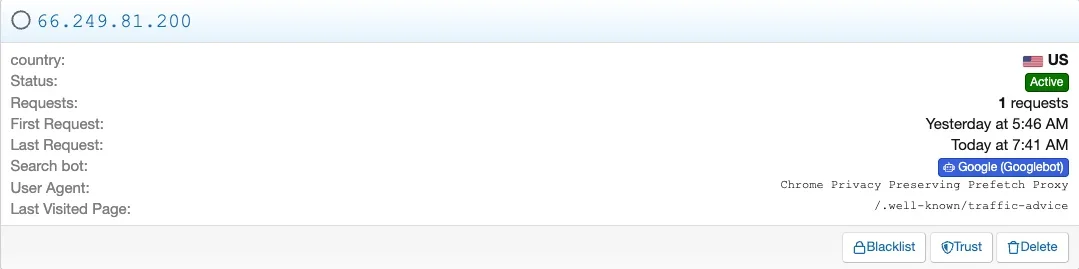
The reason seems to be that these are in fact bots from Google but not Googlebot but others like i.e. "GoogleAssociationService" or "Chrome Privacy Prefetch Proxy":


Bildschirm­foto 2026-10-01 um 17.29.40.webp
Bildschirm­foto 2026-10-01 um 17.29.14.webp

So basically the labeling is wrong for those, as atm every bot from Google seems to be shown as "Googlebot".
 
Osman updated [XTR] IP Threat Monitor with a new update entry:

1.0.41

This release brings significant improvements to threat detection accuracy, interface consistency, and the visual quality of admin pages. Here are the highlights:

Smarter Bot Detection
Previously, all visits from Google's IP ranges were labelled identically. Now, each of Google's individual services — such as the Chrome prefetch proxy, the site association service, the read-aloud agent, and the Search Console crawler — appears in the list under its own correct name. This makes it much...

Read the rest of this update entry...
 
Osman updated [XTR] IP Threat Monitor with a new update entry:

1.0.41
Phantastic update! It has now become incredibly more easy to analyze the traffic! Naturally, this also leads to small glitches popping up more easily. ;) Actually, there seems to be a kind of double-issue with Duckduckbot:

1. It does show up in the guest list as bot:
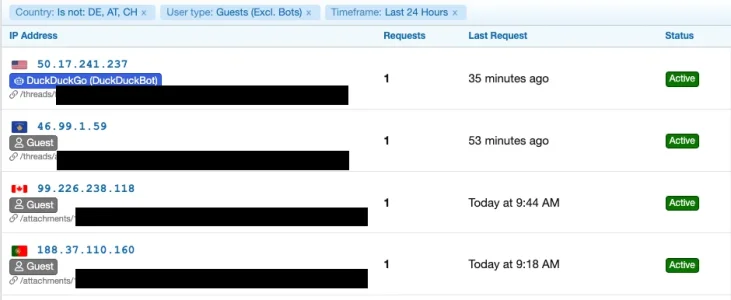
Bildschirm­foto 2026-10-02 um 10.51.33.webp

2. on closer inspection it turns out: The IP belongs to AS14618 (Amazon), which is blacklisted in my configuration. On the other hand Duckduckbot is protected in my config, so it could be valid to let it pass. But then it should be listed unter "Bots", not under "Guests". However: rDNS does not indicate the IP being used by Duckduckgo:

Code:
host 50.17.241.237
237.241.17.50.in-addr.arpa domain name pointer ec2-50-17-241-237.compute-1.amazonaws.com.

3. Checking with DuckDuckGo the IP-Ranges for their bot shows: The IP does not belong to the listed ranges:


Sadly, the IPs from their official list that I checked did not have any rDNS resolution.

4. As a consequence it seems that this Duckduckbot request was from a faked bot as far as I can tell. It sadly overran the existing block for the ASN where it should have been blocked and was on top of that falsely (if it would really be an instance of Duckduckbot) but rightfully (as it was a fake bot as it seems) listed as Guest instead as as bot. Again it rises the question wether fake bots should not be blocked/blacklisted anyway.


What I still find confusing are the lists "top ten attackers" on the analysis page and the "view all recent activity (24h) on the dashboard: They seem to be randomly filled with active and blacklisted requests, not even having a order by time and it is completely unclear to me what makes an IP pop up there. I.e.:
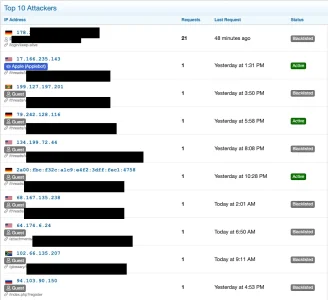
Bildschirm­foto 2026-10-02 um 11.07.04.webp


Maybe it is just me, but I don't get what information these lists are supposed to deliver and what it is based on.

Also, on top of the list in the screenshot there is a registred member that is logged in but got blacklisted for unclear reasons.

Bildschirm­foto 2026-10-02 um 11.11.01.webp

The IP as such is clean an as logged in user he should be protected anyway. I can absolutely be sure that he did nothing bad as he is a well and personally known regular to my forum. It seems, that the rate limiter hit, just that I do not have a limit of 20 anywhere in the configuration:
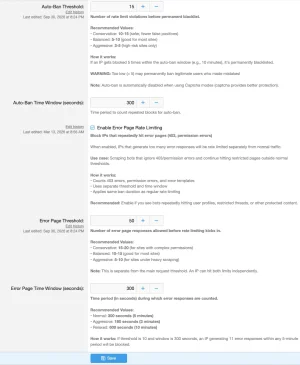
Bildschirm­foto 2026-10-02 um 11.14.32.webp

The only time I had the rate limiter hit in the past was b/c of repeated requests to pages delivering a 404 - this hit guests as well as sometimes genuine users. The pages affected are basically exclusively something in the area of "apple-touch-icon-precomposed" or such, this is a config issue in my XF install that I did not manage to find/solve until now.

Also, when checking my web server logs, for the IP in question there is just one single request today, the keep-alive that is outlined in IP-Threat monitor. So there seems to be some strange issue, however, it is probably partly caused on my side.

Therefor, for the moment I would prefer to disable the rate limiter alltogether until I manage to solve the issue, as it creates false positives due to my XF config issue. However this seems not to be possible and atm I do not understand why i.e. in this case the user was blocked anyway.


No matter what: IP Threat Monitor is a brilliant tool, incredibly helpful and it improves further with each release! Thank you for that!

 
@Osman

Apple iCloud Private Relay Support
Visitors coming through Apple's privacy-focused iCloud Private Relay infrastructure are now correctly recognised by the system, preventing false blocks. The IP range list is updated automatically in the background.

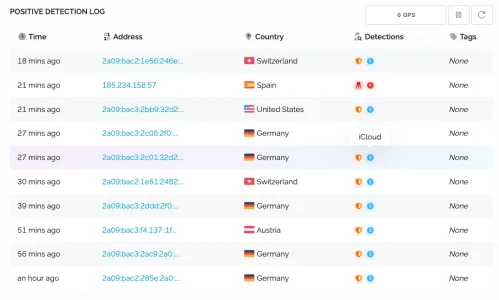
Is this intended to stop API calls to Proxycheck.io for those coming via iCloud Private Relay? I am wondering b/c I still see them there in numbers:


Bildschirm­foto 2026-10-02 um 11.53.28.webp
Apart from the proxy in Spain these are all iCloud Privacy Relay connects. I ran the cron job for updating the IP ranges manually, so this should not be the issue.
 
Osman updated [XTR] IP Threat Monitor with a new update entry:

1.0.42

With this release, based on extensive community feedback, search engine verification, Apple privacy integration, traffic analytics, and registered member protection have been thoroughly revamped and refined.

Key Highlights:
  • Official DuckDuckBot & Fake Bot Shield: DuckDuckBot is now verified directly against DuckDuckGo's official live IP registry with automatic background updates. Spoofed bots originating from cloud hosts (such as AWS) are immediately blocked by your...

Read the rest of this update entry...
 
@Osman : Thanksa lot (again) for the fast reaction times and the latest release. Finally, my Proxycheck API-calls have gone down massively as most is handled via ASN and Country Blocks, the existing blacklist and iCloud Private Relay detection. I am now down to a handful of API requests per day as it seems and those are easy to check. Now the free 1000 API calls to Proxycheck per day seem to be plenty and would suffice even for a much larger forum, given the time for building up a massive internal blocking configuration within IP Threat Manager is invested.

Once more, through the improvements smaller issues or rooms for improvement got uncovered:

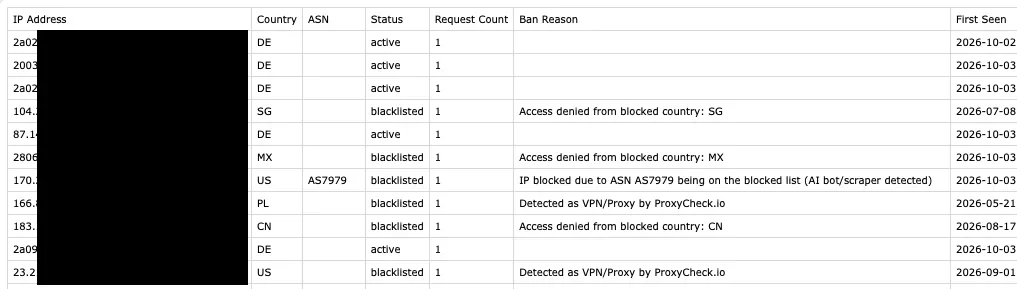
  • it would be helpful for working with the logs if iCloud Private Relay Connections would be flagged as such - it would make checking guest connections for suspicous ones way easier as it would eliminate the iCPR ones on first look.
  • it would be very helpful for analysis if the ASN would be written to the downloadable logs as a standard instead (as currently) only in case of an ASN block. Could be made optional via a checkbox in case someone would fear the at best minimal theoretical performance impact that this would have - the check will be done in most cases anyway if one does ASN blocks.
Bildschirm­foto 2026-10-04 um 17.34.28.webp

  • same goes for naming VPNs, bots etc.: If the "Ban reason" column would become a "comment" column it should be possible to log the name of the VPN or bot (as far as known) there. Again, this would vastly improve working with the logs.
  • hitting the high notes: If the downloadable log would equal whatever filter has been applied in the log view in ACP instead of always downloading the full available range this would again ease up and speed up analysis. I can clearly live with the current implementation, so clearly high notes here.
I found two topics with kind of false positives:

1.) One logged in user came through a blocked ASN and was not allowed. Until now I assumed that even when an ASN is blocked a logged in user will be able to pass (and I think it worked like that in the past). However: Not today.


Bildschirm­foto 2026-10-04 um 15.09.26.webp

What could be the reason for that?

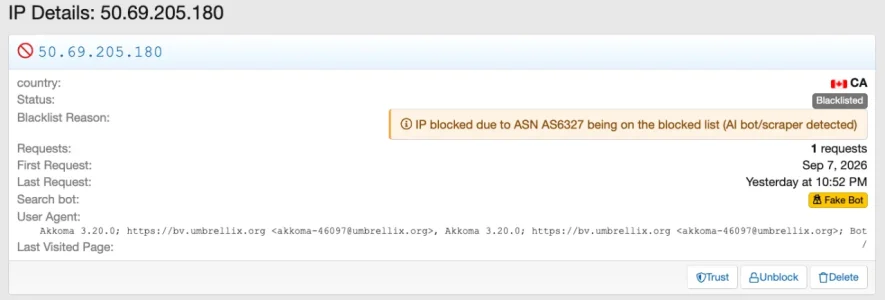
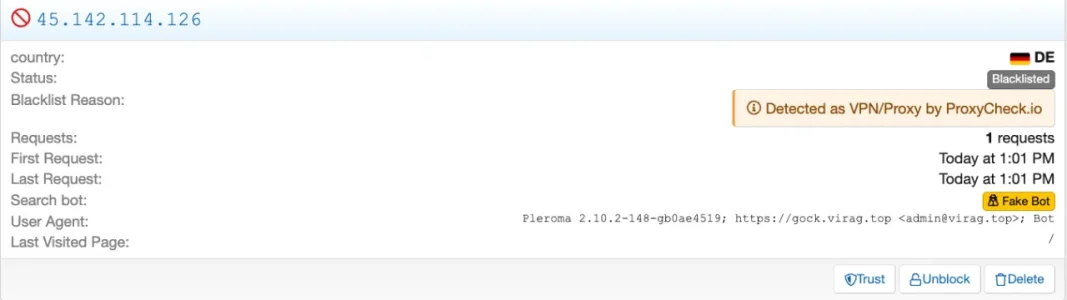
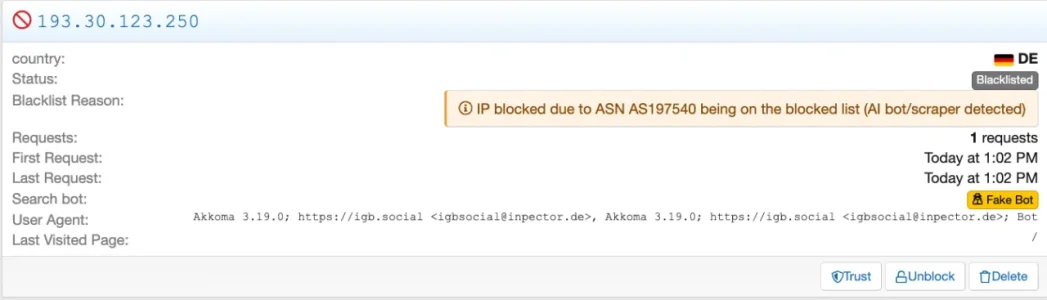
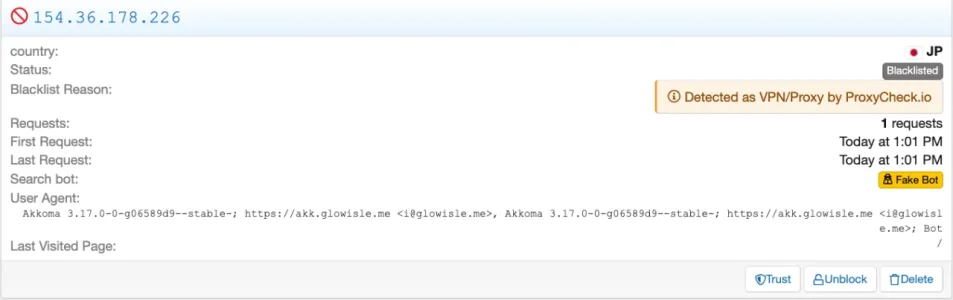
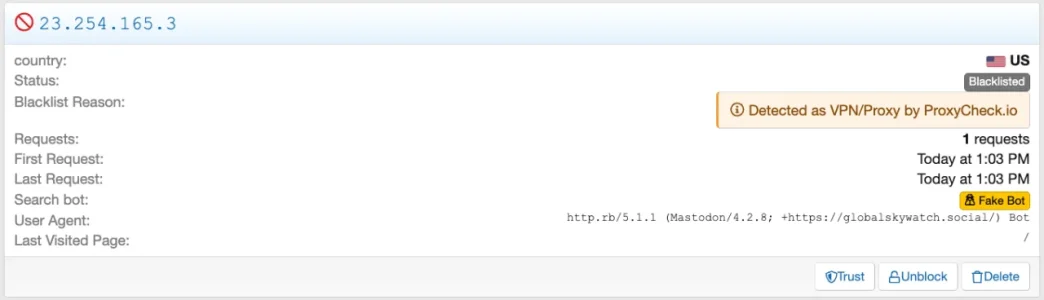
2.) One of my users shared something on the fediverse that linked back to our forum. As a consequence a bunch of instances of Mastodon or Akkoma around the world got blocked through proxycheck.io as they were flagged as bad. IP Threat Monitor did flag them as "fake bots", i.e.:

Bildschirm­foto 2026-10-04 um 17.54.36.webp

In fact these were all legitimate fediverse instances, using their individual user agent. i.e.:

Bildschirm­foto 2026-10-04 um 15.36.56.webp

Bildschirm­foto 2026-10-04 um 17.56.14.webp

Bildschirm­foto 2026-10-04 um 17.56.27.webp
Bildschirm­foto 2026-10-04 um 17.56.44.webp
Bildschirm­foto 2026-10-04 um 18.02.44.webp

A bunch of them additionally came from blocked ASNs, but this is a different problem: As many fediverse instances are run on cheap hosting they often use the same providers and data centers that are commonly used by scrapers.

This seems to be a structural/architectural issue with the fediverse in general. Sadly I don't have a good idea for a solution apart from manually whitelisting these as they pop up (which does not seem a decent way of dealing with the issue).

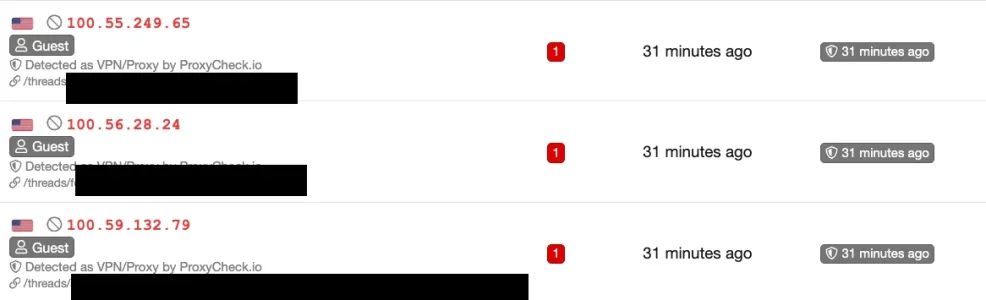
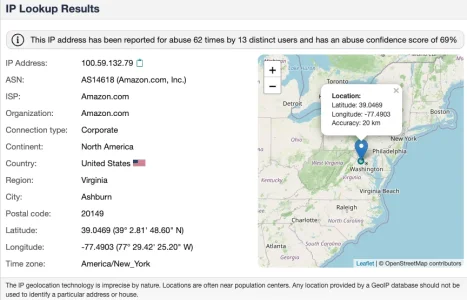
Lastly, for my understanding: I found a couple of bots blacklisted that came from AWS AS14618:

Bildschirm­foto 2026-10-04 um 15.12.39.webp

Bildschirm­foto 2026-10-04 um 15.12.25.webp

This ASN has been blacklisted ages ago, yet, despite now local ASN checks, that come before proxycheck, the log refers to proxycheck (which it should not have asked and in fact has not asked, according to the proxycheck dashboard). I assume these come from the existing aggregated blacklist then? B/C I never see a reference to the existing blacklist in the logs. Not a problem, just a question for better understanding.
 
@smallwheels, thank you for all your excellent suggestions for improving IP Threat Monitor and to Osman for being the most responsive developer on the planet. 1.0.43 has just been released.

You guys and IP Threat Monitor are awesome!
 
Osman updated [XTR] IP Threat Monitor with a new update entry:

1.0.43

This update focuses on enhancing your administrative experience, providing cleaner reporting, and broadening support for modern web crawlers based directly on user feedback.

Key Highlights:
  • Visual Badges for Apple Private Relay: Legitimate visitors browsing via Apple iCloud Private Relay are now highlighted with a distinctive sky-blue badge across admin log views, allowing you to instantly distinguish them from standard VPN or suspicious proxy traffic.
  • Cleaner...

Read the rest of this update entry...
 
Another tiny suggestion not worthy of a release but maybe sometime in the future? I even hate to mention it. 🫣

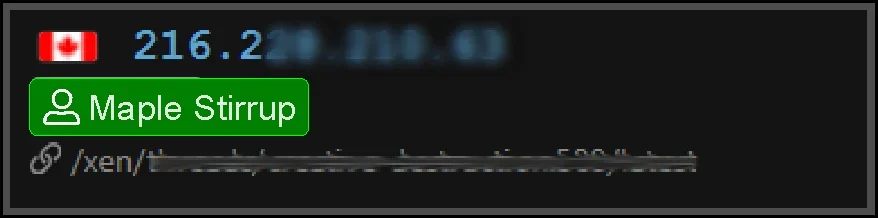
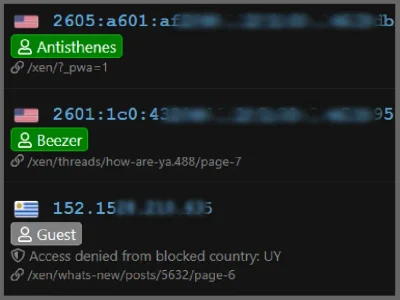
In the IP listings, add a colored highlight box around the registered member's names under their IP like shown for guests and robots. They would be easier to spot.

GreenMembers.webp

Thanks!
 
Awesome work @Osman - Just playing catchup with your releases!


Here's an interesting observation...
1791237991115.webp
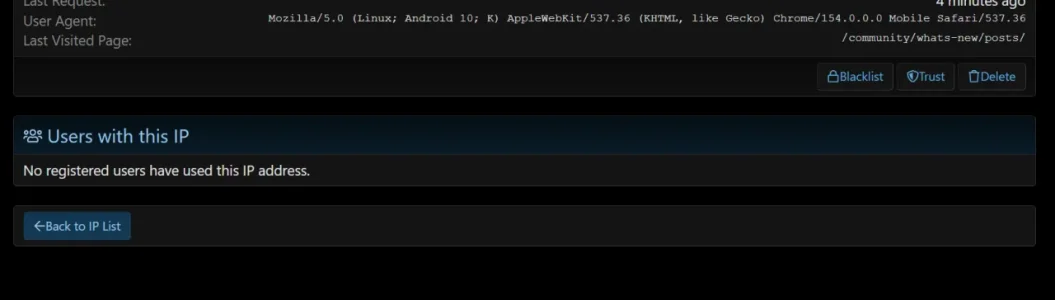
There is a name - so the name should tie in with this registered member... however when you click on it, it says "no registered users with this IP". But we know from above that the IP relates to that logged in member...

1791238083001.webp
 
Thank you all for your valuable feedback and for helping us make the add-on even better! Based on recent feedback, we have introduced both a visual and a functional improvement:

1. Registered User Badges (Suggested by Elisabeth):
In all IP listing tables (IP List, Dashboard, Threat Analytics, etc.), registered members are now highlighted with a clean green badge (label--green) conforming to XenForo core aesthetics. This makes registered users immediately distinguishable from Guests and Bots during quick scans.

2. IP Details & Member Match (Reported by Paul):
Because XenForo core (xf_ip) only writes to the IP log during explicit actions (such as logging in or publishing content), a logged-in user browsing with a dynamic IPv6 address was visible on the main request log but could show "No registered users have used this IP address" inside the IP Details page.
This has been resolved in full compliance with XenForo core architecture:
  • The registered visitor from the request log is now explicitly displayed in the IP Details summary card.
  • The "Users with this IP" section now seamlessly includes the registered browsing user even if XenForo core has not yet recorded a new post or login for that IP.

We have kept the version number at 1.0.43 and updated the download archive.

You can simply re-download version 1.0.43 from your customer account, overwrite the files on your server, and rebuild the add-on via Admin CP.
 
Having only used IP Threat Monitor since August 15th (1.0.32) and knowing what I know now about what a great product it is and how responsive @Osman has been to customer feedback and suggestion, I would gladly pay a lot more for it.

Thank you to everyone!

This really helps my old eyes!

Bootiful.webp
 
Your kind words really made my day, thank you so much! I'm just really glad this little tweak helps your eyes. ;)
 
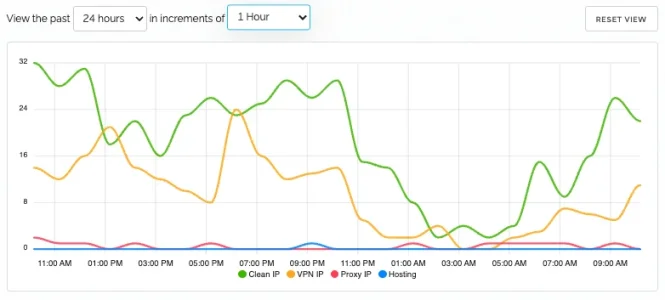
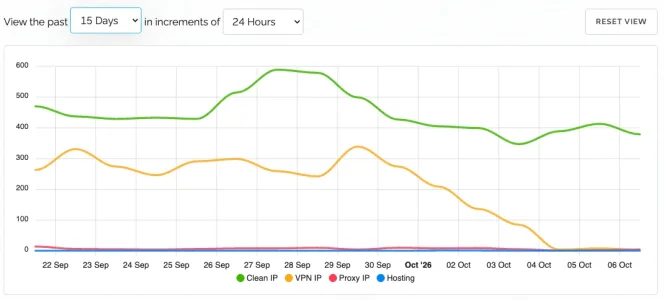
@Osman : The latest versions were a massive improvement on a already very good product. You can see how the number op API requests to proxycheck dropped massively with each release with local ASN checks and local iCloud Private relay checks:
Bildschirm­foto 2026-10-06 um 12.18.06.webp
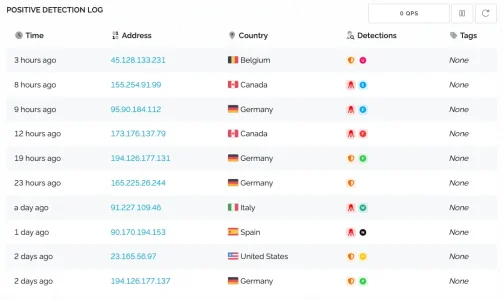
No more noise in my proxycheck dashborad - what is now left is a minimal set of freshly detected bots and VPNs per day:
Bildschirm­foto 2026-10-06 um 12.15.49.webp
Everything else is covered through local country and ASN blocks. Brilliant!


While it generally works flawlessly I can (thanks to the vastly improved logging) see still some issues with overblocking / false blocking of requests that come from blocked ASNs but still should be allowed due the ruleset:

  • some guest requests through iCloud Private Relay are blocked, when coming through the fastly ASN. The ASN as such is blocked but iCPR should be extempt:
Bildschirm­foto 2026-10-06 um 11.09.21.webpBildschirm­foto 2026-10-06 um 11.10.14.webp
Bildschirm­foto 2026-10-06 um 11.08.10.webp
  • some Bingbot Requests are falsely blocked despite coming from the correct IP-range. As above, Microsoft's ASN is blocked but Bing is exempt (and this works most of the time)
Bildschirm­foto 2026-10-06 um 11.25.01.webp
Bildschirm­foto 2026-10-06 um 11.24.36.webp
Bildschirm­foto 2026-10-06 um 11.24.20.webp
  • some logged in users are blocked when coming from blocked ASNs or countries
Bildschirm­foto 2026-10-06 um 11.14.34.webp
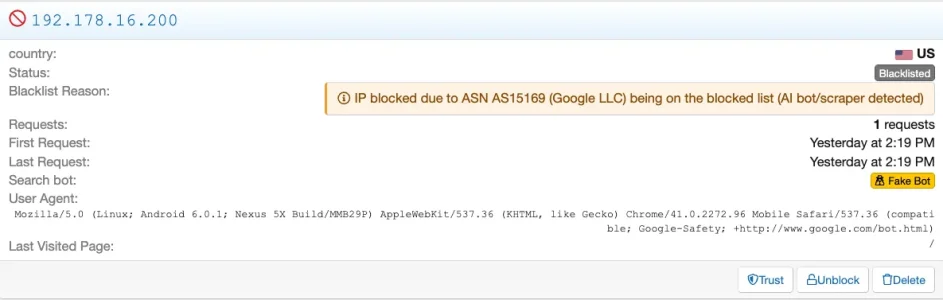
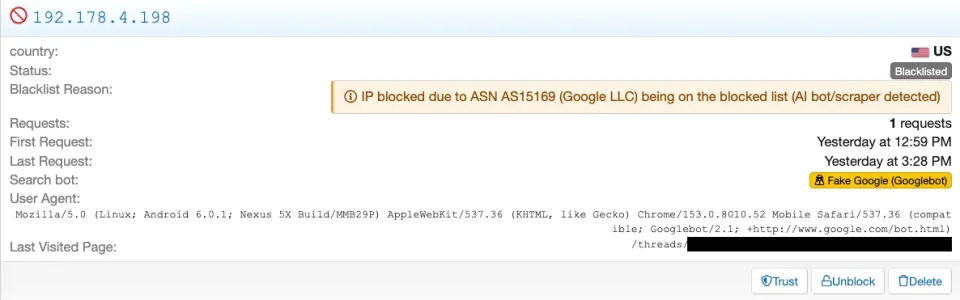
  • some Google Bot requests are blocked as "Fake Bot" despite coming from the correct IP Range and being genuine Bots from Google
Bildschirm­foto 2026-10-06 um 11.26.21.webp

Bildschirm­foto 2026-10-06 um 11.37.11.webp
Bildschirm­foto 2026-10-06 um 12.28.19.webp


A possible reason for some of these (apart from the Google one) could be that these IPs may have been seen way earlier under different circumstances and thus been added to the blacklist earlier. With the Google ones possibly not all bot variants are yet known to IP Thread Monitor.
 
Thank you so much for the fantastic feedback and for sharing these detailed analytics, @smallwheels!

Seeing your 28-day graph prove that the local ASN and iCloud Relay engines have practically eliminated external ProxyCheck API requests is incredibly rewarding. It’s wonderful to see the architecture performing exactly as intended in production.

Regarding the false positives you highlighted with Googlebot (ASN 15169), Bingbot (ASN 8075), and iCloud Relay:
You have pointed out a very important scenario. When large cloud/tech ASNs such as Microsoft (AS8075) or Google (AS15169) are added to the Blocked ASN list to restrict AI crawlers, their official search indexers share the exact same network infrastructure, causing them to be flagged under the ASN rule.

To resolve this seamlessly, I am implementing two improvements in the upcoming update:
1. Verified Search Engine Bot Bypass: Official Googlebot and Bingbot IPs verified through reverse DNS / bot IP ranges will automatically bypass the ASN block engine, even if AS15169 or AS8075 is listed in your blocked ASNs.
2. Check Priority Reordering: The Apple Private Relay check will be evaluated before the ASN filter, ensuring legitimate iCloud Relay users are never caught by ASN blocks.

In the meantime:
To safeguard your search indexing, I recommend removing AS15169 (Google) and AS8075 (Microsoft) from your "Blocked ASN List" and unblocking any affected crawler IPs. That list should primarily target aggressive datacenter/scraper ASNs (e.g., AS14061 DigitalOcean, AS16509 AWS).

Thank you again for this invaluable real-world report and for helping make the add-on better for everyone!
 
When large cloud/tech ASNs such as Microsoft (AS8075) or Google (AS15169) are added to the Blocked ASN list to restrict AI crawlers, their official search indexers share the exact same network infrastructure, causing them to be flagged under the ASN rule.

To resolve this seamlessly, I am implementing two improvements in the upcoming update:
1. Verified Search Engine Bot Bypass: Official Googlebot and Bingbot IPs verified through reverse DNS / bot IP ranges will automatically bypass the ASN block engine, even if AS15169 or AS8075 is listed in your blocked ASNs.
2. Check Priority Reordering: The Apple Private Relay check will be evaluated before the ASN filter, ensuring legitimate iCloud Relay users are never caught by ASN blocks.
In fact it already does work most of the time and with iCloud private relay only Fastly is affected, not the other ASNs they are using. I will temporarily remove the Fastly ASN (as it has become quiet regarding potential bots) and Googles AS15169 (as this is, as far as I can judge, Google itself, whereas Google Cloud uses AS396982 is a constant annoyance and blocked for a reason. Microsoft is another story: They use AS8075 for everything from Bing search to Azure Cloud and Azure is a well known source of annoying bots.

Regarding the various Google bots it may be worth diversifying them in the settings as well which ones one wants to let pass, possibly including a "other Bots from Google" as last resort to avoid having to update when they bring out a new bot in future.

To safeguard your search indexing, I recommend removing AS15169 (Google) and AS8075 (Microsoft) from your "Blocked ASN List" and unblocking any affected crawler IPs.
I already unblocked the crawler IPs affected, it were not too many. Most of the time Bing and Google go through as intended, despite the existing ASN blocks and this has been the case from the beginning, since ASN blocks were brought to IP Threat Manager in ~February this year. This is what brought me to the thought that the issue may be that it may refer to the existing historic blacklist w/o checking the allowed crawler ranges if it has a hit there.
That list should primarily target aggressive datacenter/scraper ASNs (e.g., AS14061 DigitalOcean, AS16509 AWS).
In my config it is currently ~650ASNs that are blocked. ;) Along with a list of 100+ country codes. This is why my API queries have gone dowon so massively. IP Threat Monitor handles that well and over the last 24 hours about 60 different ANS hit the block Including those from blocked countries).
 
Last edited:
Back
Top Bottom