XF Bot Guard

XF Bot Guard 1.4.1

No permission to download
I'd assume this is a catch22 with the way What's App works currently. The preview is probably rendered either on the sender's device or on the receiver's device. Given that what's app claims to be end-2-end encrypted as far as I know (I do use nothing that belongs to the meta-universe, so not too interested) it can't be done on the server.
So the only option would be to treat the what's app preview bot as a normal browser (no IP rDNS verification) and, as it probably lacks abilities, to use a cryptographic checksum for the crawler that Meta would need to provide for verification. Still a bit dirty, but as long as Facebook does nothing they will be locked out. The good thing is, that this will happen on other platforms, too, sooner or later, so if the ignore the issue they will shoot themselves in the foot and make their messenger less attractive. Which would not be a bad thing, when I think about it.

Yeah, my initial thoughts lead to: unless they provide a method to verify, it remains unverified, which would poke a hole very soon exploited by every bot under the sun. So, wouldn't be an option I could allow in XF Bot Guard, at least, not without massive warnings / caveats.

But nevertheless, I will devote time to investigation.
 
Yeah, my initial thoughts lead to: unless they provide a method to verify, it remains unverified, which would poke a hole very soon exploited by every bot under the sun. So, wouldn't be an option I could allow in XF Bot Guard, at least, not without massive warnings / caveats.

But nevertheless, I will devote time to investigation.

An idea I have: an option (probably disabled by default) to allow certain knowm user agents access to a very skimmed down version of the page - e.g. no body content, but the header data that these URL unfurl bots use.

Its a slight optional relax on security protocol that doesn't fully let down the guard.

Thoughts?
 
Validating browser...
This should only take a moment

Is it possible to show this only to bots after detection and not to real users?
Kind regards ,
Alex
 
I suspect Cloudflare is making a killing with the flood of AI bots.

You can't prove they are behind the bots. You can only show they benefit alot from them.

A good way to squeeze smaller sites off the internet is to make it too expensive.
 
Validating browser...
This should only take a moment

Is it possible to show this only to bots after detection and not to real users?
Obviously not as this is shown when an unknown requesting client is tested to find out if it may be a bot. At this point in time no one knows if it is a bot or not. Obviously one could show it to bots only after being detected (with a high probability) but this would make no sense at all as the next step is the captcha and the question is open, what then to show during the detection phase. Any reccomendations from your side? ;)
 
I suspect Cloudflare is making a killing with the flood of AI bots.

You can't prove they are behind the bots. You can only show they benefit alot from them.

A good way to squeeze smaller sites off the internet is to make it too expensive.
Another conspiracy theory. Really exactly what we all have missed in this thread until now and desperately been waiting for.
 
So the only option would be to treat the what's app preview bot as a normal browser (no IP rDNS verification) and, as it probably lacks abilities, to use a cryptographic checksum for the crawler that Meta would need to provide for verification. Still a bit dirty, but as long as Facebook does nothing they will be locked out. The good thing is, that this will happen on other platforms, too, sooner or later, so if the ignore the issue they will shoot themselves in the foot and make their messenger less attractive. Which would not be a bad thing, when I think about it.
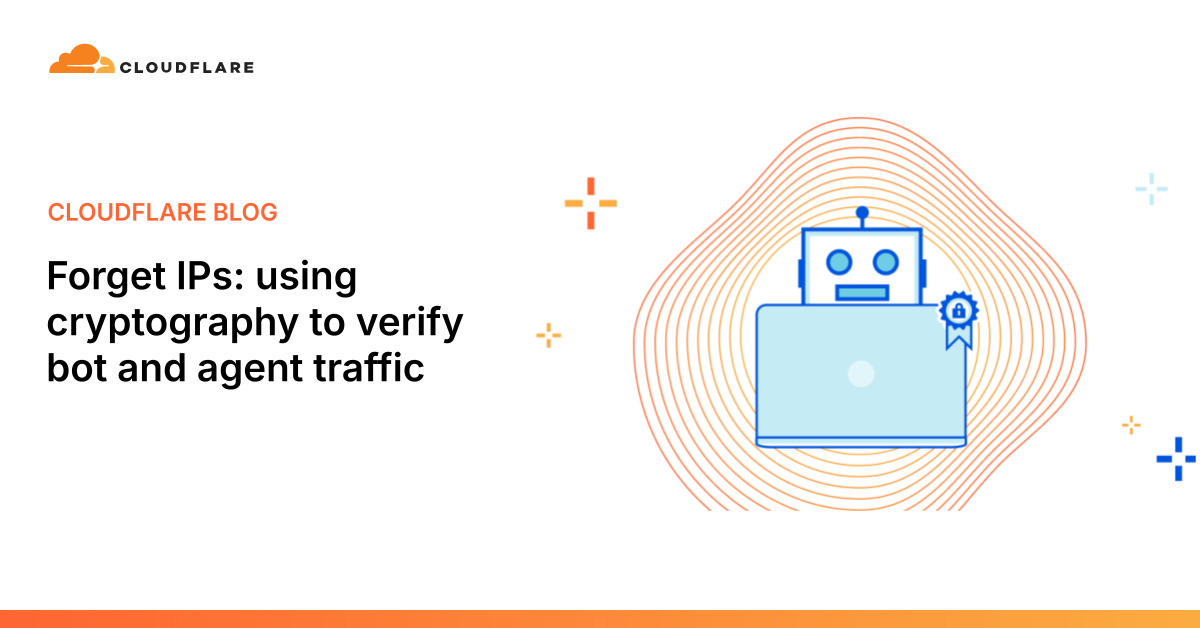
BTW: This is not theory, Web Bot Auth is an emerging IETF standard and Cloudflare already has an implementation:


IETF draft:


Obviously, Cloudflare tries to position itself here prominently and probably to take influence massively as it can boost their business dramatically if they are the central spider in the web (pun intended) while the devs of systems like XenForo continue to sleep and don't implement this in a timely manner (again pun intended). It would force loads of new customers into Cloudflare. For that, they have created a Bot Registry (and partnered with Amazon, who, also obviously, have a massive interest as well in the topic):


Amazon already provides a "bot browser" to use in agents:

 
Last edited:
Just had the following error in my admin panel which shows Bot Guard:

Server error log

GuzzleHttp\Exception\InvalidArgumentException: XenForo upgrade check failed: Unexpected result, starting '<!DOCTYPE html><html lang="en-US"><head><title>Just a moment...</title><meta http-equiv="Content-Typ' // json_decode error: Syntax error src/vendor/guzzlehttp/guzzle/src/Utils.php:277
Generated by: Unknown account 10 June 2026 at 12:03

Stack trace

#0 src/XF/Service/Upgrade/CheckerService.php(98): GuzzleHttp\Utils::jsonDecode('<!DOCTYPE html>...', true)
#1 src/XF/Job/UpgradeCheck.php(37): XF\Service\Upgrade\CheckerService->check()
#2 src/XF/Job/UpgradeCheck.php(12): XF\Job\UpgradeCheck->performUpgradeCheck()
#3 src/XF/Job/Manager.php(275): XF\Job\UpgradeCheck->run(7.9842)
#4 src/XF/Job/Manager.php(205): XF\Job\Manager->runJobInternal(Array, 7.9842)
#5 src/XF/Job/Manager.php(89): XF\Job\Manager->runJobEntry(Array, 7.9842)
#6 job.php(46): XF\Job\Manager->runQueue(false, 8)
#7 {main}

Request state

array(4) {
["url"] => string(8) "/job.php"
["referrer"] => string(32) "https://radioforum.uk/bot-guard/"
["_GET"] => array(0) {
}
["_POST"] => array(0) {
}
}

I did a manual check for upgrade for XenForo via the admin panel after this error, and it failed, possibly an XenForo server issue?
 
I did a manual check for upgrade for XenForo via the admin panel after this error, and it failed, possibly an XenForo server issue?
What happens if you switch off Bot Guard via the options and perform the manual check again? Does it work?
If it does: If you then switch on Bot Guard again and perform a manual check again: Does it still work or throw an error?

Also: did you whitelist the IP of your server within Bot Guard as it is recommended?

Edit: I am running Bot Guard (current version 1.2.5), did a manual update check and it worked flawlessly. Had done it before automatically also w/o issues. I removed the IP of my server from the whitelist in Bot Guard and did a manual check for updates again. Worked again flawlessly.

So if your issue is caused by Bot Guard it seems at least not to be a generic issue that would affect all installations.
 
Last edited:
What happens if you switch off Bot Guard via the options and perform the manual check again? Does it work?
If it does: If you then switch on Bot Guard again and perform a manual check again: Does it still work or throw an error?

Also: did you whitelist the IP of your server within Bot Guard as it is recommended?

Edit: I am running Bot Guard (current version 1.2.5), did a manual update check and it worked flawlessly. Had done it before automatically also w/o issues. I removed the IP of my server from the whitelist in Bot Guard and did a manual check for updates again. Worked again flawlessly.

So if your issue is caused by Bot Guard it seems at least not to be a generic issue that would affect all installations.

I disabled Bot Guard and I still get errors so I'm assuming it's XenForo's end. I've had Bot Guard installed for around a week, and previous update checks worked fine with it running so it's not going to be Bot Guard :)
 
Last edited:
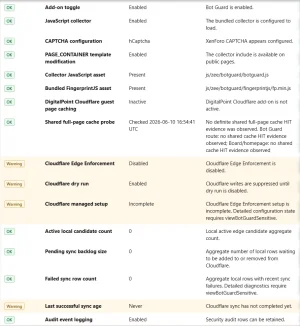
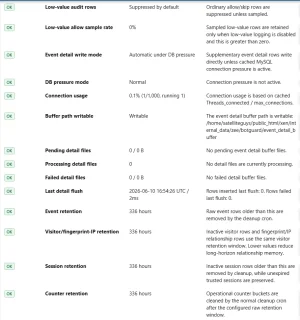
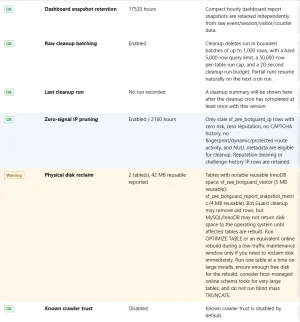
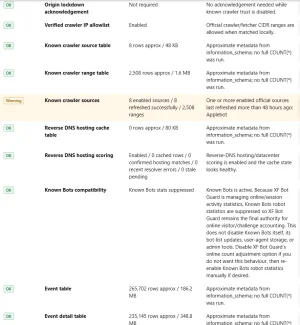
Can you please check the health/status check page? What does that have to say about things?
All looks ok to me. As I said I dont use Cloudflare, and those seems to be the only warnings... unless I am missing something. :)
 

Attachments

  • Screenshot 2026-06-10 125535.webp
    Screenshot 2026-06-10 125535.webp
    74.6 KB · Views: 13
  • Screenshot 2026-06-10 125556.webp
    Screenshot 2026-06-10 125556.webp
    71.4 KB · Views: 11
  • Screenshot 2026-06-10 125718.webp
    Screenshot 2026-06-10 125718.webp
    68.2 KB · Views: 10
  • Screenshot 2026-06-10 125755.webp
    Screenshot 2026-06-10 125755.webp
    77.8 KB · Views: 11
All looks ok to me. As I said I dont use Cloudflare, and those seems to be the only warnings... unless I am missing something. :)

Please send me a DM with your forum URL, I will do a few checks from my end to see if I can spot an issue. Please also send me a screenshot of your options page.

Thank you!
 
I disabled Bot Guard and I still get errors so I'm assuming it's XenForo's end. I've had Bot Guard installed for around a week, and previous update checks worked fine with it running so it's not going to Bot Guard :)

Did you change the default message from "Validating browser..." to "Just a moment..."?
 
No, I've left everything as default.

In that case, this does not look like XF Bot Guard generating the page. Bot Guard’s default interstitial does not use the wording “Just a moment...”, and the stack trace is inside XenForo’s core upgrade checker while it is trying to parse the response from XenForo’s upgrade-check API. That API call expected JSON but received an HTML Cloudflare-style challenge page instead.

You most likely have the XenForo "Job run trigger" set to "Activity based trigger", and so the /bot-guard/ referrer likely only means XenForo’s background job.php runner was triggered while someone/something was on the Bot Guard challenge page. It does not mean Bot Guard produced the failed upgrade-check response.

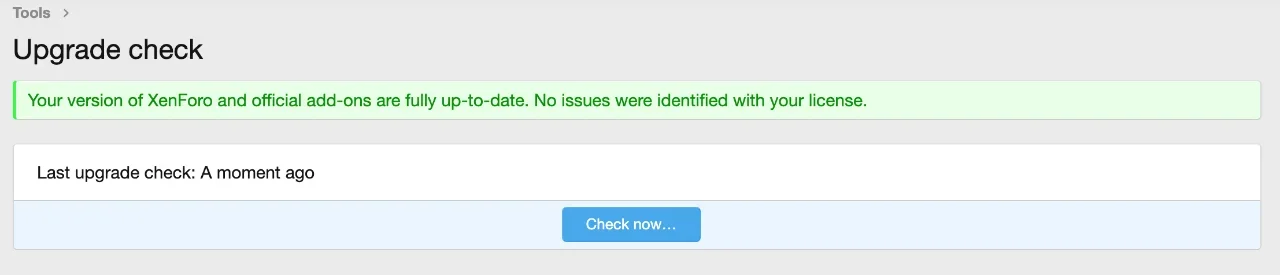
Screenshot 2026-06-11 at 7.18.37 am.webp

Is it still a problem for you at the moment?
 
Last edited:
In that case, I would say whatever it is, it is XenForo side of the coin. As Bot Guard doesn't have those words "Just a moment" inside its code by default. Most likely, their Cloudflare setup was invalid (or is) although my own update checker seems to be working fine.

View attachment 339635

Is it still a problem for you at the moment?

Yes, I'm still getting errors when checking for upgrades to XenForo. I'm going to submit a ticket to XenForo to see if it's an issue with them. It's not Bot Guard, it's been fine checking for updates recently until today :)
 
Back
Top Bottom