That helps a lot, thanksStill, could be styled better...
Another question, not sure how to solve this:
View attachment 339552
Tried disabling Redis caching but that didn't help. Nginx caching maybe?
Also do enable redis - bot guard will use it too!


That helps a lot, thanks
Another question, not sure how to solve this:
View attachment 339552
Tried disabling Redis caching but that didn't help. Nginx caching maybe?
1.2.3 has been running great for over a day with the above setting changes. Zero-signal IP data I set to the minimum allowed 720 rather than the 24 mentioned above but all seems fine. I just installed 1.2.5 and no issues so far. Thanks again!
View attachment 339549

Just installed this to test it out. Some pages are hardly readable:
View attachment 339550
View attachment 339551
Still settings things up, will let you know how it goed @zeeb0t

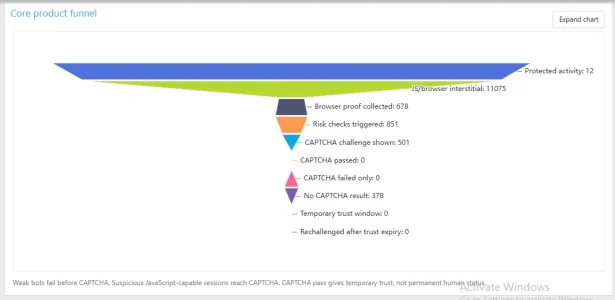
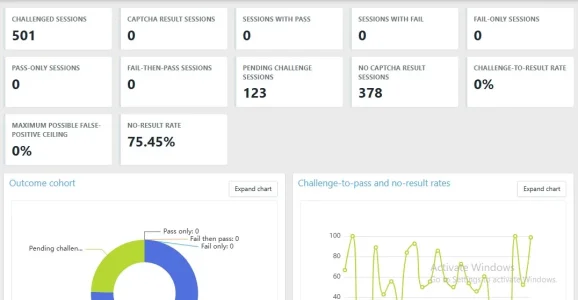
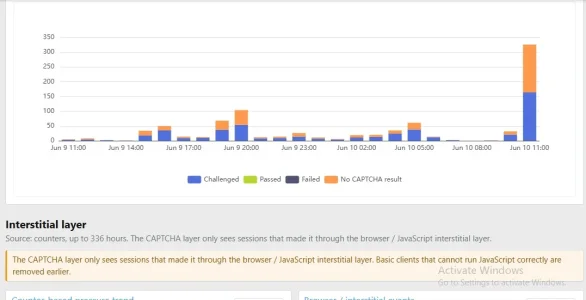
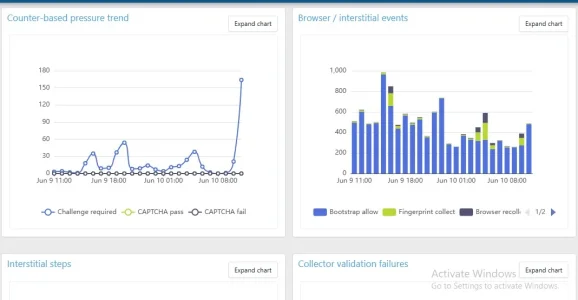
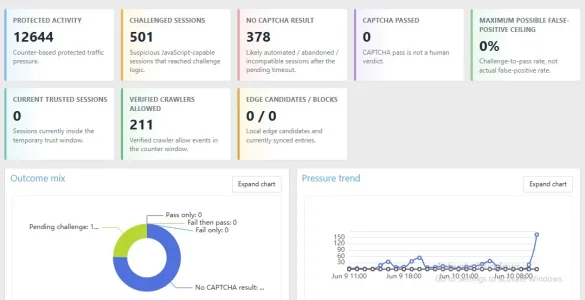
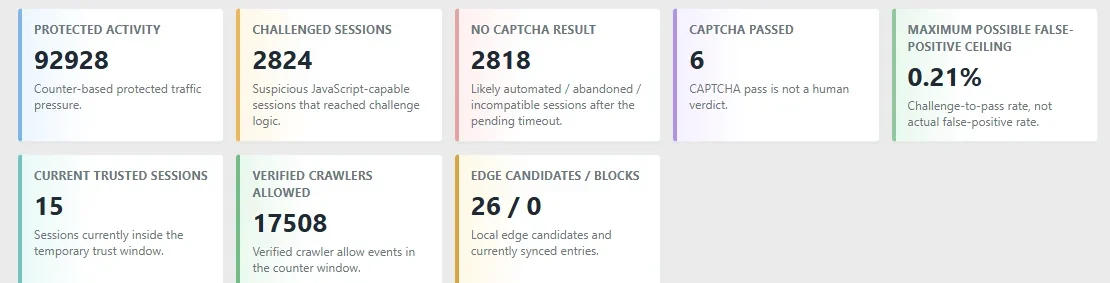
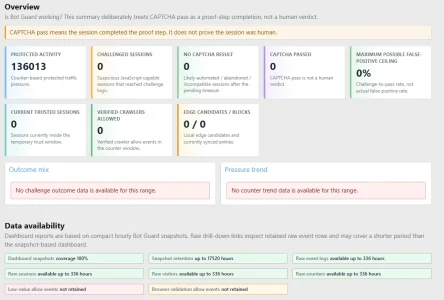
Hello @zeeb0t so its been over 48 hours of testing and I'd love to say a big thank you, this addon is a lifesaver. Before I started using it, my forum was swarmed with bot traffic, but now my Google Analytics, Microsoft Clarity and Statcounter analytics dashboards are all pretty clean. I've added screenshots from my admin dashboard.Awesome! I am here, if you need any assistance. Cheers!
Hello @zeeb0t so its been over 48 hours of testing and I'd love to say a big thank you, this addon is a lifesaver. Before I started using it, my forum was swarmed with bot traffic, but now my Google Analytics, Microsoft Clarity and Statcounter analytics dashboards are all pretty clean. I've added screenshots from my admin dashboard.
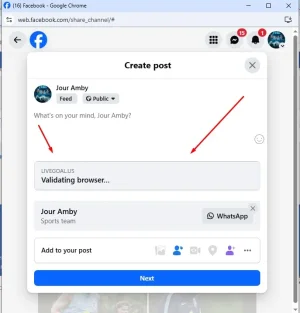
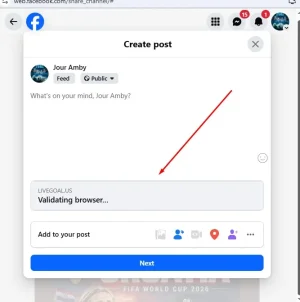
However, there's one little issue tht popped up. Whenever i try to share a URL from my forum to any social media platform, the meta tags, og image e.t.c get stripped out and, never happened like this before i started using the addon. Is this a bug or something?
DoneThat's amazing to hear! I would certainly appreciate it if you could share your experience by rating the add-on, you can do so at the top right near the download on this page: https://xenforo.com/community/resources/xf-bot-guard.10508/

Done
Just did. Sharing on Telegram and Twitter (X) works fine now, but all the Meta platforms (Facebook, Whatsapp, Instagram, Threads) still have the browser validation screenThat's amazing to hear! I would certainly appreciate it if you could share your experience by rating the add-on, you can do so at the top right near the download on this page: https://xenforo.com/community/resources/xf-bot-guard.10508/
A native solution for XF Bot Guard to accept social media crawlers is not yet published (coming soon), but there is an answer to help you out right now.
- Go to Setup -> Options -> XF Bot Guard
- Scroll down to the "Additional trusted crawler rDNS domains" setting
- Here you enter confirmed rDNS domains, I checked, and, a common list includes:
facebook.com
fbsv.net
whatsapp.net
twttr.com
twitter.com
x.com
linkedin.com
pinterest.com
pinterestcrawler.com
tumblr.com
telegram.org
skype.com
skype.net
- And Save.
Then, try sharing a new URL on one of those platforms to confirm.
Let me know how you go!
Just did. Sharing on Telegram and Twitter (X) works fine now, but all the Meta platforms (Facebook, Whatsapp, Instagram, Threads) still have the browser validation screen
Same URL, I've tried 6 different URLs, even used Facebook URL debugger as well.Is that a new URL you are trying, or the same one?
Same URL, I've tried 6 different URLs, even used Facebook URL debugger as well.
Facebook and Threads work now, but Whatsapp still same issue.Ok - this is going to be a long list, but looks like Meta aren't sending out rDNS mapped IP's... so, add all of these in the attached text document to the "Excluded IPs/CIDRs" option, and Save.
Facebook and Threads work now, but Whatsapp still same issue.
WhatsApp/...Ok. Thanks for the clarification. Moving forward, do you plan on finding a workaround to Whatsapp in future updates?I’ve looked into WhatsApp specifically.
Although WhatsApp is owned by Meta, WhatsApp link previews do not appear to behave like the normal Facebook/Meta crawler.
With Facebook, we can usually verify crawler traffic using a combination of known crawler behaviour, reverse DNS, ASN checks, and published crawler user-agents.
WhatsApp is different. For normal WhatsApp link previews, the request may come from the person’s own device or network rather than from a Meta-owned server range. That means the IP address reaching your site can be the user’s mobile carrier, home ISP, VPN, or another ordinary-looking IP, even though the user-agent says:
Code:WhatsApp/...
That creates a problem for XF Bot Guard because the only reliable signal left is the user-agent, and user-agents are trivial to spoof.
Allowing any request through just because it says it is WhatsApp would go against the core design of Bot Guard and would very quickly become an easy bypass for bots.
So at this stage I do not think it is safe to treat WhatsApp as a verified crawler in the same way as Googlebot, Bingbot, or properly verifiable Meta/Facebook crawler traffic.

Ok. Thanks for the clarification. Moving forward, do you plan on finding a workaround to Whatsapp in future updates?
Is this planned for ASN?
Is there a way to check in reports which search engines are receiving captcha (or are they masquerading as such)?
Will there be support for common-crawlers.json? Working with large IP arrays is still difficult. Otherwise, you can get a file from the provider's website, or create one yourself and simply provide a link.
daily work report
Ok. Thanks for the clarification. Moving forward, do you plan on finding a workaround to Whatsapp in future updates?
I'd assume this is a catch22 with the way What's App works currently. The preview is probably rendered either on the sender's device or on the receiver's device. Given that what's app claims to be end-2-end encrypted as far as I know (I do use nothing that belongs to the meta-universe, so not too interested) it can't be done on the server.I will definitely spend time trying to investigate a reliable method of validating a WhatsApp client. I can't promise a favourable result, but I will certainly try!


We use essential cookies to make this site work, and optional cookies to enhance your experience.