
Can you send me a link to this so I can check it out?Maybe I misread the directions but here's how I have it configured
<test folder> - Wordpress lives here
<testfolder/forums> - XF lives here
In Theme Options I have "/forums" for XF path

Can you send me a link to this so I can check it out?Maybe I misread the directions but here's how I have it configured
<test folder> - Wordpress lives here
<testfolder/forums> - XF lives here
In Theme Options I have "/forums" for XF path

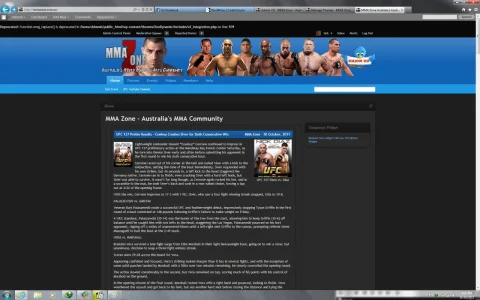
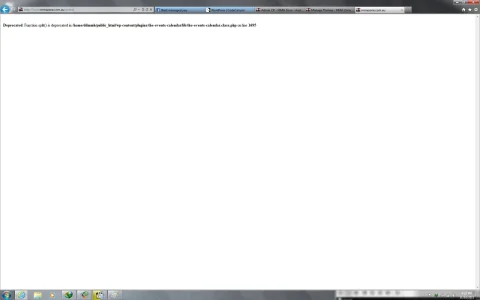

Thanks for that. I realised after I posted in here that the first screenshot was probably just PHP reporting errors which I need to turn off.Both errors in that screenshot are telling you that the scripts you are using (this mod and this WP plugin you are talking about) are using some outdated code that could be replaced by something faster or better or more secure in some way. They are not actually telling anything has faield to work, it's just a notice for the person who made the script to update it.
I think you can force your server to ignore the error and not display it by adding "error_reporting(0);" to the top of the PHP file the error is refering to. (After the "<php" tag. )
I'm not too good at PHP myself, but I think that will work. (untested)
It's sort of notice is more likley to happen when you are using a really bleeding edge new version of your webserver with PHP addon.

I say it probably won't be a significant issue as Bambua has been fixing bugs very timely.Once this is finalized, will it be prone to breaking if either XF or WP has an update or will the template calls survive? I'm torn between styling WP from scratch to match as best i can or go with an amazing/automatic system like this one.


Can you send me a link to where you set this up, I'll get you a fix for it.I've noticed that the XF 'search' box that shows in WP does not search the WP posts. It's actually giving me an error when I try it at all but that could be me: Please specify a search query or the name of a member.
In the file wp-content/themes/XenDynamic/includes/xf_integration.php find this:I've noticed that the XF 'search' box that shows in WP does not search the WP posts. It's actually giving me an error when I try it at all but that could be me: Please specify a search query or the name of a member.
$buffer = str_replace('<form action="index.php?search/search" method="post"', '<form action="/" method="get"', $buffer);$buffer = str_replace('<form action="search/search" method="post"', '<form action="/" method="get"', $buffer);
Anything that works with the current version out now will work with the new one...so if you want to download it and start playing with it/adjusting styling if you need to there's no reason to wait.Kind of a silly question: since I see there's an update coming, should I wait to download this until then or do it now and upgrade once it's out? [I haven't posted anything to the blog yet (waiting on final things like this to be ironed out first), so there isn't really any danger of me wrecking things.]
What specific font issue are you speaking of? And the answer really is as soon as possible. I have a lot going on right now and I'm squeezing in the development in whenever I can.bambua you said you would be releasing the new versin of xendynamic which fixes the font issues. WHen will you be doing that?


We use essential cookies to make this site work, and optional cookies to enhance your experience.


