User group icons

User group icons 1.0.2

No permission to download

Gardolir

Member
Licensed customer
Gardolir submitted a new resource:

Group icons - Add icons to your groups and show them in posts, member tooltip and profile

With this simple add-on you can add specific image to each group:

View attachment 234751

Icons will be displayed in posts:

View attachment 234749

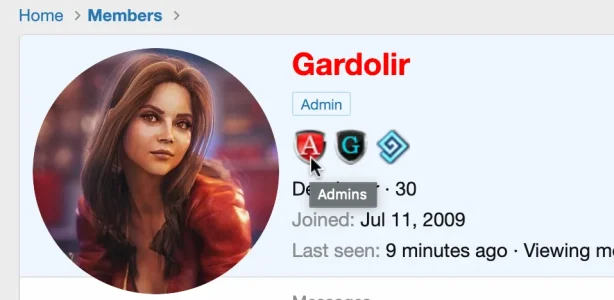
In member tooltip:
View attachment 234750

In member profile:

View attachment 234752

You can customize the add-on with some options:

View attachment 234748

Add-on includes Russian translation.

Read more about this resource...
 
Can you add a feature for custom user fields? For example after each custom user field add a icon section and if admin define it, show it in postbit in next row separately
 
Would it be possible to have different icons be different widths, rather than requiring all icons to be the same width?
 
Is the tooltip viewable on mobile? Not a deal breaker if not....just wondering.
 
This is excellent, but I found one problem.

One of my forums has 29 different usergroups, most are to register them in private subforums.

I am only using this add-on for 3 of those groups.

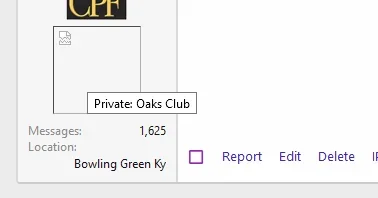
It worked great until I edited one of the groups that would not normally have an icon. After I saved the (non related) changes, it now shows a broken image on posts. I do not have an image specified for this group. If I hover over the broken image, it tells me the usergroup name.

I tried putting an image in and it displayed, but I would prefer there to be no image for this group (or any others where I did not specify an image)

Do you have any idea why this is happening?

1603650664587.png

Yes, I have it very large right now at 88 pixels, while testing. The image above is 88 also, with transparent padding.

Thank you for any advice
Rhody
 
Anyone have a mechanism to hyperlink the icons? I'd like users to be able to click the group icon and be taken to a defined page for that $post.user_id
For example, a group icon for resources, and when clicked the user is taken to the post users listing of resources, eg. /resources/authors/abc.123/
 
Back
Top Bottom