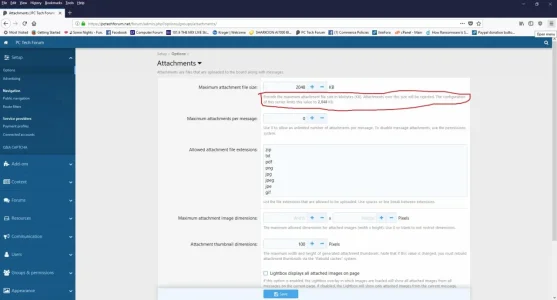
So I've seen a million threads on this and I've tried all of the settings that I've come across. I *know* I've missed something - but I haven't been able to figure it out.
Uploading images - I have the forum set to 5MB - image size isn't our problem. However it does seem that resolution size is. We get a generic error when attempting to upload images and I haven't found the "failure" point (ie where the limit is). Here are the config entries that I've modified.
config.php
php/7.2/fpm/php.ini
php/7.2/cli/php.ini
both have the same settings - I am running NGINX so fpm is the one in use
and then my attachment settings are attached as images.
Uploading images - I have the forum set to 5MB - image size isn't our problem. However it does seem that resolution size is. We get a generic error when attempting to upload images and I haven't found the "failure" point (ie where the limit is). Here are the config entries that I've modified.
config.php
PHP:
$config['db']['host'] = 'xxx';
$config['db']['port'] = '3306';
$config['db']['username'] = 'xxx';
$config['db']['password'] = 'xxx';
$config['db']['dbname'] = 'xxx';
$config['fullUnicode'] = true;
$config['maxImageResizePixelCount'] = 30000000;
php/7.2/fpm/php.ini
php/7.2/cli/php.ini
both have the same settings - I am running NGINX so fpm is the one in use
INI:
memory_limit = 256M
post_max_size = 35M
upload_max_filesize = 5M
and then my attachment settings are attached as images.