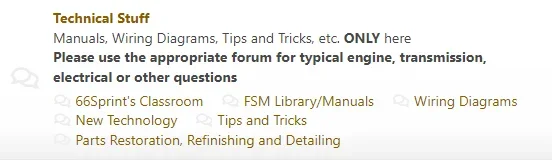
Hi all, and apologies in advance if this has already been described elsewhere but I wasn't able to find the specific thing I needed.
As with many here I'm sure, I run a forum where the majority don't actually read instructions or forum descriptions (shocking, right?). So I attempted to use basic HTML to make a line of bold text in the description. I attempted to do it this way based on the wording below the description box
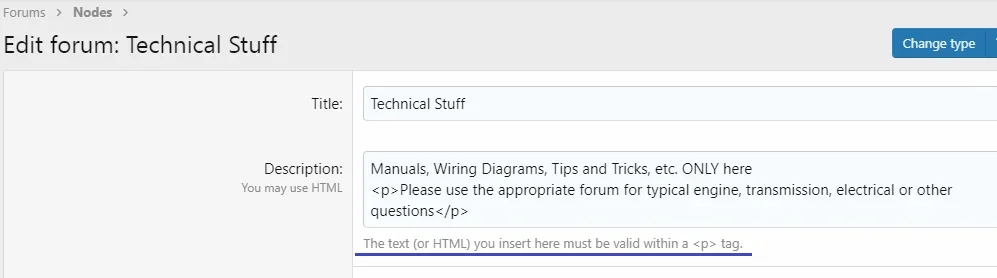
<p>[ B]Please use the appropriate forum for typical engine, transmission, electrical or other questions[/B ]</p>
(without the spaces in the bold code of course, because it works here)
as well as without the <p></p> and either way all that happens is the sentence shows up but no bold type.
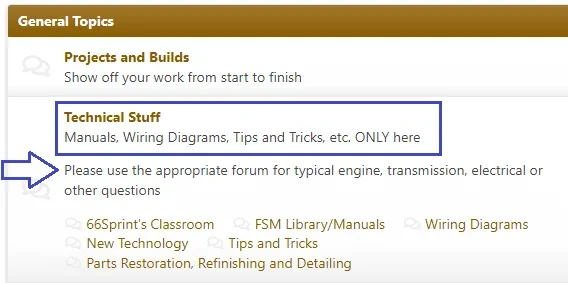
I know it probably won't help many people actually notice and pay attention to it, but I have to try. I'm getting weary of moving lots of posts and leaving short-term redirects for the ID10Ts that can't figure out the simplest of things like, you know, basic organization.
Thanks to all for reading this undoubtedly-repetitive account of forum admin life.
As with many here I'm sure, I run a forum where the majority don't actually read instructions or forum descriptions (shocking, right?). So I attempted to use basic HTML to make a line of bold text in the description. I attempted to do it this way based on the wording below the description box
<p>[ B]Please use the appropriate forum for typical engine, transmission, electrical or other questions[/B ]</p>
(without the spaces in the bold code of course, because it works here)
as well as without the <p></p> and either way all that happens is the sentence shows up but no bold type.
I know it probably won't help many people actually notice and pay attention to it, but I have to try. I'm getting weary of moving lots of posts and leaving short-term redirects for the ID10Ts that can't figure out the simplest of things like, you know, basic organization.
Thanks to all for reading this undoubtedly-repetitive account of forum admin life.
Last edited: