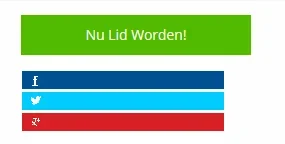
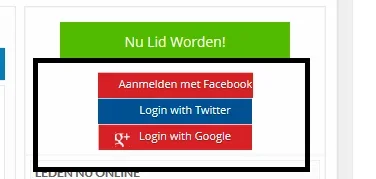
Echelon Active member Licensed customer Nov 11, 2013 #1 Need help with this issue. trying for hours but cannot get it done. what am i doin wrong need from this to this to get this now its this every time anybody can help me
Need help with this issue. trying for hours but cannot get it done. what am i doin wrong need from this to this to get this now its this every time anybody can help me
Jeremy in memoriam 1991-2020 Licensed customer Nov 12, 2013 #2 What is the URL to your site, it'll be easier if direct access to the CSS being used is available. Or alternatively, you could provide the code you are using to display the links. Upvote 0 Downvote
What is the URL to your site, it'll be easier if direct access to the CSS being used is available. Or alternatively, you could provide the code you are using to display the links.
Echelon Active member Licensed customer Nov 12, 2013 #3 http://www.socialmediatalk.nl the code is from this add on...http://xenforo.com/community/resources/social-network-authentication-twitter-google-vk-com.645/ Upvote 0 Downvote
http://www.socialmediatalk.nl the code is from this add on...http://xenforo.com/community/resources/social-network-authentication-twitter-google-vk-com.645/
M MagnusB Well-known member Nov 12, 2013 #4 Your background positions are off, you need to edit them in the template. Facebook one is controlled by this: Code: html body a.fbLogin, html body #loginBar li a.fbLogin { background-position: -154px 0px; } You should be able to search from that. Upvote 0 Downvote
Your background positions are off, you need to edit them in the template. Facebook one is controlled by this: Code: html body a.fbLogin, html body #loginBar li a.fbLogin { background-position: -154px 0px; } You should be able to search from that.
Echelon Active member Licensed customer Nov 12, 2013 #5 Ah. Ok. Thanx. I will try this. Upvote 0 Downvote