
 Prizma — Roadmap
Here is what is planned for Prizma, in order. Each release below is a planned feature package; the numbers in between (1.5.1, 1.5.2 …) are deliberately left free for quick fixes, so an urgent bug report never has to wait for the next big release.
No dates. Each package ships when it is genuinely ready, and the order can change if what you ask for changes it.
1.5.0 — Albums & Collections
Prizma — Roadmap
Here is what is planned for Prizma, in order. Each release below is a planned feature package; the numbers in between (1.5.1, 1.5.2 …) are deliberately left free for quick fixes, so an urgent bug report never has to wait for the next big release.
No dates. Each package ships when it is genuinely ready, and the order can change if what you ask for changes it.
1.5.0 — Albums & Collections
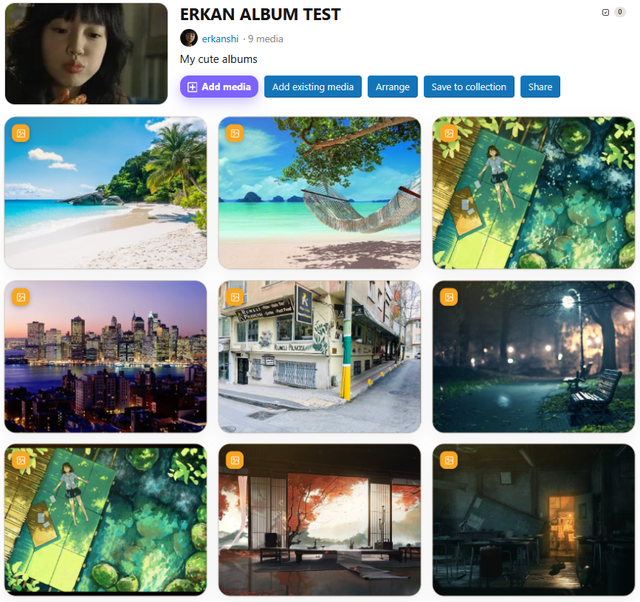
Finishing albums properly: pick your own album cover, arrange media in the order you want, and share an album so several members can upload into it. Plus a new idea alongside albums: collections, which gather media that already exists in the gallery without uploading anything twice — the same photo can sit in as many collections as you like while still living in one place.
1.5.5 — Podcasts & Audiobooks
Series come to Prizma: a podcast is an ongoing show, an audiobook is a finished book, and both are episodes in order. Prizma remembers where you stopped and lets you carry on from that exact second on any device, keeps playing while you browse the rest of the forum, and moves to the next episode on its own. Long recordings get chapters you can jump between, and a "Continue" row shows everything you have started but not finished.
1.6.0 — Automation & insights
Point Prizma at a podcast's RSS feed and new episodes arrive on their own. Paste a direct audio link and it plays. Add the "Listen on Spotify / Apple" badges your audience expects. And see what is actually being watched and listened to, this week rather than since the beginning of time, in cards you can place anywhere on your forum.
1.6.5 — Timeline reactions & clips — Danmaku (弾幕 / だんまく)
Reactions stop being a list underneath the video and become part of it: a comment written at 12:30 appears at 12:30 for the next person watching, either floating over the video or in a panel beside it, whichever you prefer. A heat bar shows where a video made people react — and from that exact moment, one click turns it into a short clip you can share.
1.7.0 — Discovery
Collections that build themselves from rules you set ("everything from 2023", "all panoramas tagged travel"). A media picker inside the post editor, so adding gallery media to a post stops being a hunt. And search inside subtitles: find the moment somebody said it, and jump straight to that second.
1.7.5 — Content gating (Content Blur)
Show visitors that something good is there without giving it away: selected media appears blurred with an invitation to register or upgrade. Done properly — the file itself is never sent to the browser, and the page follows Google's own documented approach for gated content, so your search rankings are not put at risk.
2.0.0 — Watch parties with Realtime CHAT
Watch together, in sync, in your own gallery, with reactions flowing as it plays. And when the party ends the reactions stay on the video, so whoever opens it tomorrow gets a little of that evening back.
 Tell us which of these matters most to you — the order is not set in stone, and customer requests have already changed it more than once.


 Prizma 1.5.1 Released
 Quick answers


