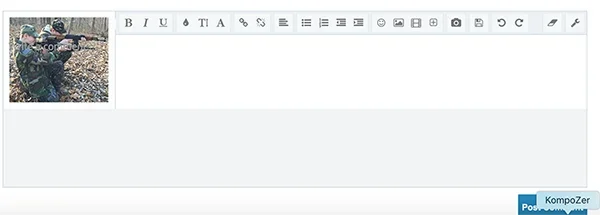
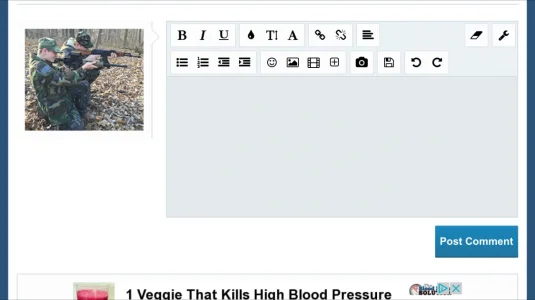
DieselMinded Well-known member Licensed customer May 3, 2016 #1 What i got what its suppose to be http://www.mymilitia.com/media/img_2604.25/ user: test pass: test24 thanks
What i got what its suppose to be http://www.mymilitia.com/media/img_2604.25/ user: test pass: test24 thanks
Chris D XenForo developer Staff member Licensed customer May 3, 2016 #2 I think this is down to a customisation in your style, or an add-on named "Big and Tall Avatars". If it's the latter, then I think the solution is as follows: Code: .xengallery_media_view #CommentForm, .xengallery_album_view #CommentForm { margin-left: 186px; } Added to EXTRA.css Upvote 0 Downvote
I think this is down to a customisation in your style, or an add-on named "Big and Tall Avatars". If it's the latter, then I think the solution is as follows: Code: .xengallery_media_view #CommentForm, .xengallery_album_view #CommentForm { margin-left: 186px; } Added to EXTRA.css
DieselMinded Well-known member Licensed customer May 3, 2016 #3 i applied your changes it sort of fixed it, now the text input area is really small Upvote 0 Downvote
DieselMinded Well-known member Licensed customer May 3, 2016 #4 here is my iphone screen in normal than sideways Upvote 0 Downvote
Chris D XenForo developer Staff member Licensed customer May 3, 2016 #5 Probably also need the following: Code: @media (max-width:610px) { .Responsive #CommentForm { margin-left: 0; } } Upvote 0 Downvote
Probably also need the following: Code: @media (max-width:610px) { .Responsive #CommentForm { margin-left: 0; } }
DieselMinded Well-known member Licensed customer May 3, 2016 #6 Chris D said: Probably also need the following: Code: @media (max-width:610px) { .Responsive #CommentForm { margin-left: 0; } } Click to expand... you fixed it! thank you Upvote 0 Downvote
Chris D said: Probably also need the following: Code: @media (max-width:610px) { .Responsive #CommentForm { margin-left: 0; } } Click to expand... you fixed it! thank you